DUL200PKQ0 Quantity: 1
$4.99
» View Details
CDPR1A Quantity: 1
$4.99
» View Details
SKS-HT540 Quantity: 1
$4.99
» View Details
DEH636ES Quantity: 1
$4.99
» View Details
LT-20A60SJ Quantity: 1
$4.99
» View Details
14PT1573/01 Quantity: 1
$4.99
» View Details
NSXTR77 Quantity: 1
$4.99
» View Details
FH5 Quantity: 1
$4.99
» View Details
AKZ 215 AV Quantity: 1
$4.99
» View Details
8ET18ZKXDG04 Quantity: 1
$4.99
» View Details
MONA_LAPTOP Quantity: 1
$4.99
» View Details
AKR 973 IX-1 Quantity: 1
$4.99
» View Details
DVR-640H-S/KUCXV Quantity: 1
$4.99
» View Details
ALE230RAW Quantity: 1
$4.99
» View Details
KSRS25QGWH03 Quantity: 1
$4.99
» View Details
WD-1295FHB Quantity: 1
$4.99
» View Details
DGF2510 Quantity: 1
$4.99
» View Details
MH9181XMT0 Quantity: 1
$4.99
» View Details
EON5627K Quantity: 1
$4.99
» View Details
KX-T123230E Quantity: 1
$4.99
» View Details
S75628KG3 Quantity: 1
$4.99
» View Details
FGP325YW1 Quantity: 1
$4.99
» View Details
TX8511 Quantity: 1
$4.99
» View Details
KVPG14M72N Quantity: 1
$4.99
» View Details
XRCA610X Quantity: 1
$4.99
» View Details
FL1SAT BOX Quantity: 1
$4.99
» View Details
ADN 121 Quantity: 1
$4.99
» View Details
ADP Emotion Quantity: 1
$4.99
» View Details
SKC-530C Quantity: 1
$4.99
» View Details
HCDH590/M Quantity: 1
$4.99
» View Details
Subtotal: $149.70
 
English Polski Spanish 
Buscar un manual
 

(p.Ej. AA-V20EG JVC, ZX-7 Sony)
PayPal 1000+ rating Secure, Encrypted Checkout.
 
Productos
Información
Destacado
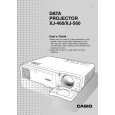
Inicio >> CASIO >> XJ-460 Manual del propietario
 
 30 artículo(s) en Su carrito 

CASIO XJ-460
Manual del propietario


¡Twitee acerca de este producto y obtenga $1.00 de crédito en la tienda para uso!
  • Descargable
  • Formato PDF
  • Manual completo
  • Idiomas: English
Precio: $4.99

Descripción del CASIO XJ-460 Manual del propietario

Es una guía completa (también conocida como Manual de Operación o Manual del Propietario), y está disponible en formato PDF. Después de colocar su orden le enviaremos las instrucciones de descarga a su dirección de e-mail.

The manual is available in languages: English

Not yet ready
You must purchase it first

Opiniones de los clientes
No hay comentarios de productos.

TEXT_PDF_SNIPPET
Projection Operations

To display the sub-window

1. On the remote controller, press the [RGB] key to select RGB
input source.
You can also select the input source using the projector�s [INPUT] key.

as the

2. On the remote controller, press the [P-IN-P] key to display the subwindow.
This causes the sub-window, containing the image input through the VIDEO or S-VIDEO terminal, to appear on the projected image. The sub-window will be located at the position that was used the last time a sub-window was displayed. The initial default location is the lower right corner. You can leave the sub-window where it is, or move it to another location within the projected image. See �To change the location of the sub-window� for more information. You can also select one of three sizes for the sub-window. See �To change the size of the sub-window� for more information.

3. To close

the sub-window, press the remote controller�s [P-IN-P] key or the [ESC] key.

To change the location of the sub-window
While a sub-window is displayed, use the remote controller�s cursor keys to move it to one of the nine locations shown below.

16

Quizás también quiera comprar

$4.99

XJ460 CASIO
Manual de Usuario

Manual del propietario completo en formato digital. El manual estará disponible para descarga como …
>
Parse Time: 0.602 - Number of Queries: 205 - Query Time: 0.305