SX-XD303 Quantity: 1
$4.99
» View Details
GRAX770EK Quantity: 1
$4.99
» View Details
KGCT365XBL1 Quantity: 1
$4.99
» View Details
LST8244DQ0 Quantity: 1
$4.99
» View Details
ED5FHEXNQ02 Quantity: 1
$4.99
» View Details
CSIM232S Quantity: 1
$4.99
» View Details
VGN-SZ1VP/C VAIO Quantity: 1
$4.99
» View Details
KESO140 Quantity: 1
$4.99
» View Details
MARINE602M Quantity: 1
$4.99
» View Details
ZFK61/27R Quantity: 1
$4.99
» View Details
EUR511156 Quantity: 1
$4.99
» View Details
AKG 957/WH Quantity: 1
$4.99
» View Details
MCV963COMBI Quantity: 1
$4.99
» View Details
6LER5434BW0 Quantity: 1
$4.99
» View Details
ADG 8732/1 WH Quantity: 1
$4.99
» View Details
ESN5861/BR Quantity: 1
$4.99
» View Details
WAE 9491 Quantity: 1
$4.99
» View Details
IP45001 Quantity: 1
$4.99
» View Details
BRASILIA MP14 COLOR Quantity: 1
$4.99
» View Details
SUA40 Quantity: 1
$4.99
» View Details
LA6700XKW1 Quantity: 1
$4.99
» View Details
VT-M265A Quantity: 1
$4.99
» View Details
vsx-816 Quantity: 1
$4.99
» View Details
ZUD5120 Quantity: 1
$4.99
» View Details
KTRA22ELBT01 Quantity: 1
$4.99
» View Details
KDS676R Quantity: 1
$4.99
» View Details
KUDB23HY1 Quantity: 1
$4.99
» View Details
Subtotal: $134.73
 
English Polski Spanish 
Buscar un manual
 

(p.Ej. AA-V20EG JVC, ZX-7 Sony)
PayPal 1000+ rating Secure, Encrypted Checkout.
 
Productos
Información
Destacado
Inicio >> SONY >> WX-C55 Manual de Usuario
 
 27 artículo(s) en Su carrito 

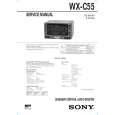
SONY WX-C55
Manual de Usuario


¡Twitee acerca de este producto y obtenga $1.00 de crédito en la tienda para uso!
  • Descargable
  • Formato PDF
  • Manual completo
  • Idiomas: English
Precio: $4.99

Descripción del SONY WX-C55 Manual de Usuario

Manual del propietario completo en formato digital. El manual estará disponible para descarga como archivo PDF después de que lo compre.

El Manual del Propietario (a veces llamado Manual del Usuario o Guía del Usuario) contiene información sobre cómo utilizar su dispositivo. Después de colocar la orden le enviaremos las instrucciones de descarga a su dirección de e-mail.

The manual is available in languages: English

Not yet ready
You must purchase it first

Opiniones de los clientes
No hay comentarios de productos.

TEXT_PDF_SNIPPET
Radio
Memorizing stations automatically
� Best Tuning Memory (BTM)
The unit selects the stations with the strongest signals and memorizes them in the order of their frequencies. You can store up to 6 stations on each band (FM1, FM2, AM1, and AM2). Caution When tuning in stations while driving, use Best Tuning Memory to prevent accidents.

Memorizing only the desired stations
You can store up to 6 stations on each band in the order of your choice.

1 2 3 4

Press (SOURCE) repeatedly to select the tuner. Press (MODE) repeatedly to select the band (FM1, FM2, AM1, or AM2). Press either side of (SEEK/AMS) to tune in the station you want to store on the number button. Press and hold the desired number button ((1) to (6)) until �PRESET� appears. The number button indication appears in the display.

1

Press (SOURCE) repeatedly to select the tuner. Each time you press (SOURCE), the source changes as follows:
B CD B TAPE B TUNER

2

Press (MODE) repeatedly to select the band. Each time you press (MODE), the band changes as follows:
B FM1 B FM2 B AM1

Note If you try to store another station on the same number button, the previously stored station will be erased.

B AM2

Receiving the memorized stations
1 2 3
Press the number button ((1) to (6)) momentarily where the desired station is stored. Press (SOURCE) repeatedly to select the tuner. Press (MODE) repeatedly to select the band (FM1, FM2, AM1, or AM2).

3

Press (SENS/BTM) for two seconds. The unit stores stations in the order of their frequencies on the number buttons. A beep sounds when the setting is stored.

Notes � The unit does not store stations with weak signals. If only a few stations are received, some number buttons will retain their former setting. � When a number is indicated in the display, the unit starts storing stations from the one currently displayed.

If you cannot tune in a preset station
Press either side of (SEEK/AMS) momentarily to search for the station (automatic tuning). Scanning stops when the unit receives a station. Press either side of (SEEK/AMS) repeatedly until the desired station is received.

10

Quizás también quiera comprar

$4.99

WXC55 SONY
Manual de Servicio

Manual de servicio completo en formato digital (archivo PDF). Los manuales de servicio por lo genera…
>
Parse Time: 0.215 - Number of Queries: 194 - Query Time: 0.063