KUDS01DLSS6 Quantity: 1
$4.99
» View Details
F80850U-S Quantity: 1
$4.99
» View Details
BM23MK2 Quantity: 1
$4.99
» View Details
3ET21DKXDW03 Quantity: 1
$4.99
» View Details
TCD998/WSDS30P2 Quantity: 1
$4.99
» View Details
AWM 5063/A Quantity: 1
$4.99
» View Details
HR-S7200U Quantity: 1
$4.99
» View Details
RF3850XVN0 Quantity: 1
$4.99
» View Details
AZ7465 Quantity: 1
$4.99
» View Details
84/SAT Quantity: 1
$4.99
» View Details
RC65GS Quantity: 1
$4.99
» View Details
MH2175XSB1 Quantity: 1
$4.99
» View Details
SCS3014GT1 Quantity: 1
$4.99
» View Details
21PT5458/01 Quantity: 1
$4.99
» View Details
AUC7700 Quantity: 1
$4.99
» View Details
4643335 Quantity: 1
$4.99
» View Details
DEK2430-UR 03G Quantity: 1
$4.99
» View Details
STX933L Quantity: 1
$4.99
» View Details
T51640TEXT/OIRT Quantity: 1
$4.99
» View Details
V07DVDVCR Quantity: 1
$4.99
» View Details
CSDFD73 Quantity: 1
$4.99
» View Details
HSTA381 Quantity: 1
$4.99
» View Details
CPC770 Quantity: 1
$4.99
» View Details
079/774 Quantity: 1
$4.99
» View Details
HSSP350 Quantity: 1
$4.99
» View Details
GSF 1481 WS Quantity: 1
$4.99
» View Details
HR-V410AG Quantity: 1
$4.99
» View Details
TF4600XTP0 Quantity: 1
$4.99
» View Details
TB59L Quantity: 1
$4.99
» View Details
DSCT1 Quantity: 1
$4.99
» View Details
21PT4424/07 Quantity: 1
$4.99
» View Details
PSE4000 Quantity: 1
$4.99
» View Details
HR-D750S Quantity: 1
$4.99
» View Details
CDC7500R Quantity: 1
$4.99
» View Details
ARC3102GSSKAN Quantity: 1
$4.99
» View Details
KVX2960B Quantity: 1
$4.99
» View Details
DVPNS975V Quantity: 1
$4.99
» View Details
GRAX470EE Quantity: 1
$4.99
» View Details
VSA77EOG Quantity: 1
$4.99
» View Details
AJ3290/04 Quantity: 1
$4.99
» View Details
CA19JS CHASSIS Quantity: 1
$4.99
» View Details
ZCG7701X Quantity: 1
$4.99
» View Details
KUDI01FKWH0 Quantity: 1
$4.99
» View Details
SV625X Quantity: 1
$4.99
» View Details
XR6600RDS Quantity: 1
$4.99
» View Details
WACS700/93 Quantity: 1
$4.99
» View Details
765/171 Quantity: 1
$4.99
» View Details
MZNH1 Quantity: 1
$4.99
» View Details
PBDD50 Quantity: 1
$4.99
» View Details
AFG7002X Quantity: 1
$4.99
» View Details
63TA4412/18 Quantity: 1
$4.99
» View Details
CT1439 Quantity: 1
$4.99
» View Details
CCD-TR380 Quantity: 1
$4.99
» View Details
KVXF29M50 Quantity: 1
$4.99
» View Details
VGNT90S Quantity: 1
$4.99
» View Details
SVO-5800P VOLUME 1 Quantity: 1
$4.99
» View Details
TD126MKIII Quantity: 1
$4.99
» View Details
Subtotal: $284.43
 
English Polski Spanish 
Buscar un manual
 

(p.Ej. AA-V20EG JVC, ZX-7 Sony)
PayPal 1000+ rating Secure, Encrypted Checkout.
 
Productos
Información
Destacado
Inicio >> JVC >> HR-A47U Guía de consulta rápida
 
 57 artículo(s) en Su carrito 

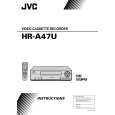
JVC HR-A47U
Guía de consulta rápida


¡Twitee acerca de este producto y obtenga $1.00 de crédito en la tienda para uso!
  • Descargable
  • Formato PDF
  • Manual completo
  • Idiomas: English
Precio: $4.99

Descripción del JVC HR-A47U Guía de consulta rápida

La guía de consulta rápida (a veces llamada Guía de Inicio Rápido) contiene la información más importante sobre cómo utilizar éste producto. El manual está en formato PDF. Después de colocar su orden le enviaremos las instrucciones de descarga a su dirección de e-mail.

The manual is available in languages: English

Not yet ready
You must purchase it first

Opiniones de los clientes
No hay comentarios de productos.

TEXT_PDF_SNIPPET
2

SITUATE AND CONNECT YOUR NEW VCR
5 After completing the basic connections:
� If you�re using a Cable Box, . . . . . . go to 2b (CATV CONVERTER CONNECTION) . � If you�re using an AV connection, . . . . . . go to 2c (AUDIO/VIDEO CONNECTIONS). � If you�re using an RF connection only, . . . . . . go directly to 3 (PLUG & PLAY).

b�CATV CONVERTER CONNECTION
CATV Input CATV Input To TV TV VCR TV VCR To TV
OUT
ANT. IN RF OUT

3
From VCR
IN

SET YOUR VCR'S CLOCK AND TUNER

a�BASIC ANTENNA/CABLE CONNECTION
1 Place the VCR on a stable, horizontal
surface. 2 Disconnect your antenna or cable line from your TV. 3 Connect your antenna to your VCR. 4 Connect your VCR to your TV.

OUT

IN

Cable Box
ANT. IN

PLUG & PLAY
Cable Box

From Cable Box

RF OUT

The VCR�s clock and tuner channels are set automatically when the VCR is plugged into the AC outlet. If you use a cable box, Plug & Play will not function; set the clock and tuner channels separately. ( pg.10 � 14 of the HR-A47U�s instruction manual)

With this connection you can view/record any cable channel including scrambled channels to which you have subscribed. To watch TV with this type of connection 1 Press TV/VCR on the Remote so that the VCR
mode indicator lights on the front display panel. 2 Tune TV to VCR output channel (3, 4 or AV mode). 3 Tune VCR to Cable Box output channel. 4 Select desired channel on Cable Box. �You can only view the channel you are recording.

With this connection, you can view one scrambled cable channel while recording another unscrambled channel. To watch TV with this type of connection 1 Press CH 5� (+/�) or Number keys to select 2 Press TV/VCR so that the VCR mode indicator 3 goes off from the front display panel. Tune TV to Cable Box output channel. 4 Select desired channel on Cable Box. � You cannot record scrambled channels. � To play back a tape, you must tune the Cable Box to the VCR output channel.
desired channel for recording.

1
Plug the VCR into the AC outlet.

4

RF CONNECTION
Back of VCR (example only) COMBINED VHF/UHF
ANT. IN RF OUT
VHF/UHF

Back of TV (example only)

During Auto Channel Set, the channel numbers are displayed as they are scanned and set. Receivable channels are automatically stored

2

in memory in the order of their frequencies, and non-receivable channels are skipped.

SEPARATE VHF/UHF

5
VHF ONLY
UHF VHF

c�AUDIO/VIDEO CONNECTIONS
AV connection methods differ from one type of VCR to another. First, for any TV and VCR, connect your VCR to your TV using RF connection. Then make AV connections following one of the methods illustrated here. After making the connections, go to 3 (PLUG Hi-Fi VHS VCR AV STEREO TV

Do not press any buttons on the VCR or on the Remote during Auto Setup. When setting is complete, the VCR displays the current clock time. You can now use your VCR.

UHF ONLY
VHF UHF

3
VIDEO IN L AUDIO IN R

VIDEO OUT AUDIO OUT R L

CABLE TV LINE Note: Exact connector positions and names may differ.

& PLAY).
MONAURAL VHS VCR AV TV SUPER VHS VCR AV STEREO TV WITH S-VIDEO INPUT TERMINALS
S-VIDEO OUT S-VIDEO IN VIDEO IN L AUDIO IN R VIDEO IN AUDIO IN VIDEO OUT L AUDIO OUT R

�AUTO� blinks while the VCR automatically sets the clock using information provided by the local PBS channel. NOTES: � If the clock time displayed in 5 is incorrect, perform the Semiauto or Manual Clock Set procedure (refer to page 11 or 12 of the HR-A47U�s instruction manual). Auto Channel Set has already taken place, and is not affected. � There are some PBS channels that do not transmit clock setting data. If your antenna cable is properly connected and �� � : � �� is displayed, perform the Manual Clock Set procedure (refer to page 12 of the HR-A47U�s instruction manual). Auto channel setting has not yet taken place, so perform the Auto Channel Set procedure (refer to page 13 of the HR-A47U�s instruction manual).

� CONNECTORS WHICH ARE OR MAY BE REQUIRED:
RF Cable 300-75 ohm Matching Transformer VHF/UHF Antenna Mixer
VIDEO OUT AUDIO OUT

Antenna Splitter

Antenna Splitter

To Listen To VCR Sound Through A Component Stereo Audio System, Connect As Shown

VCR
VIDEO OUT L AUDIO OUT R

Monaural deck owners: Connect to VCR's AUDIO OUT

TV

AMP

Quizás también quiera comprar

$4.99

HR-A47U JVC
Manual de Usuario

Manual del propietario completo en formato digital. El manual estará disponible para descarga como …
>
Parse Time: 0.33 - Number of Queries: 307 - Query Time: 0.107