RBS305PDT13 Quantity: 1
$4.99
» View Details
8ED20ZKXXG00 Quantity: 1
$4.99
» View Details
EM 2003 Quantity: 1
$4.99
» View Details
14T1 Quantity: 1
$4.99
» View Details
RH141LD Quantity: 1
$4.99
» View Details
KGCS105GBT05 Quantity: 1
$4.99
» View Details
PRIMA 120 CF Quantity: 1
$4.99
» View Details
MKG20N Quantity: 1
$4.99
» View Details
KEH-P6900R-B/XN/EW Quantity: 1
$4.99
» View Details
HOO P80 S Quantity: 1
$4.99
» View Details
SLHD81/E Quantity: 1
$4.99
» View Details
ARC 7495 Quantity: 1
$4.99
» View Details
FAV50830M Quantity: 1
$4.99
» View Details
AKR 009/TF Quantity: 1
$4.99
» View Details
AWT 2240 Quantity: 1
$4.99
» View Details
PU-9984A Quantity: 1
$4.99
» View Details
PC-AX10 Quantity: 1
$4.99
» View Details
CCD-TR18E Quantity: 1
$4.99
» View Details
AV36F702 Quantity: 1
$4.99
» View Details
C451B Quantity: 1
$4.99
» View Details
UX-G33US Quantity: 1
$4.99
» View Details
VR610/77B Quantity: 1
$4.99
» View Details
CT30WC14U Quantity: 1
$4.99
» View Details
HA800 Quantity: 1
$4.99
» View Details
21PV375 Quantity: 1
$4.99
» View Details
8ET18NKXXW00 Quantity: 1
$4.99
» View Details
ART 465/A++ Quantity: 1
$4.99
» View Details
T754 Quantity: 1
$4.99
» View Details
VT85E/VPS Quantity: 1
$4.99
» View Details
5KSM150PSEAC4 Quantity: 1
$4.99
» View Details
RS15M Quantity: 1
$4.99
» View Details
AKG 751 WH Quantity: 1
$4.99
» View Details
ED19SCXRWR0 Quantity: 1
$4.99
» View Details
BX21TL Quantity: 1
$4.99
» View Details
ADP 2641 WH Quantity: 1
$4.99
» View Details
ET18ZKXMWR2 Quantity: 1
$4.99
» View Details
900 951 69 Quantity: 1
$4.99
» View Details
3CA2781XSW1 Quantity: 1
$4.99
» View Details
ED2CHQXKT00 Quantity: 1
$4.99
» View Details
Subtotal: $194.61
 
English Polski Spanish 
Buscar un manual
 

(p.Ej. AA-V20EG JVC, ZX-7 Sony)
PayPal 1000+ rating Secure, Encrypted Checkout.
 
Productos
Información
Destacado
Inicio >> ONKYO >> DVCP702 Manual de Servicio
 
 39 artículo(s) en Su carrito 

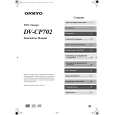
ONKYO DVCP702
Manual de Servicio


¡Twitee acerca de este producto y obtenga $1.00 de crédito en la tienda para uso!
  • Contiene diagramas del circuito
  • Descargable
  • Formato PDF
  • Manual completo
  • Idiomas: English
Precio: $4.99

Descripción del ONKYO DVCP702 Manual de Servicio

Manual de servicio completo en formato digital (archivo PDF). Los manuales de servicio por lo general contienen diagramas de circuitos, tarjetas de circuitos impresos, consejos para reparación, diagramas de cableado, diagramas de bloque y lista de refacciones. El Manual de Servicio (a veces llamado Manual de Reparación) es usado principalmente por los técnicos.

Si tan solo quiere saber cómo utilizar su televisión, reproductor de vídeo, reproductor de mp3, etc. Quizá lo que necesita es el Manual del Propietario. Después de colocar la orden le enviaremos las instrucciones de descarga a su dirección de e-mail.

The manual is available in languages: English

Not yet ready
You must purchase it first

Opiniones de los clientes
No hay comentarios de productos.

TEXT_PDF_SNIPPET
DV-CP702 PANEL VIEW-1
FRONT PANEL
1 2 3 4 5 6 7

8

9

10

11

12

13

14 15

16

17

18

19

10 DISPLAY button 1 STANDBY/ON button

This button is used to set the DV-CP702 to On or Standby. Don't turn on the power until you've completed, and double checked all connections.
2 STANDBY indicator

This button is used to display information about the current disc, title, chapter, or track, including the elapsed time, remaining time, total time, and so on.
11 REPEAT button

This button is used with the Repeat function.
12 Display 13 Remote control sensor

This indicator lights up when the DV-CP702 is in Standby mode.
3 Disc tray

This sensor receives control signals from the remote controller.
14 Previous [

The disc tray has six bays for loading up to six discs.
4 Disc tray light

This light illuminates the disc tray. It comes on when the DV-CP702 is turned on, and is brighter while the disc tray is open.
5 DISC SKIP button

] button This button is used to select the previous chapter or track. During playback it selects the beginning of the current chapter or track. ] button This button is used to select the next chapter or track. ] button This button is used to pause playback. This button is used with the Chain mode function.

15 Next [

This button is used to select the disc bays (i.e., rotate the disc tray) when loading or removing discs, and to select discs for playback.
6 DISC SELECT 1-6 buttons

16 PAUSE [

These buttons are used to select discs. Playback starts automatically when a disc is selected with these buttons.
7 Open/Close [

17 CHAIN MODE button 18 STOP [ ] button

] button

This button is used to open and close the disc tray.
8 LAST MEMORY button

This button is used to stop playback.
19 PLAY/ENTER [ ] button

This button is used with the Last Memory function.
9 DIMMER button

This button is used to start playback and to cancel fast forward and fast reverse. It's also used to start Chain mode playback.

This button is used to adjust the display brightness.

Quizás también quiera comprar

$4.99

DVCP702 ONKYO
Manual de Usuario

Manual del propietario completo en formato digital. El manual estará disponible para descarga como …
>
Parse Time: 0.268 - Number of Queries: 242 - Query Time: 0.084