CQR35LEE Quantity: 1
$4.99
» View Details
GC19 Quantity: 1
$4.99
» View Details
DTC3203 Quantity: 1
$4.99
» View Details
FS-V100J Quantity: 1
$4.99
» View Details
AZ101005 Quantity: 1
$4.99
» View Details
AWE 2180 Quantity: 1
$4.99
» View Details
PVC1323 Quantity: 1
$4.99
» View Details
AWE 7319 Quantity: 1
$4.99
» View Details
300 655 23 Quantity: 1
$4.99
» View Details
KP26M1XSE5 Quantity: 1
$4.99
» View Details
EN5303A/E02 Quantity: 1
$4.99
» View Details
ARC 6670 Quantity: 1
$4.99
» View Details
CPDE210/E Quantity: 1
$4.99
» View Details
ADP 8965 WHM Quantity: 1
$4.99
» View Details
SV-251B Quantity: 1
$4.99
» View Details
7MWT96740SN0 Quantity: 1
$4.99
» View Details
74MR2021 Quantity: 1
$4.99
» View Details
DU ETN1261V Quantity: 1
$4.99
» View Details
GSIK 5010 IN Quantity: 1
$4.99
» View Details
L5500 Quantity: 1
$4.99
» View Details
DV-250/KUXCN Quantity: 1
$4.99
» View Details
AJSD965P Quantity: 1
$4.99
» View Details
LTA95AW Quantity: 1
$4.99
» View Details
ADG 9960 Quantity: 1
$4.99
» View Details
AWO/D 8708 WP Quantity: 1
$4.99
» View Details
GUILD Quantity: 1
$4.99
» View Details
DVDR520H37 Quantity: 1
$4.99
» View Details
TX28/25XD2F SUPPL Quantity: 1
$4.99
» View Details
WA 4141 P Quantity: 1
$4.99
» View Details
AG2530 Quantity: 1
$4.99
» View Details
CFS244S Quantity: 1
$4.99
» View Details
EMZH 5464 BR Quantity: 1
$4.99
» View Details
JEH2320S Quantity: 1
$4.99
» View Details
AFB 6341 Quantity: 1
$4.99
» View Details
KBLO36FMX02 Quantity: 1
$4.99
» View Details
DWC7602ABE Quantity: 1
$4.99
» View Details
AMW 393/IX Quantity: 1
$4.99
» View Details
CUBE-30 Quantity: 1
$4.99
» View Details
20MG15ET Quantity: 1
$4.99
» View Details
ZFK23/11 Quantity: 1
$4.99
» View Details
IJ42001 Quantity: 1
$4.99
» View Details
TYPE 2339 Quantity: 1
$4.99
» View Details
CT1301 Quantity: 1
$4.99
» View Details
LE7800XSW3 Quantity: 1
$4.99
» View Details
KEWD175HWH3 Quantity: 1
$4.99
» View Details
ST600 Quantity: 1
$4.99
» View Details
ACU114XE0 Quantity: 1
$4.99
» View Details
SGH-Z320I Quantity: 1
$4.99
» View Details
DEH-2006ZRN X1B/EW Quantity: 1
$4.99
» View Details
ART 480/R Quantity: 1
$4.99
» View Details
Subtotal: $249.50
 
English Polski Spanish 
Buscar un manual
 

(p.Ej. AA-V20EG JVC, ZX-7 Sony)
PayPal 1000+ rating Secure, Encrypted Checkout.
 
Productos
Información
Destacado
Inicio >> WHIRLPOOL >> YRBS305PDS9 Manual de Usuario
 
 50 artículo(s) en Su carrito 

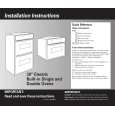
WHIRLPOOL YRBS305PDS9
Manual de Usuario


¡Twitee acerca de este producto y obtenga $1.00 de crédito en la tienda para uso!
  • Descargable
  • Formato PDF
  • Manual completo
  • Idiomas: English, French
Precio: $4.99

Descripción del WHIRLPOOL YRBS305PDS9 Manual de Usuario

Manual del propietario completo en formato digital. El manual estará disponible para descarga como archivo PDF después de que lo compre.

El Manual del Propietario (a veces llamado Manual del Usuario o Guía del Usuario) contiene información sobre cómo utilizar su dispositivo. Después de colocar la orden le enviaremos las instrucciones de descarga a su dirección de e-mail.

The manual is available in languages: English, French

Not yet ready
You must purchase it first

Opiniones de los clientes
No hay comentarios de productos.

TEXT_PDF_SNIPPET
How the Cycle Works
IMPORTANT: The heating and cooling of porcelain on steel in the oven may result in discoloring, loss of gloss, hairline cracks and popping sounds. The Self-Cleaning cycle uses very high temperatures, burning soil to a powdery ash. The oven is preset for a 3 hour 30 minute clean cycle, but the time can be changed. Suggested clean times are 2 hours 30 minutes for light soil and between 3 hours 30 minutes to 4 hours 30 minutes for average to heavy soil. Once the oven has completely cooled, remove ash with a damp cloth. Do not wipe down any of the inside surfaces until the oven has completely cooled down. Applying a cool damp cloth to the inner door glass before it has completely cooled could result in the glass breaking. The oven light will not work during the Self-Cleaning cycle. On combination oven models, the upper oven will not work during the Self-Cleaning cycle.

5. Press START/ENTER. The start time is automatically calculated and displayed. The door will automatically lock and �LOCKED� and �DELAY� will appear on the display. The door will not unlock until the oven cools. When the start time is reached, the oven will automatically turn on. When the cycle is complete and the oven cools, �End� will appear on the lower oven display and �LOCKED� will disappear. 6. Press any pad or open the oven door to clear the oven display.

To Stop Self-Clean any time:
Press UPPER OFF, LOWER OFF or OFF/CANCEL. If the oven temperature is too high, the door will remain locked. It will not unlock until the oven cools.

To Self-Clean:
Before self-cleaning, make sure the door is closed completely or it will not lock and the cycle will not begin. 1. On double oven models only, press UPPER OVEN or LOWER OVEN. 2. Press AUTO CLEAN. 3. Press the HR �up� or �down� arrow pad to set a clean time other than 3 hours 30 minutes. The clean time can be set between 2 hours 30 minutes and 4 hours 30 minutes. 4. Press START/ENTER. The oven door will automatically lock, and �LOCKED� will appear on the oven display. The door will not unlock until the oven cools. When the cycle is complete and the oven cools, �End� will appear on the oven display and �LOCKED� will disappear. 5. Press UPPER OFF, LOWER OFF or OFF/CANCEL or open the oven door to clear the oven display.

General Cleaning
IMPORTANT: Before cleaning, make sure all controls are off and the oven is cool. Always follow label instructions on cleaning products. Soap, water and a soft cloth or sponge are suggested first unless otherwise noted.

STAINLESS STEEL (on some models)
Do not use soap-filled scouring pads, abrasive cleaners, Cooktop Polishing Creme, steel-wool pads, gritty washcloths or some paper towels. Damage may occur. Rub in direction of grain to avoid damaging.
�

Stainless Steel Cleaner & Polish (not included): See �Assistance or Service� section to order.

�

Liquid detergent or all-purpose cleaner: Rinse with clean water and dry with soft, lint-free cloth.

To Delay Start Self-Clean:
Before delay starting Self-Clean, make sure the clock is set to the correct time of day. See �Clock� section. Also, make sure the door is closed completely or it will not lock and the cycle will not begin. 1. On double oven models only, press UPPER OVEN or LOWER OVEN. 2. Press AUTO CLEAN. Press the HR �up� or �down� arrow pad to set a clean time other than 3 hours 30 minutes. The clean time can be set between 2 hours 30 minutes and 4 hours 30 minutes. 3. Press STOP TIME. 4. Press the HR and MIN �up� or �down� arrows pads to enter the time of day to stop.

�

Vinegar for hard water spots

OVEN DOOR EXTERIOR
�

Glass cleaner and paper towels or nonabrasive plastic scrubbing pad: Apply glass cleaner to soft cloth or sponge, not directly on panel.

CONTROL PANEL
Do not use abrasive cleaners, steel-wool pads, gritty washcloths or some paper towels. Damage may occur.
�

Glass cleaner and soft cloth or sponge: Apply glass cleaner to soft cloth or sponge, not directly on panel.

OVEN CAVITY
Do not use oven cleaners. Food spills should be cleaned when oven cools. At high temperatures, foods react with porcelain and staining, etching, pitting or faint white spots can result. � Self-Cleaning cycle: See �Self-Cleaning Cycle� first.

12

Quizás también quiera comprar


¡Es gratis!

YRBS305PDS9 WHIRLPOOL
Manual de Instalación

Complete installation manual in digital format. The manual will be available for download as PDF fil…

$4.99

YRBS305PDS9 WHIRLPOOL
Catálogo de piezas

Únicamente Catálogo de Partes. Está disponible en formato PDF. Muy útil si su equipo se ha averi…
>
Parse Time: 1.351 - Number of Queries: 279 - Query Time: 0.817