IS72000 Quantity: 1
$4.99
» View Details
VGNT140 Quantity: 1
$4.99
» View Details
CB6100-1B Quantity: 1
$4.99
» View Details
5774 Quantity: 1
$4.99
» View Details
IT-A850 Quantity: 1
$4.99
» View Details
HQ8010/1P Quantity: 1
$4.99
» View Details
SHC8545/00 Quantity: 1
$4.99
» View Details
SVMP020 Quantity: 1
$4.99
» View Details
JSI5460B Quantity: 1
$4.99
» View Details
LXR9245EZ0 Quantity: 1
$4.99
» View Details
RS675PXGZ1 Quantity: 1
$4.99
» View Details
22DC243 Quantity: 1
$4.99
» View Details
STV3666 Quantity: 1
$4.99
» View Details
SUA40 Quantity: 1
$4.99
» View Details
DEH-P590IB Quantity: 1
$4.99
» View Details
DVSV6464B Quantity: 1
$4.99
» View Details
AJ-D700P VOLUME 2 Quantity: 1
$4.99
» View Details
KVI 2759 Quantity: 1
$4.99
» View Details
KSCS23INBT01 Quantity: 1
$4.99
» View Details
NO020947 Quantity: 1
$4.99
» View Details
CTG3353XG Quantity: 1
$4.99
» View Details
DEH-P6800MP/XN/UC Quantity: 1
$4.99
» View Details
DX150E Quantity: 1
$4.99
» View Details
KE3040 Quantity: 1
$4.99
» View Details
HI296/20 Quantity: 1
$4.99
» View Details
KDC5024 Quantity: 1
$4.99
» View Details
KUDM01TJWH0 Quantity: 1
$4.99
» View Details
2385 Quantity: 1
$4.99
» View Details
SDV592SU Quantity: 1
$4.99
» View Details
CRP149 Quantity: 1
$4.99
» View Details
DTH5400 Quantity: 1
$4.99
» View Details
GLT3014GQ2 Quantity: 1
$4.99
» View Details
AKP 244/01 NA Quantity: 1
$4.99
» View Details
EHD4.3PSW Quantity: 1
$4.99
» View Details
ADG 6556 AVM Quantity: 1
$4.99
» View Details
RF324PXEW1 Quantity: 1
$4.99
» View Details
AKZ 237/NB Quantity: 1
$4.99
» View Details
CFS-B31 Quantity: 1
$4.99
» View Details
ZT485 Quantity: 1
$4.99
» View Details
CSDRD370EZ Quantity: 1
$4.99
» View Details
WU3006Y1 Quantity: 1
$4.99
» View Details
CDBA3100H Quantity: 1
$4.99
» View Details
RC8200XVN0 Quantity: 1
$4.99
» View Details
P37342/900 Quantity: 1
$4.99
» View Details
ESPH5960/IN Quantity: 1
$4.99
» View Details
D26K180 Quantity: 1
$4.99
» View Details
ED26MKXRWR0 Quantity: 1
$4.99
» View Details
ZKF 641 X ZAN. AUSTR Quantity: 1
$4.99
» View Details
KX-TCD450RUM Quantity: 1
$4.99
» View Details
4081VR Quantity: 1
$4.99
» View Details
AZ9003/19 Quantity: 1
$4.99
» View Details
XGPH50XNL Quantity: 1
$4.99
» View Details
KDCC710 Quantity: 1
$4.99
» View Details
SB-TP20 Quantity: 1
$4.99
» View Details
KSUS22QDAL00 Quantity: 1
$4.99
» View Details
AU-A126E Quantity: 1
$4.99
» View Details
PE125 Quantity: 1
$4.99
» View Details
Subtotal: $284.43
 
English Polski Spanish 
Buscar un manual
 

(p.Ej. AA-V20EG JVC, ZX-7 Sony)
PayPal 1000+ rating Secure, Encrypted Checkout.
 
Productos
Información
Destacado
Inicio >> SHARP >> XL-1600H Manual de Usuario
 
 57 artículo(s) en Su carrito 

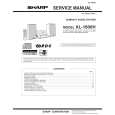
SHARP XL-1600H
Manual de Usuario


¡Twitee acerca de este producto y obtenga $1.00 de crédito en la tienda para uso!
  • Descargable
  • Formato PDF
  • Manual completo
  • Idiomas: English, German, French, Italian, Spanish, Dutch, Swedish, Portuguese, Czech, Polish, Hungarian, Slovak
Precio: $4.99

Descripción del SHARP XL-1600H Manual de Usuario

Manual del propietario completo en formato digital. El manual estará disponible para descarga como archivo PDF después de que lo compre.

El Manual del Propietario (a veces llamado Manual del Usuario o Guía del Usuario) contiene información sobre cómo utilizar su dispositivo. Después de colocar la orden le enviaremos las instrucciones de descarga a su dirección de e-mail.

The manual is available in languages: English, German, French, Italian, Spanish, Dutch, Swedish, Portuguese, Czech, Polish, Hungarian, Slovak

Not yet ready
You must purchase it first

Opiniones de los clientes
No hay comentarios de productos.

TEXT_PDF_SNIPPET
XL-1500H XL-1600H

Listening to the radio
1 2 3
Press the ON/STAND-BY button to turn the power on. Press the FUNCTION button until "FM" or "AM" appears on the display.
When operating with the remote control, press the TUNER button, and then the BAND button to select "FM" or "AM".

ENGLISH

Radio Listening to the radio -

Press the TUNING ( sired station.

or

) button to tune in to the de-

Manual tuning: Press the TUNING button as many times as required to tune in to the desired station. Auto tuning: When the TUNING button is pressed for more than 0.5 seconds, scanning will start automatically and the tuner will stop at the first receivable broadcast station. Notes: z This can be operated by pressing the TUN. ( or ) button on the remote control. z When radio interference occurs, auto scan tuning may stop automatically at that point. z Auto scan tuning will skip weak signal stations. z To stop the auto tuning, press the TUNING button again. z When an RDS (Radio Data System) station is tuned in, the frequency will be displayed first, and then the RDS indicator will light. Finally, the station name will appear. z Full auto tuning can be achieved for RDS stations "ASPM", see page 21.

E-16

Sound control (See page 10.)

01/12/12

1500H_E2.fm

Quizás también quiera comprar

$4.99

XL1600H SHARP
Manual de Servicio

Manual de servicio completo en formato digital (archivo PDF). Los manuales de servicio por lo genera…
>
Parse Time: 0.384 - Number of Queries: 307 - Query Time: 0.132