MINUET50L Quantity: 1
$4.99
» View Details
VGN-FS515H VAIO Quantity: 1
$4.99
» View Details
PCGR505DL Quantity: 1
$4.99
» View Details
CHM180T Quantity: 1
$4.99
» View Details
300K SIGNAL Quantity: 1
$4.99
» View Details
CTVBT74SM Quantity: 1
$4.99
» View Details
WVR 420 Quantity: 1
$4.99
» View Details
KTRD18KAAL00 Quantity: 1
$4.99
» View Details
MDSS707 Quantity: 1
$4.99
» View Details
SBCMC600/00 Quantity: 1
$4.99
» View Details
KHHS179LSS1 Quantity: 1
$4.99
» View Details
AWO/D 6116 Quantity: 1
$4.99
» View Details
GK90PrimoCN Quantity: 1
$4.99
» View Details
ICF-790L Quantity: 1
$4.99
» View Details
VR240 Quantity: 1
$4.99
» View Details
GSFK 2524 AUTO WS Quantity: 1
$4.99
» View Details
SL-1900 Quantity: 1
$4.99
» View Details
WAB 1200 SW Quantity: 1
$4.99
» View Details
KHG 99 BW Quantity: 1
$4.99
» View Details
EHC010X Quantity: 1
$4.99
» View Details
ACO 151 Quantity: 1
$4.99
» View Details
FK15 Quantity: 1
$4.99
» View Details
VSX-53TX Quantity: 1
$4.99
» View Details
AWM 8000 Quantity: 1
$4.99
» View Details
KHHS179LBT5 Quantity: 1
$4.99
» View Details
SE960PEYW3 Quantity: 1
$4.99
» View Details
RT18DKXDN01 Quantity: 1
$4.99
» View Details
AWM 6129 Quantity: 1
$4.99
» View Details
WVE1630 A+W Quantity: 1
$4.99
» View Details
KHB200ER0 Quantity: 1
$4.99
» View Details
WW27210PR Quantity: 1
$4.99
» View Details
IES356RD1 Quantity: 1
$4.99
» View Details
GEW9868KQ4 Quantity: 1
$4.99
» View Details
Subtotal: $164.67
 
English Polski Spanish 
Buscar un manual
 

(p.Ej. AA-V20EG JVC, ZX-7 Sony)
PayPal 1000+ rating Secure, Encrypted Checkout.
 
Productos
Información
Destacado
Inicio >> PIONEER >> VSX-C300-S/SAMXQ Manual de Servicio
 
 33 artículo(s) en Su carrito 

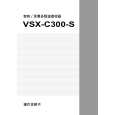
PIONEER VSX-C300-S/SAMXQ
Manual de Servicio


¡Twitee acerca de este producto y obtenga $1.00 de crédito en la tienda para uso!
  • Contiene diagramas del circuito
  • Descargable
  • Formato PDF
  • Manual completo
  • Idiomas: English
Precio: $4.99

Descripción del PIONEER VSX-C300-S/SAMXQ Manual de Servicio

Manual de servicio completo en formato digital (archivo PDF). Los manuales de servicio por lo general contienen diagramas de circuitos, tarjetas de circuitos impresos, consejos para reparación, diagramas de cableado, diagramas de bloque y lista de refacciones. El Manual de Servicio (a veces llamado Manual de Reparación) es usado principalmente por los técnicos.

Si tan solo quiere saber cómo utilizar su televisión, reproductor de vídeo, reproductor de mp3, etc. Quizá lo que necesita es el Manual del Propietario. Después de colocar la orden le enviaremos las instrucciones de descarga a su dirección de e-mail.

The manual is available in languages: English

Not yet ready
You must purchase it first

Opiniones de los clientes
No hay comentarios de productos.

TEXT_PDF_SNIPPET
VSX-C300, VSX-C300-S

@ ROOM SETUP (S-M-L) buttons :
Use these functions when setting up the surround sound speaker distances with the Quick Start, easy-to-do method. # CH.LEVEL +/� buttons : Use these buttons to control the volume level of each channel or add or subtract the amount of effect in a listening mode. $ 2 3 5 � & ENTER buttons : Use these arrow buttons when setting up your surround system.

% 2 channel listening mode buttons :
VIRTUAL button- Press for VIRTUAL listening mode. This listening mode imitates surround sound but only uses two channels. PHONES SURR. buttonPress for PHONES SURR. listening mode. This listening mode imitates surround sound for headphones (also only two channel reproduc tion). STEREO buttonPress for STEREO listening mode. This is regular stereo reproduction (always two channel sound). ^ 2 channel listening mode buttons : STANDARD button-Press for STANDARD listening mode. This is the basic listening mode for listening to Dolby Digital 5.1, DTS 5.1 and other surround soundtracks as well as Dolby Surround soundtracks. It offers pure decoding of the signal with no added effects. 2 channel sources will get decoded and played back as Dolby Pro Logic surround soundtracks. 5-D button-Press for 5-D sound mode. This listening mode takes two channel sources and simulates surround sound. GAME button-Press for GAME listening mode. This listening mode is best for games and other soundtracks with lots of electronic sounds. TV SURR. button-Press for TV SURR. listening mode. This listening mode takes mono (TV sound) sources and simulates surround sound. MUSICAL button- Press for MUSICAL listening mode. This listening mode is best for music and other soundtracks with lots of melody. DRAMA button-Press for DRAMA listening mode. This listening mode is best for dramatic movies and other soundtracks with lots of dialog. ACTION button-Press for ACTION listening mode. This listening mode is best for action movies and other soundtracks with lots of animated sounds. & MIDNIGHT button : Use to put receiver in MIDNIGHT mode. * 2/MULTI channel listening mode button : AUTO button: Use to put receiver in the AUTO mode, where the receiver automatically switches between STEREO (2 ch) and STANDARD (MULTI) according to the input.

66

Quizás también quiera comprar

$4.99

VSX-C300-S/SAMXQ PIONEER
Manual de Usuario

Manual del propietario completo en formato digital. El manual estará disponible para descarga como …
>
Parse Time: 0.257 - Number of Queries: 216 - Query Time: 0.074