DECT1224S/19 Quantity: 1
$4.99
» View Details
PCRW4012K/00 Quantity: 1
$4.99
» View Details
VL-PD6S Quantity: 1
$4.99
» View Details
C5540 Quantity: 1
$4.99
» View Details
TE3 Quantity: 1
$4.99
» View Details
VR161/01 Quantity: 1
$4.99
» View Details
BETATWELVEXDVC Quantity: 1
$4.99
» View Details
PM3207 Quantity: 1
$4.99
» View Details
DECT1222S/24 Quantity: 1
$4.99
» View Details
SD110EL Quantity: 1
$4.99
» View Details
AWD-14312(7)RD Quantity: 1
$4.99
» View Details
SINICCELL Quantity: 1
$4.99
» View Details
QSG715 Quantity: 1
$4.99
» View Details
KAWE770BAL0 Quantity: 1
$4.99
» View Details
CMD78ER Quantity: 1
$4.99
» View Details
32PW8505/12 Quantity: 1
$4.99
» View Details
CB81405-1-A Quantity: 1
$4.99
» View Details
KSRS22QGBT03 Quantity: 1
$4.99
» View Details
AWT 8228 Quantity: 1
$4.99
» View Details
HG 50 TAGLIASIEPI Quantity: 1
$4.99
» View Details
RT14VKXDL00 Quantity: 1
$4.99
» View Details
Subtotal: $104.79
 
English Polski Spanish 
Buscar un manual
 

(p.Ej. AA-V20EG JVC, ZX-7 Sony)
PayPal 1000+ rating Secure, Encrypted Checkout.
 
Productos
Información
Destacado
Inicio >> ONKYO >> TX-SR804 Guía de consulta rápida
 
 21 artículo(s) en Su carrito 

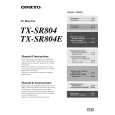
ONKYO TX-SR804
Guía de consulta rápida


¡Twitee acerca de este producto y obtenga $1.00 de crédito en la tienda para uso!
  • Descargable
  • Formato PDF
  • Manual completo
  • Idiomas: English
Precio: $4.99

Descripción del ONKYO TX-SR804 Guía de consulta rápida

La guía de consulta rápida (a veces llamada Guía de Inicio Rápido) contiene la información más importante sobre cómo utilizar éste producto. El manual está en formato PDF. Después de colocar su orden le enviaremos las instrucciones de descarga a su dirección de e-mail.

The manual is available in languages: English

Not yet ready
You must purchase it first

Opiniones de los clientes
No hay comentarios de productos.

TEXT_PDF_SNIPPET
Turning on & Using Automatic Speaker Setup
With the supplied speaker setup microphone, use the Automatic Speaker Setup function. Before using this function, connect and position all your speakers.

1
AV receiver
STANDBY/ON

Remote controller
RECEIVER

Press the [STANDBY/ON] button on the AV receiver or press the remote controller�s [RECEIVER] button followed by the [ON] button to turn on the AV receiver. Turn on the TV and select the input to which the AV receiver is connected.

or
ON

2

SETUP MIC

MIC position

Put the speaker setup microphone in the listening position, and connect it to the SETUP MIC jack on the front panel. And press [ENTER]. The automatic speaker setup starts. The whole process takes about 2 minutes.

ENTER

Auto Speaker Setup -----------------------Push Enter:Start Caution! Loud sound.

3
Auto Speaker Setup -----------------------Apply the Results
ENTER
ENTER

When you�ve �nished the setup, press the Up and Down [ ]/[ ] buttons to select �Apply the Results,� and then press [ENTER]. Disconnect the speaker setup microphone.

Check the Results Retry Retry with Test noise Level up Cancel

Selecting the Input Source

1.

Use the AV receiver�s input selector buttons to select the input source. To select the input source with the remote controller, press the [RECEIVER] button, and then use the INPUT SELECTOR buttons. Start playback. To adjust the volume, use the MASTER VOLUME control, or the remote controller�s [VOL] button.

3
MASTER VOLUME STANDBY/ON STANDBY ZONE 2

PURE AUDIO

MULTI CH

DVD

VIDEO 1

VIDEO 2

VIDEO 3

VIDEO 4

TAPE

TUNER

CD

PHONO

DISPLAY

2. 3.

PUSH TO OPEN

1
I0609-1

SN 29344330
(C) Copyright 2006 ONKYO CORPORATION Japan. All rights reserved.

*29344330*

Quizás también quiera comprar

$4.99

TX-SR804 ONKYO
Manual de Usuario

Manual del propietario completo en formato digital. El manual estará disponible para descarga como …

$4.99

TX-SR804 ONKYO
Manual de Servicio

Manual de servicio completo en formato digital (archivo PDF). Los manuales de servicio por lo genera…
>
Parse Time: 0.969 - Number of Queries: 183 - Query Time: 0.425