RF388LXKP0 Quantity: 1
$4.99
» View Details
DRA585RD Quantity: 1
$4.99
» View Details
AMW 440 WH Quantity: 1
$4.99
» View Details
DTE29U8 Quantity: 1
$4.99
» View Details
SD502 Quantity: 1
$4.99
» View Details
GRDVP7US1 Quantity: 1
$4.99
» View Details
FT7156 Quantity: 1
$4.99
» View Details
KUDS03FTBT1 Quantity: 1
$4.99
» View Details
SG335XN Quantity: 1
$4.99
» View Details
KDC5019 Quantity: 1
$4.99
» View Details
MD 131/WH Quantity: 1
$4.99
» View Details
MTC9000/M SR 28 T Quantity: 1
$4.99
» View Details
AKR 646 IX Quantity: 1
$4.99
» View Details
150B3M Quantity: 1
$4.99
» View Details
Micromat 115 E/U-w Quantity: 1
$4.99
» View Details
WAK 8988 Quantity: 1
$4.99
» View Details
ACQ184XG0 Quantity: 1
$4.99
» View Details
HR6061/20 Quantity: 1
$4.99
» View Details
TCDD10PROII Quantity: 1
$4.99
» View Details
54359260 Quantity: 1
$4.99
» View Details
KESO145S Quantity: 1
$4.99
» View Details
JC-1531VMA-2 Quantity: 1
$4.99
» View Details
ZX3 Quantity: 1
$4.99
» View Details
EC5100XFN0 Quantity: 1
$4.99
» View Details
ZX-510IY Quantity: 1
$4.99
» View Details
8EB21DKXDW00 Quantity: 1
$4.99
» View Details
XV-515GDU Quantity: 1
$4.99
» View Details
SSU64 Quantity: 1
$4.99
» View Details
AKM 517/NA/C Quantity: 1
$4.99
» View Details
082.743 6/1023 Quantity: 1
$4.99
» View Details
SP-THA55C Quantity: 1
$4.99
» View Details
ATR1242RPP0 Quantity: 1
$4.99
» View Details
MIDI2255.10 Quantity: 1
$4.99
» View Details
TK245 Quantity: 1
$4.99
» View Details
CXN5100 Quantity: 1
$4.99
» View Details
ET4CSKXKQ03 Quantity: 1
$4.99
» View Details
EVS9000E Quantity: 1
$4.99
» View Details
SPP90 Quantity: 1
$4.99
» View Details
ET22RKXYW00 Quantity: 1
$4.99
» View Details
AKP 929 GR Quantity: 1
$4.99
» View Details
TT13 Quantity: 1
$4.99
» View Details
SA-HT885E Quantity: 1
$4.99
» View Details
DXC-C1MDP Quantity: 1
$4.99
» View Details
KECT305VWH2 Quantity: 1
$4.99
» View Details
PEGSJ33HBOOK Quantity: 1
$4.99
» View Details
SF3000ERW4 Quantity: 1
$4.99
» View Details
LS 795 Quantity: 1
$4.99
» View Details
SD210EL Quantity: 1
$4.99
» View Details
015.067 2 Quantity: 1
$4.99
» View Details
AVIC-S1 Quantity: 1
$4.99
» View Details
SHD 100 W Quantity: 1
$4.99
» View Details
DMC-FX55EB VOLUME 1 Quantity: 1
$4.99
» View Details
CD-C7000W Quantity: 1
$4.99
» View Details
CT7608/ABPSAFPV Quantity: 1
$4.99
» View Details
AKP 368/IX/06 Quantity: 1
$4.99
» View Details
RF32CSG Quantity: 1
$4.99
» View Details
D26C882 Quantity: 1
$4.99
» View Details
SPPW105WD Quantity: 1
$4.99
» View Details
FMQ51N Quantity: 1
$4.99
» View Details
DEH-P3110EE Quantity: 1
$4.99
» View Details
FE-DV25VE Quantity: 1
$4.99
» View Details
GR9FHTXVS00 Quantity: 1
$4.99
» View Details
5KSB52BWH5 Quantity: 1
$4.99
» View Details
MED5921TW0 Quantity: 1
$4.99
» View Details
KHWS160VCR7 Quantity: 1
$4.99
» View Details
AV-32DF74/YA Quantity: 1
$4.99
» View Details
KXTD7895 Quantity: 1
$4.99
» View Details
CCD-TR36 Quantity: 1
$4.99
» View Details
LE6605XPW1 Quantity: 1
$4.99
» View Details
PV-DV52 Quantity: 1
$4.99
» View Details
CDX-540RF Quantity: 1
$4.99
» View Details
IS380 Quantity: 1
$4.99
» View Details
ADG 9500 Quantity: 1
$4.99
» View Details
DEH-P300X1M Quantity: 1
$4.99
» View Details
XR-2 Quantity: 1
$4.99
» View Details
SB-WA340EBS1 Quantity: 1
$4.99
» View Details
180B2W7498 Quantity: 1
$4.99
» View Details
AZ8140/05 Quantity: 1
$4.99
» View Details
DJC-1000RV/ZXJ/WL Quantity: 1
$4.99
» View Details
TH37PWD8GKJ Quantity: 1
$4.99
» View Details
TK3020 Quantity: 1
$4.99
» View Details
C14P216 Quantity: 1
$4.99
» View Details
ZP3626 Quantity: 1
$4.99
» View Details
Subtotal: $414.17
 
English Polski Spanish 
Buscar un manual
 

(p.Ej. AA-V20EG JVC, ZX-7 Sony)
PayPal 1000+ rating Secure, Encrypted Checkout.
 
Productos
Información
Destacado
Inicio >> ONKYO >> TXDS787 Manual de Usuario
 
 83 artículo(s) en Su carrito 

ONKYO TXDS787
Manual de Usuario


¡Twitee acerca de este producto y obtenga $1.00 de crédito en la tienda para uso!
  • Descargable
  • Formato PDF
  • Manual completo
  • Idiomas: English
Precio: $4.99

Descripción del ONKYO TXDS787 Manual de Usuario

Manual del propietario completo en formato digital. El manual estará disponible para descarga como archivo PDF después de que lo compre.

El Manual del Propietario (a veces llamado Manual del Usuario o Guía del Usuario) contiene información sobre cómo utilizar su dispositivo. Después de colocar la orden le enviaremos las instrucciones de descarga a su dirección de e-mail.

The manual is available in languages: English

Not yet ready
You must purchase it first

Opiniones de los clientes
No hay comentarios de productos.

TEXT_PDF_SNIPPET
Enjoying music or videos with the TX-DS787
Using the many features of the TX-DS787
Outputting from different input source: You can have the TX-DS787 output the audio of one input source through the speakers while the video of another input source is output to the monitor (see page 36). Assigning names to input sources: You can enter a name for each input source so that when the source is selected the name of that source is displayed in the front display of the TX-DS787 (see page 57). Temporarily changing the speaker output levels: To change the individual speaker volumes temporarily, use the remote controller and follow the procedure given below. Note that the calibration settings will return to the original settings when the TX-DS787 is put in standby. 1. Press the CH SEL button and select the desired speaker. 2. Press the LEVEL + or � button to adjust the volume level. Using the sleep time: To set the sleep timer, press the SLEEP button on the remote controller and then set the time that you want the TX-DS787 to enter the standby state (see page 59). Temporarily turning off the sound: To turn off the sound momentarily, such as when interrupted by a phone call, press the MUTING button on the remote controller (see page 59). Adjusting the bass and treble: You can adjust the bass and treble levels at the Tone Control sub-menu of the OSD menu: Input Setup � Tone Control (see page 40). You can also press the BASS/TREBLE button on the front to display either �BASS� or �TREBLE� in the front display (the display will change each time the button is pressed) and turn the SSC dial to adjust the volume. This function only affects the front left and right speakers, the center speaker, and the subwoofer. Adjusting the brightness of the front display: You can adjust the brightness of the front display of the TXDS787 with DIMMER button on the remote controller or on the TX-DS787 front panel with other than European models (see page 9).

If one of the messages shown below appears
If you try to perform an operation that is not possible, �Not available� appears followed by one of the messages shown below to explain the reason.

The operation is not allowed because headphones are plugged into the TX-DS787.

The operation is not allowed because the selected input source is set for multichannel input.

The operation is not allowed by the current speaker configuration.

The operation is not allowed because the Zone 2 mode is turned on.

No setting other than Dolby Digital can be set.

Enjoying the multichannel output
Before you can use a component with multichannel output, you must first select �Yes� for the Multichannel setting in the OSD menu for that input source: Input Setup � Audio Setup (see page 34). Also, select �Multichannel� using the Audio Selector button on the front panel.

1. Press the input source button for the component with multichannel output connected to the MULTI CHANNEL INPUT on the rear of the TX-DS787. 2. Turn on the connected component and start playing the desired media. 3. If necessary, press the CH SEL button on the remote controller to select an individual speaker. Then press the LEVEL + or � button to adjust the output level as desired.
Adjust the speaker output levels so that you can hear the same sound level from each speaker at the listening position. For the front right, front left, center, surround right, surround left, surround back right and surround back left speakers, the output levels can be adjusted between �12 to +12 decibels. The subwoofer can be adjusted between �15 and +12 decibels.

4. Adjust the volume with the MASTER VOLUME dial or the VOL buttons on the remote controller.

54

Quizás también quiera comprar

$4.99

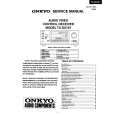
TX-DS787 ONKYO
Manual de Servicio

Manual de servicio completo en formato digital (archivo PDF). Los manuales de servicio por lo genera…
>
Parse Time: 1.253 - Number of Queries: 402 - Query Time: 0.573