DVPS300 Quantity: 1
$4.99
» View Details
PCN22/9TA Quantity: 1
$4.99
» View Details
GMC305PDB08 Quantity: 1
$4.99
» View Details
M-647V Quantity: 1
$4.99
» View Details
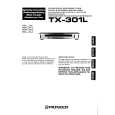
TX301L Quantity: 1
$4.99
» View Details
DPA 391/G/1 Quantity: 1
$4.99
» View Details
DVDR3570H/51 Quantity: 1
$4.99
» View Details
M42TX Quantity: 1
$4.99
» View Details
22AV1222 Quantity: 1
$4.99
» View Details
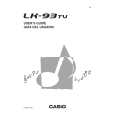
LK93TV Quantity: 1
$4.99
» View Details
4KPES100 Quantity: 1
$4.99
» View Details
LT-37M60ZU Quantity: 1
$4.99
» View Details
575909G1 Quantity: 1
$4.99
» View Details
MDRG54LP Quantity: 1
$4.99
» View Details
DRNXM01R Quantity: 1
$4.99
» View Details
6513DE Quantity: 1
$4.99
» View Details
3437VT/3D Quantity: 1
$4.99
» View Details
HP8508A Quantity: 1
$4.99
» View Details
LA5380XTG1 Quantity: 1
$4.99
» View Details
GSI 4853/3 TW-IN Quantity: 1
$4.99
» View Details
AV24WT5EIS Quantity: 1
$4.99
» View Details
SF385PEGW4 Quantity: 1
$4.99
» View Details
30MW5405/17B Quantity: 1
$4.99
» View Details
KRA 175 OPTIMA Quantity: 1
$4.99
» View Details
SGH-D840 Quantity: 1
$4.99
» View Details
W 64 NB Quantity: 1
$4.99
» View Details
KVSV50 Quantity: 1
$4.99
» View Details
Subtotal: $134.73
 
English Polski Spanish 
Buscar un manual
 

(p.Ej. AA-V20EG JVC, ZX-7 Sony)
PayPal 1000+ rating Secure, Encrypted Checkout.
 
Productos
Información
Destacado
Inicio >> JVC >> SR-MV40US Manual de Usuario
 
 27 artículo(s) en Su carrito 

JVC SR-MV40US
Manual de Usuario


¡Twitee acerca de este producto y obtenga $1.00 de crédito en la tienda para uso!
  • Descargable
  • Formato PDF
  • Manual completo
  • Idiomas: English
Precio: $4.99

Descripción del JVC SR-MV40US Manual de Usuario

Manual del propietario completo en formato digital. El manual estará disponible para descarga como archivo PDF después de que lo compre.

El Manual del Propietario (a veces llamado Manual del Usuario o Guía del Usuario) contiene información sobre cómo utilizar su dispositivo. Después de colocar la orden le enviaremos las instrucciones de descarga a su dirección de e-mail.

The manual is available in languages: English

Not yet ready
You must purchase it first

Opiniones de los clientes
No hay comentarios de productos.

TEXT_PDF_SNIPPET
EDITING

EN

61

Manual Dubbing (From DVD To VCR)
Dubbing A Part Of A Disc
You can dub the selected scenes on a tape to the DVD disc, starting and stopping wherever you wish.
� Turn on the unit. � Turn on the TV and select the video channel (or AV mode). � Slide the TV/CABLE/DBS/DVD switch to DVD.
REC VCR/DVD MODE DUBB. VCR } DVD

1 For DVD deck

Load a disc you want to dub. For VCR deck Load a cassette with the record safety tab intact. 2 Press VCR}DVD to select the dubbing direction. 3 Prepare the DVD deck for dubbing. A Press VCR/DVD repeatedly so that the DVD lamp lights up on the unit. B Locate the point from where you want to start dubbing, then pause playback by pressing the following buttons: 4, 5, 3, 8, 9 4 Prepare the VCR deck for dubbing. A Press VCR/DVD repeatedly so that the VCR lamp lights up on the unit. B Press REC MODE repeatedly to set the recording mode. C Press 7 and 9 simultaneously so that the VCR deck enters the Record Pause mode.

5 Press and hold DUBB. for more than 2 seconds to start the
DUBB. Lamp

83 U

59 7

dubbing. The dubbing (DUBB.) lamp lights up on the unit. 6 Press 8 to stop recording on the VCR deck. Then press VCR/ DVD, and press 8 to stop playback on the DVD deck. NOTES:
� It is not possible to start dubbing if the unit retains a memory of the resume points. Press 8 twice to clear the resume points. � There may be a discrepancy of several seconds between where you intend dubbing to start, and where it actually starts. � The superimposed indication during the operation or dubbing is not recorded. � When the end of the tape is reached during dubbing, the tape is ejected and both deck stops. � When the progressive mode is set, �}DVD� does not light up on the front display panel. Press PROGRESSIVE SCAN so that video output indicator ( ) lights off on the front display panel. � It is not possible to perform other operations like Live Memory Playback. Check the recorded program on the disc after dubbing.

VCR/DVD
1 4 7 2 5 8 0 3 6 9

PROGRESSIVE SCAN

3 8 REC MODE

4 5 9 7

Quizás también quiera comprar

$4.99

SR-MV40US JVC
Manual de Servicio

Manual de servicio completo en formato digital (archivo PDF). Los manuales de servicio por lo genera…
>
Parse Time: 1.115 - Number of Queries: 202 - Query Time: 0.705