BOSTON 1200 Quantity: 1
$4.99
» View Details
CX5935 Quantity: 1
$4.99
» View Details
FK515 Quantity: 1
$4.99
» View Details
RXDS17/E/EB/EG Quantity: 1
$4.99
» View Details
AGS751L Quantity: 1
$4.99
» View Details
T8002 Quantity: 1
$4.99
» View Details
ET22PKXBN00 Quantity: 1
$4.99
» View Details
OBI 138 S Quantity: 1
$4.99
» View Details
AWM 730/3 Quantity: 1
$4.99
» View Details
SD-P1707SE Quantity: 1
$4.99
» View Details
SSVX33 Quantity: 1
$4.99
» View Details
AFG 6401-B Quantity: 1
$4.99
» View Details
ZT685 Quantity: 1
$4.99
» View Details
VGNA70P Quantity: 1
$4.99
» View Details
WM-FX909 Quantity: 1
$4.99
» View Details
AKZ 382/NB Quantity: 1
$4.99
» View Details
6420FF Quantity: 1
$4.99
» View Details
DSB240LHR Quantity: 1
$4.99
» View Details
Subtotal: $89.82
 
English Polski Spanish 
Buscar un manual
 

(p.Ej. AA-V20EG JVC, ZX-7 Sony)
PayPal 1000+ rating Secure, Encrypted Checkout.
 
Productos
Información
Destacado
Inicio >> SONY >> SLVN500 Manual de Usuario
 
 18 artículo(s) en Su carrito 

SONY SLVN500
Manual de Usuario


¡Twitee acerca de este producto y obtenga $1.00 de crédito en la tienda para uso!
  • Descargable
  • Formato PDF
  • Manual completo
  • Idiomas: English
Precio: $4.99

Descripción del SONY SLVN500 Manual de Usuario

Manual del propietario completo en formato digital. El manual estará disponible para descarga como archivo PDF después de que lo compre.

El Manual del Propietario (a veces llamado Manual del Usuario o Guía del Usuario) contiene información sobre cómo utilizar su dispositivo. Después de colocar la orden le enviaremos las instrucciones de descarga a su dirección de e-mail.

The manual is available in languages: English

Not yet ready
You must purchase it first

Opiniones de los clientes
No hay comentarios de productos.

TEXT_PDF_SNIPPET
Locking the VCR (Child Lock)
After you have set the timer, you can lock all of the buttons on the VCR so that the settings are not canceled by mistake.
?/1 POWER

x STOP To lock the VCR When the VCR is turned on, hold down ?/1 POWER on the VCR until �LOC� appears in the display window. The VCR turns off and the TIMER indicator remains lit if there is a timer setting. The VCR will not work except for timer recordings. To unlock the VCR Hold down ?/1 POWER on the VCR until �LOC� disappears from the display window. The VCR is unlocked and turns on. To stop timer recording while the VCR is locked, press x STOP. The recording stops and the VCR is unlocked.
Note � The VCR will be unlocked when: � You stop timer recording by pressing x STOP. � You insert a tape. � The AC power cord is disconnected or power supply stops.

42

Locking the VCR (Child Lock)

Quizás también quiera comprar

$4.99

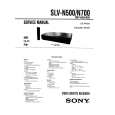
SLVN500 SONY
Manual de Servicio

Manual de servicio completo en formato digital (archivo PDF). Los manuales de servicio por lo genera…
>
Parse Time: 0.237 - Number of Queries: 165 - Query Time: 0.057