V6353 Quantity: 1
$4.99
» View Details
KV-32DS20 Quantity: 1
$4.99
» View Details
HST28MK3 Quantity: 1
$4.99
» View Details
TK8203D Quantity: 1
$4.99
» View Details
CSIE317 W Quantity: 1
$4.99
» View Details
TK240 Quantity: 1
$4.99
» View Details
CTV5194 Quantity: 1
$4.99
» View Details
46400UW Quantity: 1
$4.99
» View Details
GLT3034LT02 Quantity: 1
$4.99
» View Details
ZK326LR Quantity: 1
$4.99
» View Details
ZM266GX Quantity: 1
$4.99
» View Details
753 Quantity: 1
$4.99
» View Details
KRF-X9995D Quantity: 1
$4.99
» View Details
KGRT607HWH6 Quantity: 1
$4.99
» View Details
SAAK300GD Quantity: 1
$4.99
» View Details
MW2101B Quantity: 1
$4.99
» View Details
TD6131/BE131P Quantity: 1
$4.99
» View Details
JEH45012E R05 Quantity: 1
$4.99
» View Details
YKERC607HW0 Quantity: 1
$4.99
» View Details
DCF-280/U Quantity: 1
$4.99
» View Details
VCC826AF Quantity: 1
$4.99
» View Details
KRC17 Quantity: 1
$4.99
» View Details
KGLC500THT1 Quantity: 1
$4.99
» View Details
PRF 130W A++ Quantity: 1
$4.99
» View Details
32C3035D Quantity: 1
$4.99
» View Details
KRI 1812/A Quantity: 1
$4.99
» View Details
MEW5530ACW Quantity: 1
$4.99
» View Details
HQ55/3P Quantity: 1
$4.99
» View Details
MIWELL SE 538 IN Quantity: 1
$4.99
» View Details
L1410T Quantity: 1
$4.99
» View Details
SF367LEMW1 Quantity: 1
$4.99
» View Details
KCMS135HBT0 Quantity: 1
$4.99
» View Details
Subtotal: $159.68
 
English Polski Spanish 
Buscar un manual
 

(p.Ej. AA-V20EG JVC, ZX-7 Sony)
PayPal 1000+ rating Secure, Encrypted Checkout.
 
Productos
Información
Destacado
Inicio >> JVC >> RX-5020VBK Manual de Usuario
 
 32 artículo(s) en Su carrito 

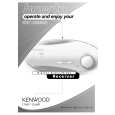
JVC RX-5020VBK
Manual de Usuario


¡Twitee acerca de este producto y obtenga $1.00 de crédito en la tienda para uso!
  • Descargable
  • Formato PDF
  • Manual completo
  • Idiomas: English
Precio: $4.99

Descripción del JVC RX-5020VBK Manual de Usuario

Manual del propietario completo en formato digital. El manual estará disponible para descarga como archivo PDF después de que lo compre.

El Manual del Propietario (a veces llamado Manual del Usuario o Guía del Usuario) contiene información sobre cómo utilizar su dispositivo. Después de colocar la orden le enviaremos las instrucciones de descarga a su dirección de e-mail.

The manual is available in languages: English

Not yet ready
You must purchase it first

Opiniones de los clientes
No hay comentarios de productos.

TEXT_PDF_SNIPPET
Basic Settings
English
Crossover frequency
Small speakers cannot reproduce the bass sounds efficiently. If you use a small speaker in any position, this receiver automatically reallocates the bass sound elements assigned to the small speaker to the large speakers. To use this function properly, set this crossover frequency level according to the size of the small speaker connected. � If you have selected �LARGE� for all speakers, this function will not take effect (�CROSS OFF� appears).

Low frequency effect attenuator
If the bass sound is distorted while playing back software using Dolby Digital or DTS Digital Surround, follow the procedure below: � This function takes effect only when the subwoofer (LFE) signals come in, (with �SUBWOOFER� set to �YES�).

1

1

Press SETTING repeatedly until �CROSS (Crossover)� (with the current setting)* appears on the display.

SETTING

Press SETTING repeatedly until �LFE ATT (Low Frequency Effect Attenuator)� (with the current setting)* appears on the display.
setting, ��10dB� will be shown.

SETTING

* �0dB� is the initial setting. If you have already changed the

* �150HZ� is the initial setting. If you have already changed the setting, another frequency will be shown.

2

Press CONTROL UP 5/DOWN � to select the low frequency effect attenuator level.
� Each time you press the button, the setting alternates between �0dB� and ��10dB.� 0dB �10dB : Normally select this.

CONTROL DOWN UP

2

Press CONTROL UP 5/DOWN � to select the crossover frequency level you like to use.
� Each time you press the button, the crossover frequency level changes as follows:
80HZ 200HZ 100HZ 120HZ 150HZ

CONTROL DOWN UP

: Select this when the bass sound is distorted.

Note: Crossover frequency is not valid for the HEADPHONE mode.

Dynamic range compression
You can compress the dynamic range (difference between maximum sound and minimum sound) of the reproduced sound. This is useful when enjoying surround sound at night. � This function takes effect only when playing back a source using Dolby Digital.

1

Press SETTING repeatedly until �D. COMP (Dynamic range compression)� (with the current setting)* appears on the display.

SETTING

* �MID� is the initial setting. If you have already changed the setting, another setting will be shown.

2

Press CONTROL UP 5/DOWN � to select the appropriate compression level.
� Each time you press the button, the display changes as follows:
OFF MAX MID

CONTROL DOWN UP

OFF : Select this when you want to enjoy surround with its full dynamic range. (No effect applied.) MID : Select this when you want to reduce the dynamic range a little.

MAX : Select this when you want to apply the compression effect fully. (Useful at night.)

14

Quizás también quiera comprar

$4.99

RX5020VBK JVC
Manual de Servicio

Manual de servicio completo en formato digital (archivo PDF). Los manuales de servicio por lo genera…
>
Parse Time: 0.473 - Number of Queries: 236 - Query Time: 0.151