RMT-V124C Quantity: 1
$4.99
» View Details
S179 Quantity: 1
$4.99
» View Details
HD4616/00 Quantity: 1
$4.99
» View Details
A-E550 Quantity: 1
$4.99
» View Details
1740A Quantity: 1
$4.99
» View Details
ELK4652-HV Quantity: 1
$4.99
» View Details
ARTOS-82TH97 Quantity: 1
$4.99
» View Details
ICFSW7600 Quantity: 1
$4.99
» View Details
RC2033PX Quantity: 1
$4.99
» View Details
TF1250E Quantity: 1
$4.99
» View Details
EM-55 Quantity: 1
$4.99
» View Details
AV-32FA44/AZA Quantity: 1
$4.99
» View Details
C2567TN2 Quantity: 1
$4.99
» View Details
EBX300 Quantity: 1
$4.99
» View Details
G6723MCT1 Quantity: 1
$4.99
» View Details
CFD-Z500 Quantity: 1
$4.99
» View Details
EBGL5X.3 Quantity: 1
$4.99
» View Details
HS-CS7E Quantity: 1
$4.99
» View Details
NP2120 Quantity: 1
$4.99
» View Details
54348940 Quantity: 1
$4.99
» View Details
AR-M62U Quantity: 1
$4.99
» View Details
SX?NSZ5 Quantity: 1
$4.99
» View Details
ML-5000A Quantity: 1
$4.99
» View Details
VSX-1015TX-S/KUXJC Quantity: 1
$4.99
» View Details
Subtotal: $119.76
 
English Polski Spanish 
Buscar un manual
 

(p.Ej. AA-V20EG JVC, ZX-7 Sony)
PayPal 1000+ rating Secure, Encrypted Checkout.
 
Productos
Información
Destacado
Inicio >> WHIRLPOOL >> RM280PXBQ0 Manual de Usuario
 
 24 artículo(s) en Su carrito 

WHIRLPOOL RM280PXBQ0
Manual de Usuario


¡Twitee acerca de este producto y obtenga $1.00 de crédito en la tienda para uso!
  • Descargable
  • Formato PDF
  • Manual completo
  • Idiomas: English
Precio: $4.99

Descripción del WHIRLPOOL RM280PXBQ0 Manual de Usuario

Manual del propietario completo en formato digital. El manual estará disponible para descarga como archivo PDF después de que lo compre.

El Manual del Propietario (a veces llamado Manual del Usuario o Guía del Usuario) contiene información sobre cómo utilizar su dispositivo. Después de colocar la orden le enviaremos las instrucciones de descarga a su dirección de e-mail.

The manual is available in languages: English

Not yet ready
You must purchase it first

Opiniones de los clientes
No hay comentarios de productos.

TEXT_PDF_SNIPPET
Remove the broiler pan grid and any pots and pans being stored in the oven. NOTE: You can clean the broiler pan (without grid) in the oven if you have first removed most of the soil by hand-cleaning or a dishwasher. If most of the soil is not removed, too much smoking will occur. The chrome broiler pan grid will discolor if cleaned in the Self-Cleaning cycle. l Wipe out any loose soil or grease. This will help reduce smoke during the cleaning cycle. . Remove the oven racks from the oven if you want them to remain shiny. You can clean the oven racks in the Self-Cleaning cycle, but they will become harder to slide. (See page 30.) If you clean racks in the Self-Cleaning cycle, place them on the 2nd and 4th rack guides. (Guides are counted from bottom to top.) l Heat and odors are normal during the SelfCleaning cycle. Keep the kitchen well ventilated by opening a window or by turning on a vent hood or other kitchen vent during the cycle.

l

Personal

Injury and

l

l

l

Product Damage Hazard Do not touch the oven during the SelfCleaning cycle. It could burn you. Do not use commercial oven cleaners in your oven. Cleaners could produce hazardous fumes or damage the porcelain finish. Do not leave any foil in the oven during the Self-Cleaning cycle. Foil could burn or melt and damage the oven surface.

NOTES: . Do not force the Lock Lever. You could bend or break it. The lever is designed to stay locked until the oven is cool enough to safely open. Wait until it moves freely. Do not block the vent during the Self-Cleaning cycle. Air must move freely for best cleaning results. Do not leave plastic utensils near the vent. They may melt.

l

l

Setting

the controls

1. Make sure the clock is set to the correct time of day. (See �Setting the clocK� on page 9.) 2. Lift the panel between the oven door and the upper microwave oven. Move the Lock Lever all the way to the right-the Clean position.

3. Set cleaning

cycle.

To start cleaning immediately: Push the Clean pad. A 3-hour Self-Cleaning cycle will be set automatically. �Y:OO� with the colon flashing will show in the large display and �cln� will show in the small display. TIME, CLEAN (on right side) and CLEAN (on left side) will light up.

26

Quizás también quiera comprar


¡Es gratis!

RM280PXBQ0 WHIRLPOOL
Manual de Instalación

Complete installation manual in digital format. The manual will be available for download as PDF fil…

$4.99

RM280PXBQ0 WHIRLPOOL
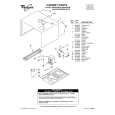
Catálogo de piezas

Únicamente Catálogo de Partes. Está disponible en formato PDF. Muy útil si su equipo se ha averi…
>
Parse Time: 0.746 - Number of Queries: 207 - Query Time: 0.381