SUCH80 Quantity: 1
$4.99
» View Details
761T Quantity: 1
$4.99
» View Details
HCDGRX30/J Quantity: 1
$4.99
» View Details
HL641 Quantity: 1
$4.99
» View Details
24K77 Quantity: 1
$4.99
» View Details
190B6CB/00 Quantity: 1
$4.99
» View Details
Lavamat 2080 w Quantity: 1
$4.99
» View Details
MDT60H Quantity: 1
$4.99
» View Details
SLPG480A Quantity: 1
$4.99
» View Details
CDX-A35RF Quantity: 1
$4.99
» View Details
KDC422 Quantity: 1
$4.99
» View Details
VGNA130P Quantity: 1
$4.99
» View Details
37KV1240/05B Quantity: 1
$4.99
» View Details
FAXL900 Quantity: 1
$4.99
» View Details
Z1163TRM Quantity: 1
$4.99
» View Details
21PT440B/00B Quantity: 1
$4.99
» View Details
ED20TKXFN05 Quantity: 1
$4.99
» View Details
KDCX815 Quantity: 1
$4.99
» View Details
SX240 Quantity: 1
$4.99
» View Details
KGEA 3209/1 Quantity: 1
$4.99
» View Details
70DS03S Quantity: 1
$4.99
» View Details
227S,20598 Quantity: 1
$4.99
» View Details
AC-100 Quantity: 1
$4.99
» View Details
3200 DK D Quantity: 1
$4.99
» View Details
FVDB1E Quantity: 1
$4.99
» View Details
TH37PE50B Quantity: 1
$4.99
» View Details
MB5000 Quantity: 1
$4.99
» View Details
MX-KB25B Quantity: 1
$4.99
» View Details
51AT15H Quantity: 1
$4.99
» View Details
TCM828 Quantity: 1
$4.99
» View Details
GERC4120PP0 Quantity: 1
$4.99
» View Details
AVN29302/S Quantity: 1
$4.99
» View Details
ZK26/11EDP Quantity: 1
$4.99
» View Details
KXTC150 Quantity: 1
$4.99
» View Details
WD-12310(5)RD Quantity: 1
$4.99
» View Details
Lavatherm 35600 Quantity: 1
$4.99
» View Details
5137 Quantity: 1
$4.99
» View Details
HTVA1 II Quantity: 1
$4.99
» View Details
TF1040 Quantity: 1
$4.99
» View Details
XV-EV1000 Quantity: 1
$4.99
» View Details
MELODIA M918 Quantity: 1
$4.99
» View Details
C1403N Quantity: 1
$4.99
» View Details
TC47P500 Quantity: 1
$4.99
» View Details
200P4VB/75 Quantity: 1
$4.99
» View Details
E604 Quantity: 1
$4.99
» View Details
KDC5000 Quantity: 1
$4.99
» View Details
LTHT300UE Quantity: 1
$4.99
» View Details
ED5CHQXKB01 Quantity: 1
$4.99
» View Details
MK2183N Quantity: 1
$4.99
» View Details
EWT832 Quantity: 1
$4.99
» View Details
HX-Z77DAX Quantity: 1
$4.99
» View Details
TD5250/BB197P Quantity: 1
$4.99
» View Details
WAP9988 Quantity: 1
$4.99
» View Details
510 D d Quantity: 1
$4.99
» View Details
TX28XD3E Quantity: 1
$4.99
» View Details
32413 G M Quantity: 1
$4.99
» View Details
DTQ29S4SC Quantity: 1
$4.99
» View Details
KGYE700TWH0 Quantity: 1
$4.99
» View Details
ARC 1660/2 Quantity: 1
$4.99
» View Details
ADP 2300 WH Quantity: 1
$4.99
» View Details
CDXU300RF Quantity: 1
$4.99
» View Details
DDD100X Quantity: 1
$4.99
» View Details
4085-6KG Quantity: 1
$4.99
» View Details
HRJ681EU Quantity: 1
$4.99
» View Details
STR-D450Z Quantity: 1
$4.99
» View Details
Subtotal: $324.35
 
English Polski Spanish 
Buscar un manual
 

(p.Ej. AA-V20EG JVC, ZX-7 Sony)
PayPal 1000+ rating Secure, Encrypted Checkout.
 
Productos
Información
Destacado
Inicio >> WHIRLPOOL >> RBD305PDQ8 Manual de Usuario
 
 65 artículo(s) en Su carrito 

WHIRLPOOL RBD305PDQ8
Manual de Usuario


¡Twitee acerca de este producto y obtenga $1.00 de crédito en la tienda para uso!
  • Descargable
  • Formato PDF
  • Manual completo
  • Idiomas: English
Precio: $4.99

Descripción del WHIRLPOOL RBD305PDQ8 Manual de Usuario

Manual del propietario completo en formato digital. El manual estará disponible para descarga como archivo PDF después de que lo compre.

El Manual del Propietario (a veces llamado Manual del Usuario o Guía del Usuario) contiene información sobre cómo utilizar su dispositivo. Después de colocar la orden le enviaremos las instrucciones de descarga a su dirección de e-mail.

The manual is available in languages: English

Not yet ready
You must purchase it first

Opiniones de los clientes
No hay comentarios de productos.

TEXT_PDF_SNIPPET
How the Cycle Works

OVEN CARE
Self-Cleaning Cycle

WARNING

IMPORTANT: The heating and cooling of porcelain on steel in the oven may result in discoloring, loss of gloss, hairline cracks and popping sounds. The Self-Cleaning cycle uses very high temperatures, burning soil to a powdery ash. The oven is preset for a 3 hour 30 minute clean cycle, but the time can be changed. Suggested clean times are 2 hours 30 minutes for light soil and between 3 hours 30 minutes to 4 hours 30 minutes for average to heavy soil. Once the oven has completely cooled, remove ash with a damp cloth. The oven light will not work during the Self-Cleaning cycle. On combination oven models, the upper oven will not work during the Self-Cleaning cycle.

To Self-Clean:

Burn Hazard Do not touch the oven during the Self-Cleaning cycle. Keep children away from oven during Self-Cleaning cycle. Do not use commercial oven cleaners in your oven. Failure to follow these instructions can result in burns, or illness from inhaling dangerous fumes.
IMPORTANT: The health of some birds is extremely sensitive to the fumes given off during the Self-Cleaning cycle. Exposure to the fumes may result in death to certain birds. Always move birds to another closed and well ventilated room. Self-clean the oven before it is heavily soiled. Heavy soil results in longer cleaning and more smoke. Keep the kitchen well-ventilated during the Self-Cleaning cycle to help get rid of heat, odors, and smoke. Do not block the oven vent(s) during the Self-Cleaning cycle. Air must be able to move freely. See �Oven Vent(s)� section.

Before self-cleaning, make sure the door is closed completely or it will not lock and the cycle will not begin. 1. On double oven models only, press UPPER OVEN or LOWER OVEN. 2. Press AUTO CLEAN. Press the HR �up� or �down� arrow pad to set a clean time other than 3 hour 30 minutes. The clean time can be set between 2 hours 30 minutes and 4 hours 30 minutes. 3. Press START/ENTER. The oven door will automatically lock. �DOOR LOCKED�, the start time and stop time will appear on the oven display. The door will not unlock until the oven cools. When the cycle is complete and the oven cools, �End� will appear on the oven display and �DOOR LOCKED� will disappear. 4. Press UPPER OFF, LOWER OFF or OFF/CANCEL or open the oven door to clear the oven display.

To Delay Start Self-Clean:
Before delay starting Self-Clean, make sure the clock is set to the correct time of day. See �Clock� section. Also, make sure the door is closed completely or it will not lock and the cycle will not begin. 1. On double oven models, press UPPER OVEN or LOWER OVEN. 2. Press AUTO CLEAN. Press the HR �up� or �down� arrow pad to set a clean time other than 3 hour 30 minutes. The clean time can be set between 2 hours 30 minutes and 4 hours 30 minutes. 3. Press STOP TIME. 4. Press the HR and MIN �up� or �down� arrows pads to enter the time of day to stop. 5. Press START/ENTER. The start time is automatically calculated and displayed. The door will automatically lock and "DOOR LOCKED", "DELAY", and the stop time will also appear on the display. The door will not unlock until the oven cools. When the start time is reached, the oven will automatically turn on. When the cycle is complete and the oven cools, �End� will appear on the lower oven display and �DOOR LOCKED� will disappear. 6. Press any pad or open the oven door to clear the oven display.

Prepare Oven:
s

Remove the broiler pan, grid, cookware and bakeware and, on some models, the temperature probe from the oven. Remove any foil from the oven because it may burn or melt, damaging the oven. Remove oven racks to keep them shiny and easy to slide. If leaving in, place them on rack positions 2, 3 or 4. For diagram, see �Positioning Racks and Bakeware�. Racks will discolor and become harder to slide. See �Cleaning� for more information. Hand clean inside door edge and the 1½ in. (3.8 cm) area around the inside oven cavity frame, being careful not to move or bend the gasket. This area does not get hot enough during self-cleaning to remove soil. Do not let water, cleaner, etc. enter slots on door frame. Use a damp cloth to clean this area. Wipe out any loose soil to reduce smoke and avoid damage. At high temperatures, foods react with porcelain. Staining, etching, pitting or faint white spots can result. This will not affect cooking performance.

s

s

s

s

To Stop Self-Clean any time:
Press UPPER OFF, LOWER OFF or OFF/CANCEL. If the oven temperature is too high, the door will remain locked. It will not unlock until the oven cools.

11

Quizás también quiera comprar


¡Es gratis!

RBD305PDQ8 WHIRLPOOL
Manual de Instalación

Complete installation manual in digital format. The manual will be available for download as PDF fil…

$4.99

RBD305PDQ8 WHIRLPOOL
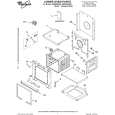
Catálogo de piezas

Únicamente Catálogo de Partes. Está disponible en formato PDF. Muy útil si su equipo se ha averi…
>
Parse Time: 0.696 - Number of Queries: 336 - Query Time: 0.3