HCDV3900 Quantity: 1
$4.99
» View Details
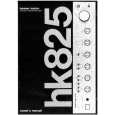
HK825 Quantity: 1
$4.99
» View Details
XSL1536 Quantity: 1
$4.99
» View Details
FI22/10EF Quantity: 1
$4.99
» View Details
790DU-M Quantity: 1
$4.99
» View Details
CG5008-1 Quantity: 1
$4.99
» View Details
CP770 Quantity: 1
$4.99
» View Details
KV14M1E Quantity: 1
$4.99
» View Details
54326810 Quantity: 1
$4.99
» View Details
GV5003 Quantity: 1
$4.99
» View Details
SON50WL Quantity: 1
$4.99
» View Details
SBV60S Quantity: 1
$4.99
» View Details
6413TB Quantity: 1
$4.99
» View Details
IK307.3RWS Quantity: 1
$4.99
» View Details
TX25AD2 Quantity: 1
$4.99
» View Details
AV-2104D/E Quantity: 1
$4.99
» View Details
XRC2600 Quantity: 1
$4.99
» View Details
RJK379 Quantity: 1
$4.99
» View Details
KVG21M2J Quantity: 1
$4.99
» View Details
VR9261AT99 Quantity: 1
$4.99
» View Details
B4AY00 CHASSIS Quantity: 1
$4.99
» View Details
ESF6145X Quantity: 1
$4.99
» View Details
FM328 Quantity: 1
$4.99
» View Details
TF1131G Quantity: 1
$4.99
» View Details
28PT4457/58 Quantity: 1
$4.99
» View Details
S-DV424/XJC/E Quantity: 1
$4.99
» View Details
28PT4421/16 Quantity: 1
$4.99
» View Details
MX3660D/99 Quantity: 1
$4.99
» View Details
CONTROLX Quantity: 1
$4.99
» View Details
28PT4101 Quantity: 1
$4.99
» View Details
EBCSL7SCN Quantity: 1
$4.99
» View Details
28PT4103/00 Quantity: 1
$4.99
» View Details
FLUKE 525A Quantity: 1
$4.99
» View Details
ASI1655-N Quantity: 1
$4.99
» View Details
SC528UX NON CE V Quantity: 1
$4.99
» View Details
7 612 001 327 Quantity: 1
$4.99
» View Details
ROYAL146S Quantity: 1
$4.99
» View Details
MER2350AAW Quantity: 1
$4.99
» View Details
EVO-9850 Quantity: 1
$4.99
» View Details
LAV72636 Quantity: 1
$4.99
» View Details
4KCG200PK1 Quantity: 1
$4.99
» View Details
SVBK-901 Quantity: 1
$4.99
» View Details
KVG21C1 Quantity: 1
$4.99
» View Details
5646 Quantity: 1
$4.99
» View Details
ADP 6515 IX Quantity: 1
$4.99
» View Details
KX-TG2130W Quantity: 1
$4.99
» View Details
ETP 6640/IN Quantity: 1
$4.99
» View Details
FES355RQ2 Quantity: 1
$4.99
» View Details
SP120 Quantity: 1
$4.99
» View Details
VSX-817-K/MYXJ5 Quantity: 1
$4.99
» View Details
RS23KPMS Quantity: 1
$4.99
» View Details
PD-42WV74/SBA Quantity: 1
$4.99
» View Details
Subtotal: $259.48
 
English Polski Spanish 
Buscar un manual
 

(p.Ej. AA-V20EG JVC, ZX-7 Sony)
PayPal 1000+ rating Secure, Encrypted Checkout.
 
Productos
Información
Destacado
Inicio >> SONY >> PHCZ10 Manual de Usuario
 
 52 artículo(s) en Su carrito 

SONY PHCZ10
Manual de Usuario


¡Twitee acerca de este producto y obtenga $1.00 de crédito en la tienda para uso!
  • Descargable
  • Formato PDF
  • Manual completo
  • Idiomas: English
Precio: $4.99

Descripción del SONY PHCZ10 Manual de Usuario

Manual del propietario completo en formato digital. El manual estará disponible para descarga como archivo PDF después de que lo compre.

El Manual del Propietario (a veces llamado Manual del Usuario o Guía del Usuario) contiene información sobre cómo utilizar su dispositivo. Después de colocar la orden le enviaremos las instrucciones de descarga a su dirección de e-mail.

The manual is available in languages: English

Not yet ready
You must purchase it first

Opiniones de los clientes
No hay comentarios de productos.

TEXT_PDF_SNIPPET
Timer-recording radio programs (continued)

4

Set the timer to the hour and the minutes you want to start recording. 1 Turn MULTI JOG to set the hour and press ENTER MEM.

2 Turn MULTI JOG to set the minutes, and press ENTER MEM.

5 6

Set the timer to the hour and the minutes you want to stop recording. (Do as step 4.) Turn MULTI JOG to set the volume you want, and press ENTER MEM.

Tips � To exit the standby mode, press STANDBY to make the indication disappear. � The preset settings remain until you reset them.

7

Press STANDBY. The indication lights up and the power goes off; the player enters the recording standby mode. At the preset time, the power will go on and music will fade in and the recording will start. Then music will fade out and the power will go off at the preset time, and the player will enter the standby mode again.

To check/change the recording timer settings Press TIMER, then ENTER MEM. Each time you press ENTER MEM, a stored setting is displayed in the set order. To change the setting, display the setting you want to change and re-enter it.

28

The Timer

Quizás también quiera comprar

$4.99

PHCZ10 SONY
Manual de Servicio

Manual de servicio completo en formato digital (archivo PDF). Los manuales de servicio por lo genera…
>
Parse Time: 0.821 - Number of Queries: 300 - Query Time: 0.471