XRU300RDS Quantity: 1
$4.99
» View Details
446.348-5 Quantity: 1
$4.99
» View Details
DZMV350EUK Quantity: 1
$4.99
» View Details
TH-A25AS Quantity: 1
$4.99
» View Details
ET18GKXHW00 Quantity: 1
$4.99
» View Details
EV200NXRW1 Quantity: 1
$4.99
» View Details
HRP50A Quantity: 1
$4.99
» View Details
MVH900 Quantity: 1
$4.99
» View Details
14PT2116/56 Quantity: 1
$4.99
» View Details
ADL 952 WH Quantity: 1
$4.99
» View Details
KXTD520CE Quantity: 1
$4.99
» View Details
ET1FTEXLQ00 Quantity: 1
$4.99
» View Details
AV-2955VE Quantity: 1
$4.99
» View Details
TF143-3 Quantity: 1
$4.99
» View Details
WERP4210PQ1 Quantity: 1
$4.99
» View Details
VGNB55C Quantity: 1
$4.99
» View Details
IACZ-C18D/I Quantity: 1
$4.99
» View Details
PV-GS300P Quantity: 1
$4.99
» View Details
KV21R22 Quantity: 1
$4.99
» View Details
BSZ 8008 IN Quantity: 1
$4.99
» View Details
PTAE300E Quantity: 1
$4.99
» View Details
3XACM18DD0 Quantity: 1
$4.99
» View Details
VHRD4400 Quantity: 1
$4.99
» View Details
DP880SG Quantity: 1
$4.99
» View Details
MCM8/21 Quantity: 1
$4.99
» View Details
GSU 5639 WS BK Quantity: 1
$4.99
» View Details
DKE 3361 IN Quantity: 1
$4.99
» View Details
AQC1526BEW Quantity: 1
$4.99
» View Details
ART 770 Quantity: 1
$4.99
» View Details
200F-WS Quantity: 1
$4.99
» View Details
AE3905/00 Quantity: 1
$4.99
» View Details
GS5SHAXNL02 Quantity: 1
$4.99
» View Details
EM-305 Quantity: 1
$4.99
» View Details
MX-DK15A Quantity: 1
$4.99
» View Details
E4419A Quantity: 1
$4.99
» View Details
AL1611 Quantity: 1
$4.99
» View Details
TCRX470 Quantity: 1
$4.99
» View Details
26CS3275 Quantity: 1
$4.99
» View Details
AF30314PT0 Quantity: 1
$4.99
» View Details
CS2862TA Quantity: 1
$4.99
» View Details
KVXF34M93 Quantity: 1
$4.99
» View Details
SAWS800JQ0 Quantity: 1
$4.99
» View Details
WAE 8987 Quantity: 1
$4.99
» View Details
CG4131WRW Quantity: 1
$4.99
» View Details
LGQ8611LW1 Quantity: 1
$4.99
» View Details
Subtotal: $224.55
 
English Polski Spanish 
Buscar un manual
 

(p.Ej. AA-V20EG JVC, ZX-7 Sony)
PayPal 1000+ rating Secure, Encrypted Checkout.
 
Productos
Información
Destacado
Inicio >> TOSHIBA >> MEGF20 Guía de consulta rápida
 
 45 artículo(s) en Su carrito 

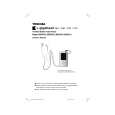
TOSHIBA MEGF20
Guía de consulta rápida


¡Twitee acerca de este producto y obtenga $1.00 de crédito en la tienda para uso!
  • Descargable
  • Formato PDF
  • Manual completo
  • Idiomas: English
Precio: $4.99

Descripción del TOSHIBA MEGF20 Guía de consulta rápida

La guía de consulta rápida (a veces llamada Guía de Inicio Rápido) contiene la información más importante sobre cómo utilizar éste producto. El manual está en formato PDF. Después de colocar su orden le enviaremos las instrucciones de descarga a su dirección de e-mail.

The manual is available in languages: English

Not yet ready
You must purchase it first

Opiniones de los clientes
No hay comentarios de productos.

TEXT_PDF_SNIPPET
Step3

Transferring Tracks from a Music CD

Playing Tracks
Connect the supplied EARBUDS to the headphone jack on the main unit and turn the Power ON.

Touch the top or bottom of the Plus Touch and select the folder or the track that you want to play back.
Once the folder has been selected, touching the right of the Plus Touch permits the display of the folders or tracks within that folder. Touching the left of the Plus Touch will return to the display of the content.
XXXXXXX
ALBUM Album1 Artist1
12 tracks 58:49

Fast Forward/Reverse
Hold the left or right of the Plus Touch while the Play window is displayed during playback.
Left : Fast reverse. Right : Fast forward. When the end or beginning of a given track is reached, the gigabeat will move to the next or previous tracks. Releasing the Plus Touch will return to normal playback.

Transfer with the Touch of a Button (CD RipRec)
Using the button on the USB CRADLE, tracks can be transferred from a music CD with the touch of a button.

Insert a music CD into the CD-ROM drive of the PC. Press the � CRADLE. � button on the USB

Album2 Album3 Album4 Album5

Skip Forward or Back
Touch the center of the Plus Touch.
This will play back the selected folder or tracks. Using only the supplied EARBUDS
Track2 Track3 Track4

The gigabeat room will start automatically and the transfer of music CD tracks will begin. Using gigabeat room, you can transfer the synchronize folder with the touch of a button on the USB CRADLE and download album cover photographs and photo viewer data to the gigabeat.

XXXXXXX
Album2 Track1 Artist1
4:48

Touch the left or right of the Plus Touch while the Play window is displayed during playback or during pause.
Left Right : Skips to the beginning of the current track. When at the beginning of the track, skips to the beginning of the previous track.

When Using Napster
To transfer tracks to the gigabeat using Napster, Windows Media Player 10 must be installed in Windows XP.

Track5

: Skips to the beginning of the next track.

Install Napster.
Insert the supplied CD-ROM into the CD-ROM drive of your PC and click the �Install Napster� button on the displayed setup window, then follow the displayed wizard screen and perform the installation.

Stopping Playback
Touch the center of the Plus Touch during playback.
Touching the center of the Plus Touch one more time will resume the playback.
Artist1 Album1 Track1

Skip to the Next Album
Press the MENU button during the display of the Play window to display the Menu window, touch the top or bottom of the Plus Touch and select �ALBUM SKIP�.
12tracks �52:08

Set the gigabeat to the Windows Media Player 10 mode.
Check that PC CONNECTIONS of the Setup window of the gigabeat is set to Windows Media Player 10.

Using the wired remote control (MEGF40/F60 and optional for F10/F20)

Press the POWER button.
The MAIN MENU will be displayed. Using the scroll the Plus Touch from bottom to top while in the Play window will also display the MAIN MENU.

Need Help?
Most problems are easy to correct. Save time with simple solutions. Call Toshiba Customer Helpline: 0115 976 6958*

010 � 0:09/4:55

Connect the AC adapter to the USB CRADLE, turn on the gigabeat, and then connect the gigabeat to the USB CRADLE. Use the USB cable to connect the PC and the USB CRADLE.

Controlling the Volume
Press the VOL (+) or VOL (-) button. Scroll the Plus Touch and select a folder (from among ARTIST, ALBUM, GENRE, FOLDER), then touch the right of the Plus Touch to select.
The content of the selected folder will be displayed.
ARTIST ALBUM GENRE
5 items

Mon - Fri: 8:00 am to 8:00 pm Sat: 8:00 am to 6:00 pm Sun: 10:00 am to 4:00 pm Many questions regarding this model can be answered by visiting the Customer Access area of our website at: http://tesc.toshiba.co.uk

Start Napster. Sign in.
Enter the registered Member Name and Password. Registration will be required if you are not a registered member.

Pressing the VOL (+) button will increase the volume. Pressing the VOL (-) button will decrease the volume. Pressing the VOL (+) or VOL (-) button will display the volume control bar. The bar will disappear approximately two seconds after releasing the button.
Artist1 Album1 Track1
12TRACKS�52:08 0:09/4:55

Please have your owners manual available and also a pen and paper to make notes. Calls are at UK National rate.

010 �
FF

Open the Browse window.
Search for the tracks in Browse window.

Transfer to the gigabeat.
Right click on the track name(s) that you would like to transfer, open the Shortcut menu, and select Transfer Track(s) to Portable Device. See Napster Help for details.

PLAYLIST FOLDER

Printed in China

gigabeat_quick_UK2*

1

05.4.11, 9:33 AM

Quizás también quiera comprar

$4.99

MEGF20 TOSHIBA
Manual de Usuario

Manual del propietario completo en formato digital. El manual estará disponible para descarga como …

$4.99

MEGF20 TOSHIBA
Manual de Servicio

Manual de servicio completo en formato digital (archivo PDF). Los manuales de servicio por lo genera…
>
Parse Time: 1.117 - Number of Queries: 258 - Query Time: 0.703