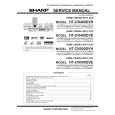
C43CHASSIS Quantity: 1
$4.99
» View Details
C2864TN Quantity: 1
$4.99
» View Details
KESC307HWW4 Quantity: 1
$4.99
» View Details
UF706W Quantity: 1
$4.99
» View Details
DE800 Quantity: 1
$4.99
» View Details
SRS150 Quantity: 1
$4.99
» View Details
VISION20 Quantity: 1
$4.99
» View Details
AQ6560/10Z Quantity: 1
$4.99
» View Details
S-F30 Quantity: 1
$4.99
» View Details
KFCW108 Quantity: 1
$4.99
» View Details
ET25DQRBB01 Quantity: 1
$4.99
» View Details
VGN-FS415S VAIO Quantity: 1
$4.99
» View Details
XE5CHASSIS Quantity: 1
$4.99
» View Details
M-909 Quantity: 1
$4.99
» View Details
PDF606 Quantity: 1
$4.99
» View Details
RSEH60/E/EP Quantity: 1
$4.99
» View Details
ER1920 Quantity: 1
$4.99
» View Details
SS25HFXMS00 Quantity: 1
$4.99
» View Details
LTV779 Quantity: 1
$4.99
» View Details
S1602E Quantity: 1
$4.99
» View Details
AWZ 566 Quantity: 1
$4.99
» View Details
RBS277PDQ2 Quantity: 1
$4.99
» View Details
SM5100HB Quantity: 1
$4.99
» View Details
ER2482BR Quantity: 1
$4.99
» View Details
HL5224/26 Quantity: 1
$4.99
» View Details
KHIT 6010 Quantity: 1
$4.99
» View Details
AG-4700E Quantity: 1
$4.99
» View Details
CF50002 Quantity: 1
$4.99
» View Details
AKB 062 Quantity: 1
$4.99
» View Details
RF199LXKT0 Quantity: 1
$4.99
» View Details
TGDL660WN0 Quantity: 1
$4.99
» View Details
PEGSLJ30 Quantity: 1
$4.99
» View Details
24PW9553/12 Quantity: 1
$4.99
» View Details
HR-XVC33UC Quantity: 1
$4.99
» View Details
D-830K Quantity: 1
$4.99
» View Details
M607V Quantity: 1
$4.99
» View Details
HM8027 Quantity: 1
$4.99
» View Details
PRO-507PU/KUCXC Quantity: 1
$4.99
» View Details
392224_60823 Quantity: 1
$4.99
» View Details
KHWS160VBT7 Quantity: 1
$4.99
» View Details
ET25DMXVF02 Quantity: 1
$4.99
» View Details
CU-C34BBP7 Quantity: 1
$4.99
» View Details
KRSM 9005/A+ Quantity: 1
$4.99
» View Details
GHW9400PL4 Quantity: 1
$4.99
» View Details
AWO/D 8510 Quantity: 1
$4.99
» View Details
WAS 4740/2 Quantity: 1
$4.99
» View Details
7631651 Quantity: 1
$4.99
» View Details
F240LA Quantity: 1
$4.99
» View Details
MC 1251 E-B Quantity: 1
$4.99
» View Details
CB6100-1-WEURO Quantity: 1
$4.99
» View Details
AKG954/AV/WP Quantity: 1
$4.99
» View Details
Subtotal: $254.49
 
English Polski Spanish 
Buscar un manual
 

(p.Ej. AA-V20EG JVC, ZX-7 Sony)
PayPal 1000+ rating Secure, Encrypted Checkout.
 
Productos
Información
Destacado
Inicio >> SHARP >> HTCN500DVH Manual de Servicio
 
 51 artículo(s) en Su carrito 

SHARP HTCN500DVH
Manual de Servicio


¡Twitee acerca de este producto y obtenga $1.00 de crédito en la tienda para uso!
  • Contiene diagramas del circuito
  • Descargable
  • Formato PDF
  • Manual completo
  • Idiomas: English
Precio: $4.99

Descripción del SHARP HTCN500DVH Manual de Servicio

Manual de servicio completo en formato digital (archivo PDF). Los manuales de servicio por lo general contienen diagramas de circuitos, tarjetas de circuitos impresos, consejos para reparación, diagramas de cableado, diagramas de bloque y lista de refacciones. El Manual de Servicio (a veces llamado Manual de Reparación) es usado principalmente por los técnicos.

Si tan solo quiere saber cómo utilizar su televisión, reproductor de vídeo, reproductor de mp3, etc. Quizá lo que necesita es el Manual del Propietario. Después de colocar la orden le enviaremos las instrucciones de descarga a su dirección de e-mail.

The manual is available in languages:

Not yet ready
You must purchase it first

Opiniones de los clientes
No hay comentarios de productos.

TEXT_PDF_SNIPPET
HT-CN400DVH/HT-CN400DVE/HT-CN500DVH/HT-CN500DVE

TROUBLESHOOTING
If you experience any of the following difficulties while using the system, use troubleshooting guide to help you remedy the problem. Should any problem persist, consult your nearest service center. No power � Is the power cord firmly plugged into the power outlet? � One of the safety mechanisms may be operating. In this event, unplug the player from the power outlet briefly and then plug it in again. No picture � Check that the system is connected securely. � The video connecting cord is damaged. Replace it with a new one. � Make sure you connect the system to video input connector on the TV. � Make sure you turn on the TV. � Make sure you select the video input on the TV so that you can view the pictures from this system. The picture noise appears � Clear the disc. � If video from this system has to go through your VCR to get to your TV, the copy-protection applied to some DVD programs could affect picture quality. If you still experience problems after checking your connections, please try connecting your DVD system directly to your TV's S-Video input, if your TV is equipped with this input. The aspect ratio of the screen cannot be changed even though you set "TV DISPLAY" in the SETUP menu when you play a wide picture. � The aspect rate is fixed on your DVD disc. � If you connect the system with the S-Video cable, connect directly to the TV. Otherwise, you may not change the aspect rate. � Depending on the TV, you may not change the aspect rate. There is no sound or only a very low-level sound is heard. � Check that the speakers and components are connected securely. � Make sure that you have selected the correct source on the system. � The protective device on the system has been activated because of a short circuit. Turn off the system, eliminate the short-circuit problem and turn on the power again. � The audio connecting cord is damaged. Replace it with a new one. � The system or fast reverse is performed. Press PLAY/PAUSE to return to normal play mode. � Check the speaker settings. The left and right sounds are unbalanced or reversed � Check that the speakers and components are connected correctly and securely. � Adjust front balance parameter using SELECT and VOLUME +/-. The language for the subtitles cannot be changed when you play a DVD. � Multilingual subtitles are not recorded on the DVD. � Changing the language for the subtitles is prohibited on the DVD. The subtitles cannot turned off when you play a DVD. � Depending on the DVD, you may not be able to turn the subtitles off. The angles cannot be changed when you play a DVD. � Multi-angles are not recorded on the DVD. � Change the angles when the angle mark appears on the TV screen. � Changing the angles is prohibited on the DVD. The system does not operate properly. � Static electricity, etc., may affect the system's operation. � Press the POWER button to turn off, then press again to turn Severe hum or noise is heard. � Check that the speakers and components are connected securely. � Check that the connecting cords are away from a transformer or motor, and at least 3 meters away from a TV set or fluorescent light. � Move your TV away from the audio components. � The plugs and jacks are dirty. Wipe them with a cloth slightly moistened with alcohol. � Clear the disc. The sound loses stereo effect when you play a Video CD or a CD. � Set the Audio mode to "STEREO" in the SETUP menu. � Make sure you connect the system appropriately. � The surround effect is difficult to hear when you are playing a Dolby Digital sound track. � Check the speaker connections. � Depending on the DVD disc, the output signal may not be the entire 5.1 channel but monaural or stereo even if the sound track is recorded in Dolby Digital format. The sound comes from the center speaker only. � Depending on the disc, the sound may come from the center speaker only. No sound is heard from the center speaker. � Make sure the Center is set to "ON" in SETUP menu. � You may set the listening mode to Dolby Pro Logic Phantom. � Adjust the speaker volume. No sound or only a very low-level sound is heard from the rear speakers. � Make sure the Rear is set to "ON" in SETUP menu. � Adjust the speaker volume.

� 38 �

Quizás también quiera comprar

$4.99

HTCN500DVH SHARP
Manual de Usuario

Manual del propietario completo en formato digital. El manual estará disponible para descarga como …
>
Parse Time: 0.991 - Number of Queries: 278 - Query Time: 0.599