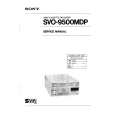
SVO9500MD TEIL 1 Quantity: 1
$4.99
» View Details
SHKS246 Quantity: 1
$4.99
» View Details
AZ1515/00C Quantity: 1
$4.99
» View Details
7646840010 Quantity: 1
$4.99
» View Details
SA1650E Quantity: 1
$4.99
» View Details
RS79 Quantity: 1
$4.99
» View Details
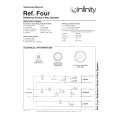
REF.FOUR Quantity: 1
$4.99
» View Details
VT450E Quantity: 1
$4.99
» View Details
DPE026T Quantity: 1
$4.99
» View Details
26HF150 Quantity: 1
$4.99
» View Details
33ML8905 Quantity: 1
$4.99
» View Details
362NR Quantity: 1
$4.99
» View Details
PCGGR250P Quantity: 1
$4.99
» View Details
TX-DS575 Quantity: 1
$4.99
» View Details
PD-T503 Quantity: 1
$4.99
» View Details
CT3630/E5XS50CZ Quantity: 1
$4.99
» View Details
LA5700XTG0 Quantity: 1
$4.99
» View Details
EA200 Quantity: 1
$4.99
» View Details
CD-17/FB Quantity: 1
$4.99
» View Details
LEELECTREGAWS Quantity: 1
$4.99
» View Details
EK134.3LIWETW Quantity: 1
$4.99
» View Details
RSM24 Quantity: 1
$4.99
» View Details
ER8666B Quantity: 1
$4.99
» View Details
CLKX6 Quantity: 1
$4.99
» View Details
F.64850I-D Quantity: 1
$4.99
» View Details
7KHWS160S Quantity: 1
$4.99
» View Details
74PM66 Quantity: 1
$4.99
» View Details
V773 Quantity: 1
$4.99
» View Details
HTV-C1/ACXJ Quantity: 1
$4.99
» View Details
S-C3-S-LR/XMD/JP Quantity: 1
$4.99
» View Details
HS-JS145 Quantity: 1
$4.99
» View Details
AWP 044/1 Quantity: 1
$4.99
» View Details
Subtotal: $159.68
 
English Polski Spanish 
Buscar un manual
 

(p.Ej. AA-V20EG JVC, ZX-7 Sony)
PayPal 1000+ rating Secure, Encrypted Checkout.
 
Productos
Información
Destacado
Inicio >> PANASONIC >> HDC27F Manual de Usuario
 
 32 artículo(s) en Su carrito 

PANASONIC HDC27F
Manual de Usuario


¡Twitee acerca de este producto y obtenga $1.00 de crédito en la tienda para uso!
  • Descargable
  • Formato PDF
  • Manual completo
  • Idiomas: English
Precio: $4.99

Descripción del PANASONIC HDC27F Manual de Usuario

Manual del propietario completo en formato digital. El manual estará disponible para descarga como archivo PDF después de que lo compre.

El Manual del Propietario (a veces llamado Manual del Usuario o Guía del Usuario) contiene información sobre cómo utilizar su dispositivo. Después de colocar la orden le enviaremos las instrucciones de descarga a su dirección de e-mail.

The manual is available in languages: English

Not yet ready
You must purchase it first

Opiniones de los clientes
No hay comentarios de productos.

TEXT_PDF_SNIPPET
Adjusting the white balance and black balance
Adjusting the black balance
The black balance needs to be adjusted in the following cases: O When the unit is used for the first time O When the unit is used after it has not been used for a prolonged period of time O When the unit is used in an ambient temperature which has fluctuated significantly O When the value selected for the gain switch has been changed O When the super gain setting has been performed using the USER button O When the gamma ON/OFF setting has been changed O When the frame rate setting has been changed

3 While the adjustment is in progress, the following
message appears on the viewfinder screen (but only when �2� or �3� has been set as the display mode). <Note> While the adjustment is in progress, the lens aperture is automatically set to CLOSE.
ABATV B CIE

Message appearing while the adjustment is in progress

4 Adjustment is completed in several seconds. 1 Set the switches as shown in the figure.

(A message similar to the one shown in the figure now appears.) The adjustment value is automatically saved in the memory.
ABO B K

Message appearing upon completion of the adjustment

OUTPUT: CAM

2 Set the AUTO W/B BAL switch to the ABB position,
and then release it. The switch returns to the center, and the adjustment is performed.

<Notes> O Check that the lens connector has been connected and that the lens aperture is set to CLOSE. O While the black balance is being adjusted, the aperture is automatically set to the light-shielding status. O While the black balance is being adjusted, the gain selector circuit is switched automatically. Flicker or noise may appear on the viewfinder screen, but this is not indicative of malfunctioning. O If black shading is not satisfactory even with ABB OK, open the BLACK SHADING screen of FILM (CAM) MAIN MENU 4, and adjust the black shading. (Refer to page 108.) O When the super gain has been set to ON, the black balance is executed at the preset position in the white balance memory. O When the AUTO W/B BAL switch is pressed again to the ABB side when the black balance is being adjusted automatically (ABB ACTIVE), the adjustment operation will stop. The adjusted value in this case is the value before automatic adjustment was performed.

AUTO W/B switch

54

Quizás también quiera comprar

$4.99

SX-K700 TECHNICS
Manual de Usuario

Manual del propietario completo en formato digital. El manual estará disponible para descarga como …

$4.99

CJ-V51 PIONEER
Manual de Servicio

Manual de servicio completo en formato digital (archivo PDF). Los manuales de servicio por lo genera…

$4.99

GRAND PRIX ELECTRONIC 754 BECKER
Manual de Servicio

Manual de servicio completo en formato digital (archivo PDF). Los manuales de servicio por lo genera…

$4.99

SX-PR602 TECHNICS
Manual de Servicio

Manual de servicio completo en formato digital (archivo PDF). Los manuales de servicio por lo genera…

$4.99

EV-S1000E SONY
Manual de Usuario

Manual del propietario completo en formato digital. El manual estará disponible para descarga como …

$4.99

GRAND PRIX ELECTRONIC 780 BECKER
Manual de Servicio

Manual de servicio completo en formato digital (archivo PDF). Los manuales de servicio por lo genera…

$4.99

AG7330 PANASONIC
Manual de Servicio

Manual de servicio completo en formato digital (archivo PDF). Los manuales de servicio por lo genera…

$4.99

MECABLITZ 60 CT4 METZ
Manual de Servicio

Manual de servicio completo en formato digital (archivo PDF). Los manuales de servicio por lo genera…
>
Parse Time: 0.586 - Number of Queries: 250 - Query Time: 0.333