FA8432 Quantity: 1
$4.99
» View Details
Z1360 Quantity: 1
$4.99
» View Details
ZGF7820X Quantity: 1
$4.99
» View Details
PDH300MK3 Quantity: 1
$4.99
» View Details
EL6360 Quantity: 1
$4.99
» View Details
BSZH 5900 IN Quantity: 1
$4.99
» View Details
EL6460 Quantity: 1
$4.99
» View Details
DVDQ40/PNL Quantity: 1
$4.99
» View Details
SC7730 Quantity: 1
$4.99
» View Details
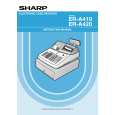
ER-A420 Quantity: 1
$4.99
» View Details
14HT3252/40 Quantity: 1
$4.99
» View Details
GRDX45EX Quantity: 1
$4.99
» View Details
HL5211/10 Quantity: 1
$4.99
» View Details
OBI C00 W Quantity: 1
$4.99
» View Details
3560A Quantity: 1
$4.99
» View Details
ASF2646A Quantity: 1
$4.99
» View Details
ZFT50/2R Quantity: 1
$4.99
» View Details
RT14DKYAW02 Quantity: 1
$4.99
» View Details
WA3773 Quantity: 1
$4.99
» View Details
A1200 Quantity: 1
$4.99
» View Details
KXA227X Quantity: 1
$4.99
» View Details
3586B Quantity: 1
$4.99
» View Details
RF3100XVW2 Quantity: 1
$4.99
» View Details
WD1260FD Quantity: 1
$4.99
» View Details
GBS307PDS8 Quantity: 1
$4.99
» View Details
BSZA 4002 WS Quantity: 1
$4.99
» View Details
BYCA10WR42 Quantity: 1
$4.99
» View Details
RSS380 Quantity: 1
$4.99
» View Details
EXCELLENCE KVA OPT Quantity: 1
$4.99
» View Details
VIEW34T Quantity: 1
$4.99
» View Details
DEH-1750/XM/GS Quantity: 1
$4.99
» View Details
Subtotal: $154.69
 
English Polski Spanish 
Buscar un manual
 

(p.Ej. AA-V20EG JVC, ZX-7 Sony)
PayPal 1000+ rating Secure, Encrypted Checkout.
 
Productos
Información
Destacado
Inicio >> JVC >> GR-DX45EX Manual de Usuario
 
 31 artículo(s) en Su carrito 

JVC GR-DX45EX
Manual de Usuario


¡Twitee acerca de este producto y obtenga $1.00 de crédito en la tienda para uso!
  • Descargable
  • Formato PDF
  • Manual completo
  • Idiomas: English
Precio: $4.99

Descripción del JVC GR-DX45EX Manual de Usuario

Manual del propietario completo en formato digital. El manual estará disponible para descarga como archivo PDF después de que lo compre.

El Manual del Propietario (a veces llamado Manual del Usuario o Guía del Usuario) contiene información sobre cómo utilizar su dispositivo. Después de colocar la orden le enviaremos las instrucciones de descarga a su dirección de e-mail.

The manual is available in languages: English

Not yet ready
You must purchase it first

Opiniones de los clientes
No hay comentarios de productos.

TEXT_PDF_SNIPPET
Snapshot
This feature lets you record still images that look like photographs onto a tape.

NOTES:
� To remove the shutter sound, �BEEP� on pg. 23. � If Snapshot recording is not possible, �PHOTO� ^ blinks when SNAPSHOT 5 is pressed. � If Programme AE with special effects ( pg. 16) is engaged, certain modes of Programme AE with special effects are disabled during Snapshot recording. In such a case, the icon blinks. � If SNAPSHOT 5 is pressed when �DIS� is set to �ON� ( pg. 22), the Stabiliser will be disabled. � During tape playback as well, all snapshot modes are available. However, the shutter sound is not heard. � During Snapshot recording, the image displayed in the viewfinder may be partially missing. However, there is no effect in the recorded image. � When a cable is connected to the S/AV connector #, the shutter sound is not heard from the speaker, however it is recorded onto the tape.

SNAPSHOT MODE SELECTION
� while pressing down the Lock Button 0 located on the switch. Open the LCD monitor fully or pull out the viewfinder fully.

1 Set the Power Switch 8 to �

2 Press MENU 2. The Menu Screen appears. 3 Press + or � 3 to select � (CAMERA)�, then
press SELECT/SET 1.

4 Press + or � 3 to select �SNAP MODE�, then press SELECT/SET 1. 5 Press + or � 3 to select the desired Snapshot
mode, then press SELECT/SET 1. Press + or � 3 to select � RETURN� and press SELECT/SET 1 twice. The Menu Screen closes.

Auto Focus
The camcorder�s Full Range AF system offers continuous shooting ability from close-up (as close as approx. 5 cm to the subject) to infinity. However, correct focus may not be obtainable in the situations listed below (in these cases use manual focusing):

FULL Snapshot mode with no frame

PIN-UP Pin-Up mode

FRAME Snapshot mode with frame

� When two subjects overlap in the same scene. � When illumination is low.* � When the subject has no contrast (difference in brightness and darkness), such as a flat, one-colour wall, or a clear, blue sky.* � When a dark object is barely visible in the viewfinder.* � When the scene contains minute patterns or identical patterns that are regularly repeated. � When the scene is affected by sunbeams or light reflecting off the surface of a body of water. � When shooting a scene with a high-contrast background.
* The following low-contrast warnings appear blinking: ,, and

There is the sound effect of a shutter closing.

SNAPSHOT RECORDING

1 Press SNAPSHOT 5. �PHOTO� ^ appears while the snapshot is being taken.
If you press during Record-Standby . . . ..... �PHOTO� ^ appears and a still image will be recorded for approx. 6 seconds, then the camcorder re-enters the Record-Standby mode. If you press during Recording . . . ..... �PHOTO� ^ appears and a still image will be recorded for approx. 6 seconds, then the normal recording resumes. � Regardless of the Power Switch 8 position (� � or � �), Snapshot recording takes place using the selected Snapshot mode. Motor Drive Mode Keeping SNAPSHOT pressed provides an effect similar to serial photography. (Interval between still images: approx. 1 second)

NOTES:
� If the lens is smeared or blurred, accurate focusing is not possible. Keep the lens clean, wiping with a piece of soft cloth if it gets dirty. When condensation occurs, wipe with a soft cloth or wait for it to dry naturally. � When shooting a subject close to the lens, zoom out first ( pg. 12). If zoomed-in in the auto focus mode, the camcorder may automatically zoom out depending on the distance between the camcorder and the subject. This will not occur when �TELE MACRO� ( pg. 22) is activated.

5

EN

18 FOR RECORDING

Quizás también quiera comprar

$4.99

GRDX45EX JVC
Manual de Servicio

Manual de servicio completo en formato digital (archivo PDF). Los manuales de servicio por lo genera…
>
Parse Time: 0.211 - Number of Queries: 211 - Query Time: 0.057