CQDFX583U Quantity: 1
$4.99
» View Details
NVGS1EGM Quantity: 1
$4.99
» View Details
YLEN2000JQ1 Quantity: 1
$4.99
» View Details
KHMS155LSS4 Quantity: 1
$4.99
» View Details
DV-K303C/RLXQ/NC Quantity: 1
$4.99
» View Details
EH090FXKN0 Quantity: 1
$4.99
» View Details
PCGZ1VXCP Quantity: 1
$4.99
» View Details
GT1SHTXLT00 Quantity: 1
$4.99
» View Details
EOK6837X CN Quantity: 1
$4.99
» View Details
ADL 357/S Quantity: 1
$4.99
» View Details
YKESH307HW5 Quantity: 1
$4.99
» View Details
AKG 751 AV Quantity: 1
$4.99
» View Details
AWO/D 8830 Quantity: 1
$4.99
» View Details
RT18HDXFW01 Quantity: 1
$4.99
» View Details
YKESC307BW5 Quantity: 1
$4.99
» View Details
CT-FRV735M Quantity: 1
$4.99
» View Details
EKC6780X Quantity: 1
$4.99
» View Details
ARL 831/G Quantity: 1
$4.99
» View Details
GB2SHDXPS01 Quantity: 1
$4.99
» View Details
KV29C5D Quantity: 1
$4.99
» View Details
XRJ130 Quantity: 1
$4.99
» View Details
FL884AL Quantity: 1
$4.99
» View Details
TWA200W Quantity: 1
$4.99
» View Details
ESZ5861/IN Quantity: 1
$4.99
» View Details
QW288T Quantity: 1
$4.99
» View Details
KECC507KWW03 Quantity: 1
$4.99
» View Details
S756281KG3 Quantity: 1
$4.99
» View Details
NNS576BA Quantity: 1
$4.99
» View Details
PT60LCX63 Quantity: 1
$4.99
» View Details
HQ6605/33 Quantity: 1
$4.99
» View Details
8650 Quantity: 1
$4.99
» View Details
TV70VT Quantity: 1
$4.99
» View Details
XRC210MK2 Quantity: 1
$4.99
» View Details
ZFC340CLR Quantity: 1
$4.99
» View Details
AW575F Quantity: 1
$4.99
» View Details
SS-H3800N Quantity: 1
$4.99
» View Details
SB63538 Quantity: 1
$4.99
» View Details
FGP305BL0 Quantity: 1
$4.99
» View Details
TT16CKXWW01 Quantity: 1
$4.99
» View Details
L-07C Quantity: 1
$4.99
» View Details
RQC10V Quantity: 1
$4.99
» View Details
ET18HKXSW20 Quantity: 1
$4.99
» View Details
175.401 9/20350 Quantity: 1
$4.99
» View Details
28PW9513/12 Quantity: 1
$4.99
» View Details
DEH-P8MP Quantity: 1
$4.99
» View Details
KD-DV5202EU Quantity: 1
$4.99
» View Details
KGHS01PMT0 Quantity: 1
$4.99
» View Details
3SB56 Quantity: 1
$4.99
» View Details
HK6300 Quantity: 1
$4.99
» View Details
SLVED39 Quantity: 1
$4.99
» View Details
MINISTUDIO PORTA ONE Quantity: 1
$4.99
» View Details
GD25SFCGS10 Quantity: 1
$4.99
» View Details
ADP 972/2 NBM Quantity: 1
$4.99
» View Details
ARC 7410 Quantity: 1
$4.99
» View Details
CK7226WT Quantity: 1
$4.99
» View Details
PX1UOV Quantity: 1
$4.99
» View Details
CT1608/ABVSA0SQ Quantity: 1
$4.99
» View Details
VTM598EM Quantity: 1
$4.99
» View Details
DEH-P2500-2 Quantity: 1
$4.99
» View Details
XR5W497RB Quantity: 1
$4.99
» View Details
AMW 499 IX Quantity: 1
$4.99
» View Details
PT-LB10SVE Quantity: 1
$4.99
» View Details
MT 232 EL BL Quantity: 1
$4.99
» View Details
L510 Quantity: 1
$4.99
» View Details
42PFL7312/78 Quantity: 1
$4.99
» View Details
SR801 Quantity: 1
$4.99
» View Details
HR7710/00 Quantity: 1
$4.99
» View Details
UX-B800DE Quantity: 1
$4.99
» View Details
PCGC1MVP Quantity: 1
$4.99
» View Details
TV044A Quantity: 1
$4.99
» View Details
TARW66 Quantity: 1
$4.99
» View Details
MC1760ED Quantity: 1
$4.99
» View Details
AVIC-X1R Quantity: 1
$4.99
» View Details
S71368KG Quantity: 1
$4.99
» View Details
BP1200.1 Quantity: 1
$4.99
» View Details
CHG173N Quantity: 1
$4.99
» View Details
GK504000B 11C, 60642 Quantity: 1
$4.99
» View Details
VTFX632A Quantity: 1
$4.99
» View Details
RQ20P Quantity: 1
$4.99
» View Details
150E6FB/00 Quantity: 1
$4.99
» View Details
DEH760 Quantity: 1
$4.99
» View Details
KUCC151V0 Quantity: 1
$4.99
» View Details
LVF122 Quantity: 1
$4.99
» View Details
VAMPYR5090.0 Quantity: 1
$4.99
» View Details
SG1070A/L Quantity: 1
$4.99
» View Details
KV2220ET Quantity: 1
$4.99
» View Details
VS247 Quantity: 1
$4.99
» View Details
VCA105S Quantity: 1
$4.99
» View Details
RB262PXAQ4 Quantity: 1
$4.99
» View Details
B3741-4-D Quantity: 1
$4.99
» View Details
RV2099RBW01 Quantity: 1
$4.99
» View Details
LA9680XWG0 Quantity: 1
$4.99
» View Details
CER3740AAH Quantity: 1
$4.99
» View Details
LAVATHERM37320 Quantity: 1
$4.99
» View Details
FAV64570VI Quantity: 1
$4.99
» View Details
HP4871FL Quantity: 1
$4.99
» View Details
KD-S5055SU Quantity: 1
$4.99
» View Details
TM3008T Quantity: 1
$4.99
» View Details
DENVER 1400 Quantity: 1
$4.99
» View Details
TSLX100 Quantity: 1
$4.99
» View Details
CF50SI Quantity: 1
$4.99
» View Details
FRA124 Quantity: 1
$4.99
» View Details
SAHE90EB Quantity: 1
$4.99
» View Details
AU-55H Quantity: 1
$4.99
» View Details
XV-NK58SL Quantity: 1
$4.99
» View Details
ZJ1284 Quantity: 1
$4.99
» View Details
YMT4070SKQ1 Quantity: 1
$4.99
» View Details
HR-J457MS Quantity: 1
$4.99
» View Details
Subtotal: $538.92
 
English Polski Spanish 
Buscar un manual
 

(p.Ej. AA-V20EG JVC, ZX-7 Sony)
PayPal 1000+ rating Secure, Encrypted Checkout.
 
Productos
Información
Destacado
Inicio >> ROLAND >> FANTOM-S Guía de consulta rápida
 
 108 artículo(s) en Su carrito 

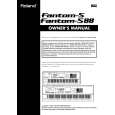
ROLAND FANTOM-S
Guía de consulta rápida


¡Twitee acerca de este producto y obtenga $1.00 de crédito en la tienda para uso!
  • Descargable
  • Formato PDF
  • Manual completo
  • Idiomas: English
Precio: $4.99

Descripción del ROLAND FANTOM-S Guía de consulta rápida

La guía de consulta rápida (a veces llamada Guía de Inicio Rápido) contiene la información más importante sobre cómo utilizar éste producto. El manual está en formato PDF. Después de colocar su orden le enviaremos las instrucciones de descarga a su dirección de e-mail.

The manual is available in languages: English

Not yet ready
You must purchase it first

Opiniones de los clientes
No hay comentarios de productos.

TEXT_PDF_SNIPPET
®������

Fantom-S Fantom-S88
Workstation keyboard

TurboStart
Selecting Patches by Category
You can quickly select patches from any of 38 different categories. Use the following steps to find patches by category: 1. 2. 3. 4. 5. 6. Press PATCH/RHYTHM so it�s lit. Press F1 (Kbd Part). Press F3 (Patch List). Press F6 so a checkmark appears next to �Categ.� Press F1 (5) or F2 (6) to select a category. Turn the VALUE dial to audition the patches in the selected category.

It�s a Fact�
Roland�s Fantom-S and Fantom-S88 workstation keyboards are complete solutions for professional music production. The 61-note Fantom-S and 88note Fantom-S88 both feature seamless integration of audio and MIDI�plus advanced sampling. � Advanced music production studios with 61-note Keyboard (Fantom-S) or 88-note Progressive Hammer-Action keyboard (Fantom-S88) � Seamless integration of audio and MIDI using ROM waves and user sampling with realtime timestretch capability � All new patches and rhythm sets built from new 64 MB wave ROM � 32 MB sample RAM (expandable up to 288 MB) with .WAV/AIFF compatibility. � 16 MB flash RAM retains your favorite sounds; optional SmartMedia storage. � New Skip Back Sampling for continuous sampling�never lose an idea again! � DYNAMIC PAD BANK with 16 velocity-sensitive pads for easy sample triggering � 3 MFX processors, plus dedicated reverb, chorus and new mastering processor � Expandable via four optional SRX-Series Wave Expansion Boards. � USB port for .WAV/AIFF file exchange with a PC or Mac � 4 Line outputs, 2 stereo or 4 mono; stereo line input and 24 bit S/P DIF digital output.

Layering Two Patches
Multiple sounds in a performance can be layered together. Use the following procedure to layer Part 1 with Part 2: 1. 2. 3. 4 5. 6. 7. 8. Press LAYER/SPLIT so it�s lit. Turn the VALUE dial to select PRST: 01 Seq: Template. Use CURSOR 5 or 6 and the VALUE dial to place a checkmark next to Parts 1 and 2. Press F2 (Part View). Turn the VALUE dial to select PR-B 104 Warm Strings as the patch for Part 2. Press CURSOR 5 to highlight Part 1. Turn the VALUE dial to select PR-A 003 Warm Piano. Play the layered piano and string sounds.

Playing the Demo Songs
The Fantom-S /-S88 has five built-in demo songs. To play them: 1. Press MENU. 2. Turn the VALUE dial to select Demo Play. 3. Press ENTER. 4. Turn the VALUE dial to select a song. 5. Press ENTER. 6. When you�re done listening, press F8 (Exit).

Creating a Split
After creating a layer, creating a split is easy. Follow these steps to create a split between Parts 1 and 2. 1. Follow Steps 1-7 of �Layering Two Patches� above. 2. Press LAYER/SPLIT so it�s lit. 3. Press F3 (Key Range). 4. Press CURSOR 5 or 6 to select PART 1. 5. Turn the VALUE dial to select C4 in the box below �Lower.� 6. Press CURSOR 6 to select PART 2. 7. Press CURSOR 4 to highlight the box below �Upper.� 8. Turn the VALUE dial to select B3. 9. Play the keyboard to hear the newly created split between PR-B 104 Warm Strings on the left and PR-A 003 Warm Piano on the right.

Selecting and Auditioning Patches
Use the following steps to hear some of the patches in the Fantom-S and Fantom-S88: 1. Press PATCH/RHYTHM so it�s lit. 2. Press F1 (Kbd Part). 3. Turn the VALUE dial to select a patch. 4. Play the selected patch.

TBS186

©2003 Roland Corporation U.S.

www.RolandUS.com

Faxback #20219

Page 1

Quizás también quiera comprar

$4.99

FANTOM-S ROLAND
Manual de Usuario

Manual del propietario completo en formato digital. El manual estará disponible para descarga como …
>
Parse Time: 1.06 - Number of Queries: 478 - Query Time: 0.609