HKTS2 Quantity: 1
$4.99
» View Details
KV25FS120 Quantity: 1
$4.99
» View Details
ER8361B Quantity: 1
$4.99
» View Details
FT353 Quantity: 1
$4.99
» View Details
ACC2100EN0 Quantity: 1
$4.99
» View Details
FW12/25 Quantity: 1
$4.99
» View Details
LA8400XWG1 Quantity: 1
$4.99
» View Details
ER3034B Quantity: 1
$4.99
» View Details
ENA3440 Quantity: 1
$4.99
» View Details
TV2015C Quantity: 1
$4.99
» View Details
KRC36Y Quantity: 1
$4.99
» View Details
RF325PXEZ0 Quantity: 1
$4.99
» View Details
SS27AQXHW01 Quantity: 1
$4.99
» View Details
FE6691RRW Quantity: 1
$4.99
» View Details
51S500 Quantity: 1
$4.99
» View Details
JJW8430DDW Quantity: 1
$4.99
» View Details
SVC704RC Quantity: 1
$4.99
» View Details
VCR2600 Quantity: 1
$4.99
» View Details
UX45 Quantity: 1
$4.99
» View Details
EF-L10000CG Quantity: 1
$4.99
» View Details
PCVRS45MG Quantity: 1
$4.99
» View Details
FX4530UK Quantity: 1
$4.99
» View Details
Subtotal: $109.78
 
English Polski Spanish 
Buscar un manual
 

(p.Ej. AA-V20EG JVC, ZX-7 Sony)
PayPal 1000+ rating Secure, Encrypted Checkout.
 
Productos
Información
Destacado
Inicio >> CASIO >> EXS1 Manual de Usuario
 
 22 artículo(s) en Su carrito 

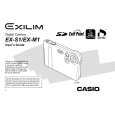
CASIO EXS1
Manual de Usuario


¡Twitee acerca de este producto y obtenga $1.00 de crédito en la tienda para uso!
  • Descargable
  • Formato PDF
  • Manual completo
  • Idiomas: English
Precio: $4.99

Descripción del CASIO EXS1 Manual de Usuario

Manual del propietario completo en formato digital. El manual estará disponible para descarga como archivo PDF después de que lo compre.

El Manual del Propietario (a veces llamado Manual del Usuario o Guía del Usuario) contiene información sobre cómo utilizar su dispositivo. Después de colocar la orden le enviaremos las instrucciones de descarga a su dirección de e-mail.

The manual is available in languages: English

Not yet ready
You must purchase it first

Opiniones de los clientes
No hay comentarios de productos.

TEXT_PDF_SNIPPET
OTHER RECORDING FUNCTIONS

2. Point the camera at a white piece of paper or
similar object under the lighting conditions for which you want to set the white balance, and then press the shutter release button.
� This adjusts the white balance.

Using the Night Scene Mode
You can use the Night Scene mode in combination with flash for slow sync shooting of people against a twilight or night scene background.

3. Click the controller.
� This registers the white balance settings and returns to the REC mode. � Dim lighting or pointing the camera at a dark colored object can cause white balance to take a long time to complete.

1. In the REC mode, press MENU. 2. Select the �REC� tab,
select �REC Mode�, and then rock the controller to the right.

3. Rock the controller up or down to select
(Night Scene), and then click.

4. Record the image.
IMPORTANT! � In the Night Scene Mode, the camera may employ a slow shutter speed even when you are using the flash. Because of this, you need to guard against camera movement when using the Night Scene Mode.

45

Quizás también quiera comprar

$4.99

EX-S1 CASIO
Manual del propietario

Es una guía completa (también conocida como Manual de Operación o Manual del Propietario), y est�…
>
Parse Time: 0.854 - Number of Queries: 188 - Query Time: 0.494