CDX-646X Quantity: 1
$4.99
» View Details
DV-525/RDXJ/RB Quantity: 1
$4.99
» View Details
DDLE21,21KW Quantity: 1
$4.99
» View Details
ZAF42GW Quantity: 1
$4.99
» View Details
AKM 370/WH/01 Quantity: 1
$4.99
» View Details
A6188 Quantity: 1
$4.99
» View Details
MDR210TV Quantity: 1
$4.99
» View Details
HP5258/00 Quantity: 1
$4.99
» View Details
TFM8100W Quantity: 1
$4.99
» View Details
HL730/PLUS Quantity: 1
$4.99
» View Details
SRW06SXP Quantity: 1
$4.99
» View Details
AV28BH7EES Quantity: 1
$4.99
» View Details
SSDX10 Quantity: 1
$4.99
» View Details
ER7513C Quantity: 1
$4.99
» View Details
DXC6000H Quantity: 1
$4.99
» View Details
26PFL7532D/05 Quantity: 1
$4.99
» View Details
MMC5000ADW Quantity: 1
$4.99
» View Details
200 488 74 DRY 140 Quantity: 1
$4.99
» View Details
LAVAMAT 4100 Quantity: 1
$4.99
» View Details
ZRB 40NV Quantity: 1
$4.99
» View Details
AWO/D 7508 Quantity: 1
$4.99
» View Details
CPD-1302 Quantity: 1
$4.99
» View Details
SC303B Quantity: 1
$4.99
» View Details
Subtotal: $114.77
 
English Polski Spanish 
Buscar un manual
 

(p.Ej. AA-V20EG JVC, ZX-7 Sony)
PayPal 1000+ rating Secure, Encrypted Checkout.
 
Productos
Información
Destacado
Inicio >> SONY >> EVID31 Manual de Usuario
 
 23 artículo(s) en Su carrito 

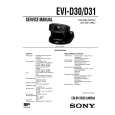
SONY EVID31
Manual de Usuario


¡Twitee acerca de este producto y obtenga $1.00 de crédito en la tienda para uso!
  • Descargable
  • Formato PDF
  • Manual completo
  • Idiomas: English, Japanese
Precio: $4.99

Descripción del SONY EVID31 Manual de Usuario

Manual del propietario completo en formato digital. El manual estará disponible para descarga como archivo PDF después de que lo compre.

El Manual del Propietario (a veces llamado Manual del Usuario o Guía del Usuario) contiene información sobre cómo utilizar su dispositivo. Después de colocar la orden le enviaremos las instrucciones de descarga a su dirección de e-mail.

The manual is available in languages: English, Japanese

Not yet ready
You must purchase it first

Opiniones de los clientes
No hay comentarios de productos.

TEXT_PDF_SNIPPET
2

Press the FRAME button to enter into the detection frame setting mode.
MD MODE SET FRAME FRAME DRIVE

5

Repeat pressing the DETECT button to select a frame to be used.
Each time that button is pressed, the frame to be used is cyclically changed as follows: FRAME 1 FRAME 2 F1 & F2*

FRAME 1

MD MODE SET FRAME

FRAME DRIVE

3

Decide the position and size of the FRAME 1.
q Press the arrow button to set the position of the FRAME 1. Then press the FRAME button.
MD MODE SET FRAME FRAME DRIVE

F1&F2

* If a change is detected even in either of FRAME 1 or FRAME 2, the lamp at the side of the lens lights up red.

6

Press the START/STOP button to activate the MD function.
MD MODE WORKING NOW

FRAME 1

w Press the arrow button to set the size of the FRAME 1. Then press the FRAME button.
MD MODE SET FRAME FRAME DRIVE

FRAME 1

To turn off the setting value and/or frame
FRAME 1

That completes the settings of the FRAME 1�s position and size, and enter into the setting mode of the FRAME 2. If you choose not to set the FRAME 2, proceed with the step 5.

If the setting value and/or frame are displayed as you record a picture, those come with the recorded picture. To turn off the setting value, press the DATA SCREEN button. To turn off the frame, press the FRAME DISPLAY button.

To cancel the MD function
Press the START/STOP button. To exit from the MD mode, press the MD ON/ OFF button. Note
Once the frame is set, it remains memorized until the power is turned off. To retain the memory of the frame setting even if the power is turned off, set the BACKUP switch, at the rear of the camera head, to ON. (See �About backup� on page 25.)

4

Repeat the procedure of the step 3 to set the FRAME 2�s position and size.

continue to next page

19EN

Quizás también quiera comprar

$4.99

EVID31 SONY
Manual de Servicio

Manual de servicio completo en formato digital (archivo PDF). Los manuales de servicio por lo genera…
>
Parse Time: 0.487 - Number of Queries: 182 - Query Time: 0.172