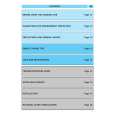
GR-AXM700U(C) Quantity: 1
$4.99
» View Details
IRSSIGMA Quantity: 1
$4.99
» View Details
SAWM20 Quantity: 1
$4.99
» View Details
ZCG5066 Quantity: 1
$4.99
» View Details
MX-K30UM Quantity: 1
$4.99
» View Details
1100 Quantity: 1
$4.99
» View Details
LAV6284 Quantity: 1
$4.99
» View Details
DEXM300 Quantity: 1
$4.99
» View Details
ET14NKXDN10 Quantity: 1
$4.99
» View Details
ASL6238SC Quantity: 1
$4.99
» View Details
RM850GRN Quantity: 1
$4.99
» View Details
HR-J656EN Quantity: 1
$4.99
» View Details
DU8150XB1 Quantity: 1
$4.99
» View Details
KV-34FVL1 Quantity: 1
$4.99
» View Details
OEKOS.2180-6 Quantity: 1
$4.99
» View Details
L58202 Quantity: 1
$4.99
» View Details
JEH2330B Quantity: 1
$4.99
» View Details
4869 Quantity: 1
$4.99
» View Details
GM201 Quantity: 1
$4.99
» View Details
DP2500 Quantity: 1
$4.99
» View Details
CY-6 Quantity: 1
$4.99
» View Details
CDX-3700 Quantity: 1
$4.99
» View Details
42PF9966/12 Quantity: 1
$4.99
» View Details
XA-MP51AB Quantity: 1
$4.99
» View Details
FP1000E Quantity: 1
$4.99
» View Details
AKM 220/IX Quantity: 1
$4.99
» View Details
TRA 61200/1 Quantity: 1
$4.99
» View Details
GT1241 Quantity: 1
$4.99
» View Details
SLVE850B/UX Quantity: 1
$4.99
» View Details
SAT-1100 Quantity: 1
$4.99
» View Details
CS-GD4250UF Quantity: 1
$4.99
» View Details
ACS200SS Quantity: 1
$4.99
» View Details
HR1700/00 Quantity: 1
$4.99
» View Details
ARC 5782 Quantity: 1
$4.99
» View Details
AVR700RD Quantity: 1
$4.99
» View Details
TEDL680AW0 Quantity: 1
$4.99
» View Details
RX-FT530 Quantity: 1
$4.99
» View Details
RD1011/18 Quantity: 1
$4.99
» View Details
WRT820A Quantity: 1
$4.99
» View Details
SDPD905 Quantity: 1
$4.99
» View Details
NV-DS77 Quantity: 1
$4.99
» View Details
C370 Quantity: 1
$4.99
» View Details
FGS387YW2 Quantity: 1
$4.99
» View Details
CXNMT720 Quantity: 1
$4.99
» View Details
XR-6450 Quantity: 1
$4.99
» View Details
732.892 5/60229 Quantity: 1
$4.99
» View Details
8BLGR5636JQ0 Quantity: 1
$4.99
» View Details
KSRV25FHBT01 Quantity: 1
$4.99
» View Details
E835S Quantity: 1
$4.99
» View Details
LF36DO6 Quantity: 1
$4.99
» View Details
57F710A Quantity: 1
$4.99
» View Details
AE3450 Quantity: 1
$4.99
» View Details
KV32XBR75 Quantity: 1
$4.99
» View Details
EFC1435X Quantity: 1
$4.99
» View Details
VGC-RA204 VAIO Quantity: 1
$4.99
» View Details
AWE9525 Quantity: 1
$4.99
» View Details
TS22BRXAN00 Quantity: 1
$4.99
» View Details
SL-2410 Quantity: 1
$4.99
» View Details
TX68P22Z Quantity: 1
$4.99
» View Details
XLV252BK Quantity: 1
$4.99
» View Details
RJ16 Quantity: 1
$4.99
» View Details
WA SYMPH.1400/WS-N Quantity: 1
$4.99
» View Details
CFS-202 Quantity: 1
$4.99
» View Details
DU945PWPT0 Quantity: 1
$4.99
» View Details
24PW6304 Quantity: 1
$4.99
» View Details
K802R/90F 2M RAME S. Quantity: 1
$4.99
» View Details
54318822 Quantity: 1
$4.99
» View Details
6030 TEAM Quantity: 1
$4.99
» View Details
ESF4120 Quantity: 1
$4.99
» View Details
SACH74GC/GCS/GN/GT Quantity: 1
$4.99
» View Details
CA-D602T Quantity: 1
$4.99
» View Details
AKM200/WH Quantity: 1
$4.99
» View Details
Z436 Quantity: 1
$4.99
» View Details
IM751B Quantity: 1
$4.99
» View Details
RBD245PDB6 Quantity: 1
$4.99
» View Details
BDP-51FD/WPWXJ2 Quantity: 1
$4.99
» View Details
SAAX6PP Quantity: 1
$4.99
» View Details
32WLT58 Quantity: 1
$4.99
» View Details
C25S7B Quantity: 1
$4.99
» View Details
RXCT880GC/GU Quantity: 1
$4.99
» View Details
ZCC5400G Quantity: 1
$4.99
» View Details
Z7030 Quantity: 1
$4.99
» View Details
QT78I Quantity: 1
$4.99
» View Details
CDXS2050EE Quantity: 1
$4.99
» View Details
KEMC377KBT05 Quantity: 1
$4.99
» View Details
KSRW22FHBL00 Quantity: 1
$4.99
» View Details
LTH5400-WNL Quantity: 1
$4.99
» View Details
LAV 60306-W Quantity: 1
$4.99
» View Details
KW-XC828 Quantity: 1
$4.99
» View Details
KX-FM89CX Quantity: 1
$4.99
» View Details
Subtotal: $449.10
 
English Polski Spanish 
Buscar un manual
 

(p.Ej. AA-V20EG JVC, ZX-7 Sony)
PayPal 1000+ rating Secure, Encrypted Checkout.
 
Productos
Información
Destacado
Inicio >> PHILIPS >> DVP5140K/03 Manual de Usuario
 
 90 artículo(s) en Su carrito 

PHILIPS DVP5140K/03
Manual de Usuario


¡Twitee acerca de este producto y obtenga $1.00 de crédito en la tienda para uso!
  • Descargable
  • Formato PDF
  • Manual completo
  • Idiomas: English, Arabic
Precio: $4.99

Descripción del PHILIPS DVP5140K/03 Manual de Usuario

Manual del propietario completo en formato digital. El manual estará disponible para descarga como archivo PDF después de que lo compre.

El Manual del Propietario (a veces llamado Manual del Usuario o Guía del Usuario) contiene información sobre cómo utilizar su dispositivo. Después de colocar la orden le enviaremos las instrucciones de descarga a su dirección de e-mail.

The manual is available in languages: English, Arabic

Not yet ready
You must purchase it first

Opiniones de los clientes
No hay comentarios de productos.

TEXT_PDF_SNIPPET
Getting Started
Step 3: Setting language preference
The language options are different depending on your country or region. It may not correspond to the illustrations shown on the user manual. Setting the OSD Language The On-screen language for the system menu will remain as you set it, regardless of various disc languages.
- - General Setup Page - Disc Lock Display Dim Program OSD Language Sleep DIVX(R) Vod Code Melayu
Set OSD Language English

Setting the Audio, Subtitle and Disc menu language You can choose your own preferred language or soundtrack from audio, subtitles and disc menu languages. If the language selected is not available on the disc, the disc�s default language will be used instead.
- - Preference Page - -

Audio Subtitle Disc Menu Parental PBC Mp3/Jpeg nav Password
Set Preference To English

English Chinese French Spanish Portuguese Polish Italian

ENGLISH

1 Press SETUP. 2 Press 2 to select {GENERAL SETUP
PAGE}.

1 Press STOP twice then, press SETUP. 2 Press 2 to select {PREFERENCE PAGE}. 3 Press 3 4 to highlight one of the options
below at a time, then press 2. � �Audio� (disc�s soundtrack) � �Subtitle� (disc�s subtitles) � �Disc Menu� (disc�s menu) Press 3 4 to select a language and press OK. If the language you want is not in the list, then select {OTHERS}, then use the numeric keypad (0-9) on the remote to enter the 4-digit language code �XXXX� (see page 5 �Language Code�) and press OK.
E n g l i s h

3 Press 3 4 to highlight {OSD
LANGUAGE}, then press 2.

4

4 Press 3 4 to select a language and press
OK.

5 Repeat steps 3~4 for other language
settings.

TIPS:

The underlined option is the factory default setting. Press 1 to go back to the previous menu item. Press SETUP to exit the menu item.

17

01-42 DVP5140K_03_eng_RC3

17

04/07/06, 10:24 AM

Quizás también quiera comprar

$4.99

SX-K700 TECHNICS
Manual de Usuario

Manual del propietario completo en formato digital. El manual estará disponible para descarga como …

$4.99

CJ-V51 PIONEER
Manual de Servicio

Manual de servicio completo en formato digital (archivo PDF). Los manuales de servicio por lo genera…

$4.99

GRAND PRIX ELECTRONIC 754 BECKER
Manual de Servicio

Manual de servicio completo en formato digital (archivo PDF). Los manuales de servicio por lo genera…

$4.99

SX-PR602 TECHNICS
Manual de Servicio

Manual de servicio completo en formato digital (archivo PDF). Los manuales de servicio por lo genera…

$4.99

EV-S1000E SONY
Manual de Usuario

Manual del propietario completo en formato digital. El manual estará disponible para descarga como …

$4.99

GRAND PRIX ELECTRONIC 780 BECKER
Manual de Servicio

Manual de servicio completo en formato digital (archivo PDF). Los manuales de servicio por lo genera…

$4.99

AG7330 PANASONIC
Manual de Servicio

Manual de servicio completo en formato digital (archivo PDF). Los manuales de servicio por lo genera…

$4.99

MECABLITZ 60 CT4 METZ
Manual de Servicio

Manual de servicio completo en formato digital (archivo PDF). Los manuales de servicio por lo genera…
>
Parse Time: 0.358 - Number of Queries: 451 - Query Time: 0.127