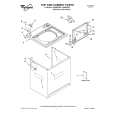
800 655 25 Quantity: 1
$4.99
» View Details
WM-FX288 Quantity: 1
$4.99
» View Details
14CE1200/22B Quantity: 1
$4.99
» View Details
GGW9878JT1 Quantity: 1
$4.99
» View Details
DPR-225 Quantity: 1
$4.99
» View Details
LSQ9660PW4 Quantity: 1
$4.99
» View Details
DU8960XB1 Quantity: 1
$4.99
» View Details
AKS 422 WH Quantity: 1
$4.99
» View Details
WA Ecostyle 110 Quantity: 1
$4.99
» View Details
KTRC22KKBL02 Quantity: 1
$4.99
» View Details
XV-DV323/MLXJ/NC Quantity: 1
$4.99
» View Details
SB-FS341E Quantity: 1
$4.99
» View Details
ED25TEXHT03 Quantity: 1
$4.99
» View Details
ESZ 5461 AL Quantity: 1
$4.99
» View Details
MSG 136 A/1 Quantity: 1
$4.99
» View Details
Subtotal: $74.85
 
English Polski Spanish 
Buscar un manual
 

(p.Ej. AA-V20EG JVC, ZX-7 Sony)
PayPal 1000+ rating Secure, Encrypted Checkout.
 
Productos
Información
Destacado
Inicio >> PIONEER >> DV-C603/KUXQ/CA Manual de Usuario
 
 15 artículo(s) en Su carrito 

PIONEER DV-C603/KUXQ/CA
Manual de Usuario


¡Twitee acerca de este producto y obtenga $1.00 de crédito en la tienda para uso!
  • Descargable
  • Formato PDF
  • Manual completo
  • Idiomas: English
Precio: $4.99

Descripción del PIONEER DV-C603/KUXQ/CA Manual de Usuario

Manual del propietario completo en formato digital. El manual estará disponible para descarga como archivo PDF después de que lo compre.

El Manual del Propietario (a veces llamado Manual del Usuario o Guía del Usuario) contiene información sobre cómo utilizar su dispositivo. Después de colocar la orden le enviaremos las instrucciones de descarga a su dirección de e-mail.

The manual is available in languages: English

Not yet ready
You must purchase it first

Opiniones de los clientes
No hay comentarios de productos.

TEXT_PDF_SNIPPET
Changing discs � DVD/Video CD/CD
You can change any of the discs not in the play position using the EXCHANGE button. Because the disc in the play position is unaffected, you can use this button to change discs even during playback. Note
If no discs are loaded, the EXCHANGE button has no effect.

1 2

Press EXCHANGE.
The disc tray comes out.

Load a disc.
� Load a disc with the label side facing up, using the disc tray guide to align the disc. � If you want to load more discs, press DISC SKIP to rotate the disc tray two disc space.

2
DISC
1 D VD PLA YER 2 3 4 5

2
0 OPEN/CLOSE
DISC SKIP EXCHANGE

Disc number

STANDBY/ON

CD MODE

VNR

41

¡¢

7

8

3

Notes

1, 3

� Load discs only in the two fully accessible disc spaces. Do not try and load discs into any of the other spaces; they may not load correctly and cause the unit to malfunction. � Do not rotate the disc tray by hand. Always use the DISC SKIP button. � Do not obstruct the movement of the disc tray.

3

Press EXCHANGE.
The disc tray goes back in.

Note
Always use the 0 OPEN/CLOSE or EXCHANGE button to close the disc tray after exchanging discs. Do not push the disc tray shut.

22

Quizás también quiera comprar

$4.99

DV-C603/KUXQ/CA PIONEER
Manual de Servicio

Manual de servicio completo en formato digital (archivo PDF). Los manuales de servicio por lo genera…
>
Parse Time: 1.09 - Number of Queries: 151 - Query Time: 0.571