KSRS27ILBT02 Quantity: 1
$4.99
» View Details
NG5501 Quantity: 1
$4.99
» View Details
90820-W,10147 Quantity: 1
$4.99
» View Details
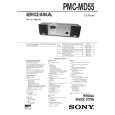
PMCMD55 Quantity: 1
$4.99
» View Details
AGR5725SDS Quantity: 1
$4.99
» View Details
XM-PX50WTUB Quantity: 1
$4.99
» View Details
2512 Quantity: 1
$4.99
» View Details
V222 Quantity: 1
$4.99
» View Details
ZO6430 Quantity: 1
$4.99
» View Details
UX-GD7B Quantity: 1
$4.99
» View Details
PX76AS Quantity: 1
$4.99
» View Details
PL40T Quantity: 1
$4.99
» View Details
DW2435 Quantity: 1
$4.99
» View Details
MA1 CHASSIS Quantity: 1
$4.99
» View Details
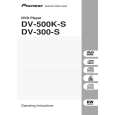
DV-300-S/TLXZT4 Quantity: 1
$4.99
» View Details
DVP-NS415 Quantity: 1
$4.99
» View Details
AWM 720/3 Quantity: 1
$4.99
» View Details
018.205 5 Quantity: 1
$4.99
» View Details
DUL100PKQ0 Quantity: 1
$4.99
» View Details
KECC508MBL02 Quantity: 1
$4.99
» View Details
DEH-P3550MP/XQ/ES Quantity: 1
$4.99
» View Details
ZOU651W/1 Quantity: 1
$4.99
» View Details
CSW18CTP Quantity: 1
$4.99
» View Details
EZL 2020-20L Quantity: 1
$4.99
» View Details
ST 708510 NIC/DOL Quantity: 1
$4.99
» View Details
CS-6020 Quantity: 1
$4.99
» View Details
Competence 5201 B d Quantity: 1
$4.99
» View Details
DKEL 3760 SW Quantity: 1
$4.99
» View Details
NSXMT920 Quantity: 1
$4.99
» View Details
MIDI2270 Quantity: 1
$4.99
» View Details
103 TOURING Quantity: 1
$4.99
» View Details
EWF1297 Quantity: 1
$4.99
» View Details
BKDW-506 Quantity: 1
$4.99
» View Details
MINI7 Quantity: 1
$4.99
» View Details
JB77 Quantity: 1
$4.99
» View Details
NI890R Quantity: 1
$4.99
» View Details
TGV 5461/SW Quantity: 1
$4.99
» View Details
WMFX242ST Quantity: 1
$4.99
» View Details
KD720A.. Quantity: 1
$4.99
» View Details
2340 Quantity: 1
$4.99
» View Details
RF378LXKB0 Quantity: 1
$4.99
» View Details
AAC051STA Quantity: 1
$4.99
» View Details
CD4260M Quantity: 1
$4.99
» View Details
ET9FHTXMQ02 Quantity: 1
$4.99
» View Details
CQ-C1312NW Quantity: 1
$4.99
» View Details
RS6750XVW0 Quantity: 1
$4.99
» View Details
ROOMMATE Quantity: 1
$4.99
» View Details
Subtotal: $234.53
 
English Polski Spanish 
Buscar un manual
 

(p.Ej. AA-V20EG JVC, ZX-7 Sony)
PayPal 1000+ rating Secure, Encrypted Checkout.
 
Productos
Información
Destacado
Inicio >> PIONEER >> AVIC-X1REW Manual de Servicio
 
 47 artículo(s) en Su carrito 

PIONEER AVIC-X1REW
Manual de Servicio


¡Twitee acerca de este producto y obtenga $1.00 de crédito en la tienda para uso!
  • Contiene diagramas del circuito
  • Descargable
  • Formato PDF
  • Manual completo
  • Idiomas: English
Precio: $4.99

Descripción del PIONEER AVIC-X1REW Manual de Servicio

Manual de servicio completo en formato digital (archivo PDF). Los manuales de servicio por lo general contienen diagramas de circuitos, tarjetas de circuitos impresos, consejos para reparación, diagramas de cableado, diagramas de bloque y lista de refacciones. El Manual de Servicio (a veces llamado Manual de Reparación) es usado principalmente por los técnicos.

Si tan solo quiere saber cómo utilizar su televisión, reproductor de vídeo, reproductor de mp3, etc. Quizá lo que necesita es el Manual del Propietario. Después de colocar la orden le enviaremos las instrucciones de descarga a su dirección de e-mail.

The manual is available in languages: English

Not yet ready
You must purchase it first

Opiniones de los clientes
No hay comentarios de productos.

TEXT_PDF_SNIPPET
5

6

7

8

Symptoms in case of poor adjustment: Error efficiency deteriorated: 10 -3 (Optimum value: 10-4 or lower) High jitter of the RF signal RF waveform deformed Unstable operation in tracking closing and servo control Caution: Avoid exposing your eyes to laser beams for a long time. Preparation for adjustment: Clean both ends of the shafts. Use brand new skew screws supplied with the service kit GXX1234. Procedures: 1. Place the DVD mechanism module upside down. To avoid the disc from being robbed when it is turned upside down, first put a coin of about 1.5 mm on the table, then turn the disc upside down and set it so that the 1 in the figure comes to the point immediately above the coin. 2. After replacing the pickup (by referring to the procedures of "Removing the Pickup."), roughly adjust the three skew screws through visual check so that the pickup is mounted in parallel to the CRG chassis around the inner and outer tacks. 3. Connect an oscilloscope as shown in the connecting diagram. 4. Turn on the power of the product. Load the test disc (GGV1018). 5. In the front-end test mode, set the disc type to DVD layer 1. Then, turn on the power. Move the pickup toward the inner tracks. 6. Turn on the laser diodes. 7. With the focus servo closed, complete all automatic adjustments. Close the tracking servo, and then complete all automatic adjustments. 8 Follow the next procedures, from 8-1 to 8-5, and adjust the (three) skew screws. 8-1 Move the pickup toward the inner track and turn the skew adjustment screw C so that the RF level of oscilloscope becomes the maximum. (Tangential adjustment at the inner track position: Adjust the flatness of the disc at the inner track position with the adjustment screw C) 8-2 Move the pickup toward the outer track and turn the skew adjustment screw B so that the RF level becomes the maximum. (Tangential adjustment at the outer track position: Adjust the flatness of the disc at the outer track position with the adjustment screw B) 8-3 Leave the pickup at the outer track position and turn the skew adjustment screws A and B in the same direction alternately one quarter at a time (A�B�A�B ���) so that the RF level becomes the maximum. (Radial adjustment at the outer track position: Keeping the flatness at the outer track position, adjust the flatness of the whole disk with the adjustment screws A and B) 8-4 Move the pickup toward the inner track and turn the skew adjustment screw C so that the RF level becomes the maximum. (Tangential adjustment at the inner track position: Adjust the flatness of the disc at the inner track position with the djustment screw C) 8-5 Repeat the steps from 8-2 to 8-4 three times, and adjust at the position where the RF level becomes the maximum. 9. Turn off the power in the test mode. After confirming that the disc has stopped, eject the disc. 10. Adjust with a screw rock the shaft and skew adjustment screw to the same state as initial one. Skew adj. screw Apply glue Skew adj. screw
A

B

C

D

Prevent applied glue Shaft from extending beyond this position.

Prevent applied glue from extending beyond this position.

E

C 1 B

A

F

AVIC-N2/XU/UC
5 6 7 8

197

Quizás también quiera comprar

$4.99

SX-K700 TECHNICS
Manual de Usuario

Manual del propietario completo en formato digital. El manual estará disponible para descarga como …

$4.99

CJ-V51 PIONEER
Manual de Servicio

Manual de servicio completo en formato digital (archivo PDF). Los manuales de servicio por lo genera…

$4.99

GRAND PRIX ELECTRONIC 754 BECKER
Manual de Servicio

Manual de servicio completo en formato digital (archivo PDF). Los manuales de servicio por lo genera…

$4.99

SX-PR602 TECHNICS
Manual de Servicio

Manual de servicio completo en formato digital (archivo PDF). Los manuales de servicio por lo genera…

$4.99

EV-S1000E SONY
Manual de Usuario

Manual del propietario completo en formato digital. El manual estará disponible para descarga como …

$4.99

GRAND PRIX ELECTRONIC 780 BECKER
Manual de Servicio

Manual de servicio completo en formato digital (archivo PDF). Los manuales de servicio por lo genera…

$4.99

AG7330 PANASONIC
Manual de Servicio

Manual de servicio completo en formato digital (archivo PDF). Los manuales de servicio por lo genera…

$4.99

MECABLITZ 60 CT4 METZ
Manual de Servicio

Manual de servicio completo en formato digital (archivo PDF). Los manuales de servicio por lo genera…
>
Parse Time: 0.621 - Number of Queries: 306 - Query Time: 0.276