FA8432 Quantity: 1
$4.99
» View Details
Z1360 Quantity: 1
$4.99
» View Details
ZGF7820X Quantity: 1
$4.99
» View Details
PDH300MK3 Quantity: 1
$4.99
» View Details
EL6360 Quantity: 1
$4.99
» View Details
BSZH 5900 IN Quantity: 1
$4.99
» View Details
EL6460 Quantity: 1
$4.99
» View Details
DVDQ40/PNL Quantity: 1
$4.99
» View Details
SC7730 Quantity: 1
$4.99
» View Details
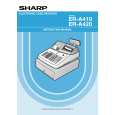
ER-A420 Quantity: 1
$4.99
» View Details
14HT3252/40 Quantity: 1
$4.99
» View Details
GRDX45EX Quantity: 1
$4.99
» View Details
HL5211/10 Quantity: 1
$4.99
» View Details
OBI C00 W Quantity: 1
$4.99
» View Details
3560A Quantity: 1
$4.99
» View Details
ASF2646A Quantity: 1
$4.99
» View Details
ZFT50/2R Quantity: 1
$4.99
» View Details
RT14DKYAW02 Quantity: 1
$4.99
» View Details
WA3773 Quantity: 1
$4.99
» View Details
A1200 Quantity: 1
$4.99
» View Details
KXA227X Quantity: 1
$4.99
» View Details
3586B Quantity: 1
$4.99
» View Details
RF3100XVW2 Quantity: 1
$4.99
» View Details
WD1260FD Quantity: 1
$4.99
» View Details
GBS307PDS8 Quantity: 1
$4.99
» View Details
BSZA 4002 WS Quantity: 1
$4.99
» View Details
BYCA10WR42 Quantity: 1
$4.99
» View Details
RSS380 Quantity: 1
$4.99
» View Details
EXCELLENCE KVA OPT Quantity: 1
$4.99
» View Details
VIEW34T Quantity: 1
$4.99
» View Details
DEH-1750/XM/GS Quantity: 1
$4.99
» View Details
Subtotal: $154.69
 
English Polski Spanish 
Buscar un manual
 

(p.Ej. AA-V20EG JVC, ZX-7 Sony)
PayPal 1000+ rating Secure, Encrypted Checkout.
 
Productos
Información
Destacado
Inicio >> PHILIPS >> 32PW9523/05M Manual de Usuario
 
 31 artículo(s) en Su carrito 

PHILIPS 32PW9523/05M
Manual de Usuario


¡Twitee acerca de este producto y obtenga $1.00 de crédito en la tienda para uso!
  • Descargable
  • Formato PDF
  • Manual completo
  • Idiomas: English
Precio: $4.99

Descripción del PHILIPS 32PW9523/05M Manual de Usuario

Manual del propietario completo en formato digital. El manual estará disponible para descarga como archivo PDF después de que lo compre.

El Manual del Propietario (a veces llamado Manual del Usuario o Guía del Usuario) contiene información sobre cómo utilizar su dispositivo. Después de colocar la orden le enviaremos las instrucciones de descarga a su dirección de e-mail.

The manual is available in languages: English

Not yet ready
You must purchase it first

Opiniones de los clientes
No hay comentarios de productos.

TEXT_PDF_SNIPPET
Record with your video recorder without EasyLink
To record S-VHS quality, connect an S-VHS peripheral directly to the video recorder. Record a TV programme Select the programme number on your video recorder. Set your video recorder to record. See the handbook for your video recorder. Switching programme numbers on your TV does not disturb recording ! Record a programme on your video recorder connected to EXTERNAL 2 from Audio/Video equipment connected to EXTERNAL 1, EXTERNAL 3 or to sockets on the front side of the TV Switch on the equipment. Select the right external on your video recorder. Set your video recorder to record. You record what you are watching on the screen. Do not switch programme numbers or do not switch off your TV when you are recording !

& é

& é �

Record with your video recorder with EasyLink
If you have connected an S-VHS video recorder provided with the EasyLink function, you can record S-VHS-quality from an S-VHS peripheral connected to the front side of the TV. (E.g. from an S-VHS camcorder.)
7
i

8 0
y�
ZOOM

9
�

0

INSTANT

®
X

U ®

f

h P

INSTANT

q

In TV mode, it is possible to start a direct recording of the programme which is being displayed on the TV screen. Press the INSTANT ® record key, under the door of the remote control. The video recorder switches on from standby and a message of what is being recorded appears on the screen. The video recorder starts recording the programme you are watching. Switching programme numbers on your TV does not disturb recording ! When recording a programme from a peripheral connected to EXTERNAL 1, 3 or FRONT, you can not select another TV programme on the screen. To watch TV programmes again, press the programme number you want to select twice. Attention: the recording is stopped and your video recorder switches to standby. If you switch to standby during recording of a programme from a peripheral connected to EXTERNAL 1, 3 or FRONT, the blinking lamp on the front of your TV indicates that you are still recording. The blinking stops after the recording is finished.

Record with your video recorder with

NEXTVIEWLink

If your video recorder is equipped with NEXTVIEWLink, and you tagged one or more programmes to be recorded automatically in the NEXTVIEW mode, it is not necessary for the TV to be in the standby mode or switched on for the recording to start.

Record

27

Quizás también quiera comprar

$4.99

32PW9523/05M PHILIPS
Manual de Servicio

Manual de servicio completo en formato digital (archivo PDF). Los manuales de servicio por lo genera…
>
Parse Time: 0.293 - Number of Queries: 216 - Query Time: 0.1