TR640 Quantity: 1
$4.99
» View Details
42HDT52A Quantity: 1
$4.99
» View Details
FAV435IM Quantity: 1
$4.99
» View Details
BOK D.1 P Quantity: 1
$4.99
» View Details
JBD2256HEW Quantity: 1
$4.99
» View Details
HP2844/26 Quantity: 1
$4.99
» View Details
SGH-T200 Quantity: 1
$4.99
» View Details
2820 Quantity: 1
$4.99
» View Details
AWO/D 45134/1 Quantity: 1
$4.99
» View Details
SXKN5000 Quantity: 1
$4.99
» View Details
DU927QWDZ0 Quantity: 1
$4.99
» View Details
ARC 2230 Quantity: 1
$4.99
» View Details
ASE 589 Quantity: 1
$4.99
» View Details
RBD305PDT15 Quantity: 1
$4.99
» View Details
HK775 Quantity: 1
$4.99
» View Details
FS-Y1EN Quantity: 1
$4.99
» View Details
AV-29L31/T Quantity: 1
$4.99
» View Details
SGH-A500 Quantity: 1
$4.99
» View Details
KCDS250S0 Quantity: 1
$4.99
» View Details
LGC-320_LG Quantity: 1
$4.99
» View Details
HP2840/02 Quantity: 1
$4.99
» View Details
TV5555 Quantity: 1
$4.99
» View Details
KEH-P4015/XQ/ES Quantity: 1
$4.99
» View Details
MFU0824TXGWUP FR Quantity: 1
$4.99
» View Details
KV29LC10U Quantity: 1
$4.99
» View Details
AKR 813 IX WP Quantity: 1
$4.99
» View Details
FX-350W Quantity: 1
$4.99
» View Details
ROLLER COMPACT 4000 Quantity: 1
$4.99
» View Details
ED5LHGXNQ00 Quantity: 1
$4.99
» View Details
KX-TC1503W Quantity: 1
$4.99
» View Details
XR-D400SL Quantity: 1
$4.99
» View Details
ARA3964 Quantity: 1
$4.99
» View Details
AWO 12563/1 Quantity: 1
$4.99
» View Details
BMZH 5000/01 AL Quantity: 1
$4.99
» View Details
CDXC6850R Quantity: 1
$4.99
» View Details
C 39 Quantity: 1
$4.99
» View Details
CDP-XE310 Quantity: 1
$4.99
» View Details
HR1737/60 Quantity: 1
$4.99
» View Details
P 461 II 15".325 METAL BOX Quantity: 1
$4.99
» View Details
Subtotal: $194.61
 
English Polski Spanish 
Buscar un manual
 

(p.Ej. AA-V20EG JVC, ZX-7 Sony)
PayPal 1000+ rating Secure, Encrypted Checkout.
 
Productos
Información
Destacado
Inicio >> JVC >> XMR700SL Manual de Servicio
 
 39 artículo(s) en Su carrito 

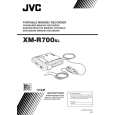
JVC XMR700SL
Manual de Servicio


¡Twitee acerca de este producto y obtenga $1.00 de crédito en la tienda para uso!
  • Contiene diagramas del circuito
  • Descargable
  • Formato PDF
  • Manual completo
  • Idiomas: English
Precio: $4.99

Descripción del JVC XMR700SL Manual de Servicio

Manual de servicio completo en formato digital (archivo PDF). Los manuales de servicio por lo general contienen diagramas de circuitos, tarjetas de circuitos impresos, consejos para reparación, diagramas de cableado, diagramas de bloque y lista de refacciones. El Manual de Servicio (a veces llamado Manual de Reparación) es usado principalmente por los técnicos.

Si tan solo quiere saber cómo utilizar su televisión, reproductor de vídeo, reproductor de mp3, etc. Quizá lo que necesita es el Manual del Propietario. Después de colocar la orden le enviaremos las instrucciones de descarga a su dirección de e-mail.

The manual is available in languages:

Not yet ready
You must purchase it first

Opiniones de los clientes
No hay comentarios de productos.

TEXT_PDF_SNIPPET
EN

21

B.E.S.T. Picture System
The B.E.S.T. (Biconditional Equalised Signal Tracking) system checks the condition of the tape in use during playback and recording, and compensates to provide the highest-possible playback and recording pictures. You can set �B.E.S.T.� to �ON� or �OFF� to your preference ( pg. 29).

Recording

The recorder assesses the quality of the tape once you initiate recording. DURING B.E.S.T.

B.E.S.T. COMPLETE

Playback
The recorder assesses the quality of the tape once you initiate playback.

� The recorder spends approximately 7 seconds assessing the condition of the tape, then begins recording.

NOTES:

� The recorder adjusts the playback picture quality based on the quality of the tape in use. � B.E.S.T. is active during Auto Tracking. �BEST� appears blinking on the recorder�s front display panel. � When watching a tape recorded with �B.E.S.T.� set to �ON�, it is recommended that you leave B.E.S.T. on during playback as well. � When watching a rental tape or one recorded on another video recorder, or when using this recorder as the player for editing, set B.E.S.T. to your preference ( pg. 29). � �BEST� only appears at the beginning of automatic tracking. Even though it doesn�t appear after that, the B.E.S.T. function is operative.

� The B.E.S.T. system works only after a tape has been inserted and the Record mode is first initiated. It does not work during recording. � In the case of timer recordings, the B.E.S.T. system works before recording is initiated. � Once the cassette is ejected, the B.E.S.T. data is cancelled. The next time the cassette is used for recording, B.E.S.T. is reperformed. � Pressing the recorder�s 7 button while �BEST� is displayed does not start Instant Timer Recording ( pg. 19).

NOTES:

ATTENTION
Since the B.E.S.T. system works before recording actually starts, there is a delay of approximately 7 seconds after 7 and 4 on the remote control are pressed, or 7 on the recorder is pressed. To make sure you record the desired scene or programme in its entirety, first perform the following steps: A Press and hold 9 and press 7 to engage the Record Pause mode. � The recorder then automatically checks the condition of the tape and, after approximately 7 seconds, re-enters Record Pause. B Press 4 to start recording. If you want to bypass the B.E.S.T. system and begin recording immediately, set �B.E.S.T.� to �OFF� ( pg. 29).

Quizás también quiera comprar

$4.99

XMR700SL JVC
Manual de Usuario

Manual del propietario completo en formato digital. El manual estará disponible para descarga como …
>
Parse Time: 0.319 - Number of Queries: 243 - Query Time: 0.104