ARCADA 5684Z Quantity: 1
$4.99
» View Details
KHFB336HSG Quantity: 1
$4.99
» View Details
DTA14V3VM Quantity: 1
$4.99
» View Details
TGV-7 Quantity: 1
$4.99
» View Details
D50A0 Quantity: 1
$4.99
» View Details
NT20 Quantity: 1
$4.99
» View Details
28X95 Quantity: 1
$4.99
» View Details
ALGA21 Quantity: 1
$4.99
» View Details
TC-800 Quantity: 1
$4.99
» View Details
DGO757UWW Quantity: 1
$4.99
» View Details
AGS 352/WP Quantity: 1
$4.99
» View Details
7ED20TQXFW05 Quantity: 1
$4.99
» View Details
KUDI23HB0 Quantity: 1
$4.99
» View Details
4ZG-1 Z3DSHNM Quantity: 1
$4.99
» View Details
6600 Quantity: 1
$4.99
» View Details
MC147/93 Quantity: 1
$4.99
» View Details
4672ZP PLANUS Quantity: 1
$4.99
» View Details
8002010002 Quantity: 1
$4.99
» View Details
Subtotal: $89.82
 
English Polski Spanish 
Buscar un manual
 

(p.Ej. AA-V20EG JVC, ZX-7 Sony)
PayPal 1000+ rating Secure, Encrypted Checkout.
 
Productos
Información
Destacado
Inicio >> SHARP >> XL-HP535E Manual de Usuario
 
 18 artículo(s) en Su carrito 

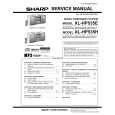
SHARP XL-HP535E
Manual de Usuario


¡Twitee acerca de este producto y obtenga $1.00 de crédito en la tienda para uso!
  • Descargable
  • Formato PDF
  • Manual completo
  • Idiomas: English
Precio: $4.99

Descripción del SHARP XL-HP535E Manual de Usuario

Manual del propietario completo en formato digital. El manual estará disponible para descarga como archivo PDF después de que lo compre.

El Manual del Propietario (a veces llamado Manual del Usuario o Guía del Usuario) contiene información sobre cómo utilizar su dispositivo. Después de colocar la orden le enviaremos las instrucciones de descarga a su dirección de e-mail.

The manual is available in languages: English

Not yet ready
You must purchase it first

Opiniones de los clientes
No hay comentarios de productos.

TEXT_PDF_SNIPPET
XL-HP535E

4

Within 10 seconds, press the or button to select "ONCE SET" or "DAILY SET", and press the MEMORY/ SET button.

9

Switch input with the or button, and then press the MEMORY/SET button. To select the timer playback source: CD, TUNER or TAPE. To select the timer recording source: TUNER. " When you select the tuner, select a station by pressing the or button, and then press the MEMORY/SET button. " If a station has not been programmed, "NO PRESET" will be displayed and timer setting will be cancelled.

5

Press the or button to select "PLAY" or "REC", and press the MEMORY/SET button.
White Red

10Adjust

the volume using the VOLUME control, and then press the MEMORY/SET button. Do not turn the volume up too high. by mode.

7

The illustrations show the daily timer setting.

11Press the ON/STAND-BY button to enter the power stand-

6

Press the

or

button to adjust the hour and

The illustrations show the timer playback setting in the daily timer mode.

7

Press the or button to adjust the minutes and then press the MEMORY/SET button.

Continued to the next page

8

Set the time to finish as in steps 6 and 7 above.

31

03/12/15

XL-HP535E(E)4.fm

TINSEA030AWZZ

Advanced Features

then press the MEMORY/SET button.

The "TIMER" indicator lights up and the unit is ready for timer playback or timer recording.

Quizás también quiera comprar

$4.99

XLHP535E SHARP
Manual de Servicio

Manual de servicio completo en formato digital (archivo PDF). Los manuales de servicio por lo genera…
>
Parse Time: 0.861 - Number of Queries: 171 - Query Time: 0.384