600II Quantity: 1
$4.99
» View Details
DC7800 Quantity: 1
$4.99
» View Details
ELK1831-HV Quantity: 1
$4.99
» View Details
CTV3500 Quantity: 1
$4.99
» View Details
14PV263/08 Quantity: 1
$4.99
» View Details
PE2270E/A/B Quantity: 1
$4.99
» View Details
HD2526/60 Quantity: 1
$4.99
» View Details
14PV227/07 Quantity: 1
$4.99
» View Details
CHASSIS 603 Quantity: 1
$4.99
» View Details
D750 Quantity: 1
$4.99
» View Details
KEH-P5700R/XM/EW Quantity: 1
$4.99
» View Details
DEHP945R Quantity: 1
$4.99
» View Details
GRDVX407EQ Quantity: 1
$4.99
» View Details
70TF65 MOREA S Quantity: 1
$4.99
» View Details
HD2421/60 Quantity: 1
$4.99
» View Details
QL-Y55F Quantity: 1
$4.99
» View Details
KUIS18NNJW8 Quantity: 1
$4.99
» View Details
NN-H765 Quantity: 1
$4.99
» View Details
SAHT275P Quantity: 1
$4.99
» View Details
PC960 Quantity: 1
$4.99
» View Details
GT000AB-5 Quantity: 1
$4.99
» View Details
46400UD Quantity: 1
$4.99
» View Details
KAWE742WAL2 Quantity: 1
$4.99
» View Details
24MC4306/37B Quantity: 1
$4.99
» View Details
HD2580/20 Quantity: 1
$4.99
» View Details
KXTD184X Quantity: 1
$4.99
» View Details
DC2000 Quantity: 1
$4.99
» View Details
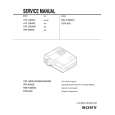
VPL-S900M Quantity: 1
$4.99
» View Details
KXT9501BX SIMPLIF Quantity: 1
$4.99
» View Details
HD2611/35 Quantity: 1
$4.99
» View Details
C9500G-CM Quantity: 1
$4.99
» View Details
TCM10502 Quantity: 1
$4.99
» View Details
RF310PXDW0 Quantity: 1
$4.99
» View Details
LER7646DQ0 Quantity: 1
$4.99
» View Details
G80.190 Quantity: 1
$4.99
» View Details
KHMS105EAL0 Quantity: 1
$4.99
» View Details
EM3032-V Quantity: 1
$4.99
» View Details
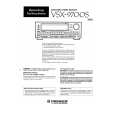
VSX-9700S/SD Quantity: 1
$4.99
» View Details
AKS 331/NE Quantity: 1
$4.99
» View Details
EHS7691U 17P Quantity: 1
$4.99
» View Details
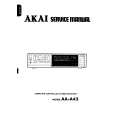
AAA45 Quantity: 1
$4.99
» View Details
RGS7648EN2 Quantity: 1
$4.99
» View Details
ET8CHMXKB03 Quantity: 1
$4.99
» View Details
KTRP22EMSS02 Quantity: 1
$4.99
» View Details
VSF303PEKQ4 Quantity: 1
$4.99
» View Details
WA 9560 Quantity: 1
$4.99
» View Details
ECHOLETTEM40 Quantity: 1
$4.99
» View Details
LX-553A Quantity: 1
$4.99
» View Details
RA123A0 Quantity: 1
$4.99
» View Details
WDM-1290B Quantity: 1
$4.99
» View Details
Subtotal: $249.50
 
English Polski Spanish 
Buscar un manual
 

(p.Ej. AA-V20EG JVC, ZX-7 Sony)
PayPal 1000+ rating Secure, Encrypted Checkout.
 
Productos
Información
Destacado
Inicio >> SONY >> VPL-S900M Manual de Servicio
 
 50 artículo(s) en Su carrito 

SONY VPL-S900M
Manual de Servicio


¡Twitee acerca de este producto y obtenga $1.00 de crédito en la tienda para uso!
  • Contiene diagramas del circuito
  • Descargable
  • Formato PDF
  • Manual completo
  • Idiomas: English
Precio: $4.99

Descripción del SONY VPL-S900M Manual de Servicio

Manual de servicio completo en formato digital (archivo PDF). Los manuales de servicio por lo general contienen diagramas de circuitos, tarjetas de circuitos impresos, consejos para reparación, diagramas de cableado, diagramas de bloque y lista de refacciones. El Manual de Servicio (a veces llamado Manual de Reparación) es usado principalmente por los técnicos.

Si tan solo quiere saber cómo utilizar su televisión, reproductor de vídeo, reproductor de mp3, etc. Quizá lo que necesita es el Manual del Propietario. Después de colocar la orden le enviaremos las instrucciones de descarga a su dirección de e-mail.

The manual is available in languages: English

Cantidad en el carro: 1

Not yet ready
You must purchase it first

Opiniones de los clientes
No hay comentarios de productos.

TEXT_PDF_SNIPPET
The INPUT SETTING Menu
The INPUT SETTING menu is used to adjust the input signal. Unadjustable items depending on the input signal are not displayed in the menu. Note on the VPL-S900E model The optional IFB-X600E Interface Board is required for inputting the video signal. If you do not install the video board into the unit, the video signal cannot be selected.
No .01 V I DEO / 60

DOT PHASE
Adjusts the dot phase of the LCD panel and the signal input from the INPUT A/B connectors. Adjust the picture further for finer picture after the picture is adjusted with pressing the APA key. Adjust the picture to where it looks clearest.

ASPECT
Sets the aspect ratio of the picture. When inputting 16:9 (squeezed) signal from equipment such as a DVD player, set to 16:9.
V I DEO I NPUT SETT I NG ASPECT : 4 : 3

Input signals and adjustable/setting items
Item Video or S video DOT PHASE SIZE SHIFT ASPECT SCAN CONV (Y/C) � � � � Input signal 15k RGB RGB Component � � � � � �

B&W

� � �

When the video signal is input

DOT PHASE : 5

V I DEO I NPUT SETT I NG ASPECT : 4 : 3

SIZE
Adjusts the horizontal size of picture input from the INPUT A/B connectors.

4:3: When the picture with ratio 4:3 is input. 16:9: When the picture with ratio 16:9 (squeezed) is input.

: Adjustable/can be set � : Not adjustable/can not be set

No . 01 V I DEO / 60

Memory No.

SCAN CONV (Scan converter)
Signal type

S I ZE

H : 1056

Converts the signal to display the picture according to the screen size.
I NPUT�A

When the RGB signal is input

I NPUT�A I NPUT SETT I NG DOT PHASE : 5 S I ZE H : 1056 SH I FT H : 234 V : 21

NO . 16 800X600

Memory No.

The higher the setting, the larger the horizontal size of the picture. The lower the setting, the smaller the horizontal size of the picture. Adjust the setting according to the dots of the input signal. For details on the suitable value for the preset signals, see page 30 (EN).

I NPUT SETT I NG DOT PHASE : 3 S I ZE H : 800 SH I FT H : 305 V : 29 SCAN CONV : ON NO . 10 640X480

Signal type

SHIFT
Operation 1. Select an item Use the V or v key to select the item, then press the b or ENTER key. 2. Adjust an item � When changing the adjustment level: To increase the number, press the V or b key. To decrease the number, press the v or B key. Press the ENTER key to restore the original screen. � When changing the setting: Press the V or v key to change the setting. Press the ENTER or B key to restore the original screen.
Note

ON: Displays the picture according to the screen size. The picture will lose some clarity. OFF: Displays the picture while matching one pixel of input picture element to that of the LCD. The picture will be clear but the picture size will be smaller.
Note

About the preset memory No. This projector has 38 kinds of preset data for input signals for each INPUT A/B (the preset memory). The memory number of the current input signal and the signal type are displayed when the preset signal is input. This projector automatically detects the signal type. When the signal is registered to the preset memory, a suitable picture is displayed on the screen according to the signal type. You can adjust the picture through the INPUT SETTING menu. This projector also has 20 kinds of user memories for each INPUT A/B. When an unpreset signal is input for the first time, memory number is displayed as 00. If the input signal is adjusted in the INPUT SETTING menu, the setting via INPUT A is stored under the memory number 51 to 70, and the setting via INPUT B is stored under 71 to 90. When more than 20 user memories are registered for each INPUT A/B, the newest memory is automatically stored over the oldest one.

Adjusts the position of the picture input from the INPUT A/B connectors.

SH I FT H : 234 V : 21

When the SVGA, XGA or SXGA signal is input, this item will not be displayed.

H adjusts the horizontal position of the picture. V adjusts the vertical position of the picture. As the setting for H increases, the picture moves to the right, and as the setting decreases, the picture moves to the left. As the setting for V increases, the picture moves up, and as the setting decreases, the picture moves down. Use the B or the b key to adjust the horizontal position and the V and v key for the vertical position.

When the HDTV signal is input, the items in the INPUT SETTING menu cannot be adjusted.

28 (EN)

29 (EN)

1-15 VPL-S900E, VPL-S900M, VPL-S900U

Quizás también quiera comprar

$4.99

SX-K700 TECHNICS
Manual de Usuario

Manual del propietario completo en formato digital. El manual estará disponible para descarga como …

$4.99

CJ-V51 PIONEER
Manual de Servicio

Manual de servicio completo en formato digital (archivo PDF). Los manuales de servicio por lo genera…

$4.99

GRAND PRIX ELECTRONIC 754 BECKER
Manual de Servicio

Manual de servicio completo en formato digital (archivo PDF). Los manuales de servicio por lo genera…

$4.99

SX-PR602 TECHNICS
Manual de Servicio

Manual de servicio completo en formato digital (archivo PDF). Los manuales de servicio por lo genera…

$4.99

EV-S1000E SONY
Manual de Usuario

Manual del propietario completo en formato digital. El manual estará disponible para descarga como …

$4.99

GRAND PRIX ELECTRONIC 780 BECKER
Manual de Servicio

Manual de servicio completo en formato digital (archivo PDF). Los manuales de servicio por lo genera…

$4.99

AG7330 PANASONIC
Manual de Servicio

Manual de servicio completo en formato digital (archivo PDF). Los manuales de servicio por lo genera…

$4.99

MECABLITZ 60 CT4 METZ
Manual de Servicio

Manual de servicio completo en formato digital (archivo PDF). Los manuales de servicio por lo genera…
>
Parse Time: 1.38 - Number of Queries: 301 - Query Time: 0.903