320WN6QS/97 Quantity: 1
$4.99
» View Details
FAA40011 Quantity: 1
$4.99
» View Details
CAV-1 Quantity: 1
$4.99
» View Details
ATE0743RPP0 Quantity: 1
$4.99
» View Details
RT12VKYEN01 Quantity: 1
$4.99
» View Details
KV32XBR65 Quantity: 1
$4.99
» View Details
GD5SHAXLT00 Quantity: 1
$4.99
» View Details
17PRO EX Quantity: 1
$4.99
» View Details
SDV77ST Quantity: 1
$4.99
» View Details
KX-TCD725SLM Quantity: 1
$4.99
» View Details
VSX-908RDS/HY/GR Quantity: 1
$4.99
» View Details
MACM122XP0 Quantity: 1
$4.99
» View Details
RTV950 Quantity: 1
$4.99
» View Details
MX-J50J Quantity: 1
$4.99
» View Details
KP46C36 Quantity: 1
$4.99
» View Details
KDC3080RYG Quantity: 1
$4.99
» View Details
BKP-7933 Quantity: 1
$4.99
» View Details
VS-2480 V2 Quantity: 1
$4.99
» View Details
MED9800TK0 Quantity: 1
$4.99
» View Details
KXFMC230D Quantity: 1
$4.99
» View Details
EN401B/2 Quantity: 1
$4.99
» View Details
MCCD 2920 WS Quantity: 1
$4.99
» View Details
RBD245PDQ4 Quantity: 1
$4.99
» View Details
MECABLITZ 45CL-4 DIGITAL Quantity: 1
$4.99
» View Details
XSW1620 Quantity: 1
$4.99
» View Details
KHGL 9010 Quantity: 1
$4.99
» View Details
AM1555 Quantity: 1
$4.99
» View Details
ACQ082PS7 Quantity: 1
$4.99
» View Details
WA 7340/WS-B Quantity: 1
$4.99
» View Details
VGNFS30B Quantity: 1
$4.99
» View Details
PCGR505ESP Quantity: 1
$4.99
» View Details
PD-42D30ES Quantity: 1
$4.99
» View Details
AV-32Z25EUY Quantity: 1
$4.99
» View Details
ZHC925N Quantity: 1
$4.99
» View Details
ADCM105 Quantity: 1
$4.99
» View Details
DEH-P4750MPGS Quantity: 1
$4.99
» View Details
CFDC646 Quantity: 1
$4.99
» View Details
DEH-P6800MP/XN/EW Quantity: 1
$4.99
» View Details
KBMC140HBL03 Quantity: 1
$4.99
» View Details
WAT 8575 Quantity: 1
$4.99
» View Details
F40759U-W Quantity: 1
$4.99
» View Details
GSXA 7522 Quantity: 1
$4.99
» View Details
MJ400 Quantity: 1
$4.99
» View Details
FC732 Quantity: 1
$4.99
» View Details
AE4050 Quantity: 1
$4.99
» View Details
TC21S2 Quantity: 1
$4.99
» View Details
R243A1 Quantity: 1
$4.99
» View Details
SA-W542 Quantity: 1
$4.99
» View Details
RQ-353 Quantity: 1
$4.99
» View Details
TH42PX25U Quantity: 1
$4.99
» View Details
AWT 2155 Quantity: 1
$4.99
» View Details
HD6144/16 Quantity: 1
$4.99
» View Details
KVD2533E Quantity: 1
$4.99
» View Details
RTF3400 Quantity: 1
$4.99
» View Details
Subtotal: $269.46
 
English Polski Spanish 
Buscar un manual
 

(p.Ej. AA-V20EG JVC, ZX-7 Sony)
PayPal 1000+ rating Secure, Encrypted Checkout.
 
Productos
Información
Destacado
Inicio >> JVC >> UXT150 Manual de Servicio
 
 54 artículo(s) en Su carrito 
Aviso This manual is available for FREE download. You have been redirect to its download page.

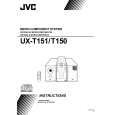
JVC UXT150
Manual de Servicio


¡Twitee acerca de este producto y obtenga $1.00 de crédito en la tienda para uso!
  • Contiene diagramas del circuito
  • Descargable
  • Formato PDF
  • Manual completo
  • Idiomas: English
Precio: $4.99

Descripción del JVC UXT150 Manual de Servicio

Manual de servicio completo en formato digital (archivo PDF). Los manuales de servicio por lo general contienen diagramas de circuitos, tarjetas de circuitos impresos, consejos para reparación, diagramas de cableado, diagramas de bloque y lista de refacciones. El Manual de Servicio (a veces llamado Manual de Reparación) es usado principalmente por los técnicos.

Si tan solo quiere saber cómo utilizar su televisión, reproductor de vídeo, reproductor de mp3, etc. Quizá lo que necesita es el Manual del Propietario. Después de colocar la orden le enviaremos las instrucciones de descarga a su dirección de e-mail.

The manual is available in languages:

Not yet ready
You must purchase it first

Tabla de contenido
    1. Safety Precautions
    2. Important for Laser Products
    3. Instructions
    4. Removal of Main Parts
    5. Main Adjustment
    6. Description of Main ICs
    7. Wiring Connection
    8. Block Diagram
    9. Standard Schematic Diagrams
    10. Location of PC Board Parts
    11. Parts List
    12. Electrical Parts List
    13. Packing
Opiniones de los clientes
No hay comentarios de productos.

TEXT_PDF_SNIPPET
22

EN

RECORDING Basic Features (cont.)
FEATURE: Video Light PURPOSE:
To brighten the scene when natural lighting is too dim.

OPERATION:
Set LIGHT OFF/AUTO/ON as required: OFF : Turns off the light. AUTO : Automatically turns on the light when the camcorder senses insufficient lighting on the subject. ON : Always keeps the light on as long as the camcorder is turned on. The video light can only be used with the camcorder�s power on. It is recommended to set the white balance ( pg. 34) to when you use the video light. When not using the video light, turn it off to save battery power. NOTES: � Even if the battery indicator ( ) does not blink if the battery pack�s charge is low, the camcorder may turn off automatically when you turn on the video light, or when you start recording with the video light turned on. � When LIGHT OFF/AUTO/ON is set to �AUTO�: �Depending on the lighting conditions, the video light may keep turning on and off. In this case, manually switch the light on or off using LIGHT OFF/AUTO/ON. �While the �Sports� or �High Speed Shutter� mode ( pg. 25) is engaged, the light is likely to stay on. �While the �Twilight� mode ( pg. 25) is engaged, the light will not activate.

LIGHT OFF/AUTO/ON Switch

DANGER
The video light can become extremely hot. Do not touch it either while in operation or soon after turning it off, otherwise serious injury may result. Do not place the camcorder into the carrying case immediately after using the video light, since it remains extremely hot for some time. When operating, keep a distance of about 30 cm (11-13/16") between the video light and people or objects. Do not use near flammable or explosive materials. It is recommended that you consult your nearest JVC dealer for replacing the video light.

Quizás también quiera comprar

$4.99

UX-T150 JVC
Manual de Usuario

Manual del propietario completo en formato digital. El manual estará disponible para descarga como …
>
Parse Time: 0.552 - Number of Queries: 291 - Query Time: 0.256