KEBS207DBL0 Quantity: 1
$4.99
» View Details
ET20DKXTN01 Quantity: 1
$4.99
» View Details
PRC 381I A+ Quantity: 1
$4.99
» View Details
GP-16 Quantity: 1
$4.99
» View Details
RD 703 Quantity: 1
$4.99
» View Details
KGCT025AAL2 Quantity: 1
$4.99
» View Details
XV-CX303/GFXJ Quantity: 1
$4.99
» View Details
RCS3614LT0 Quantity: 1
$4.99
» View Details
AFG 553-C/H Quantity: 1
$4.99
» View Details
ARD07NXSKB00 Quantity: 1
$4.99
» View Details
Arctis U66050i Quantity: 1
$4.99
» View Details
AKT 863/IX Quantity: 1
$4.99
» View Details
ET18XKXRWR2 Quantity: 1
$4.99
» View Details
WAT 9545 D Quantity: 1
$4.99
» View Details
NV-SD40B Quantity: 1
$4.99
» View Details
NVHV55EG Quantity: 1
$4.99
» View Details
ED5HHGXNL00 Quantity: 1
$4.99
» View Details
SRD520 Quantity: 1
$4.99
» View Details
KUDM01TJWH0 Quantity: 1
$4.99
» View Details
ACV254XJ1 Quantity: 1
$4.99
» View Details
KECC508MBB02 Quantity: 1
$4.99
» View Details
AMD096 Quantity: 1
$4.99
» View Details
CTV2090 Quantity: 1
$4.99
» View Details
KDA 3720/IN Quantity: 1
$4.99
» View Details
DVDLS5EG Quantity: 1
$4.99
» View Details
TRI25VE Quantity: 1
$4.99
» View Details
MC-019A Quantity: 1
$4.99
» View Details
CRE9600CGE Quantity: 1
$4.99
» View Details
VHR296E Quantity: 1
$4.99
» View Details
KVM2121L Quantity: 1
$4.99
» View Details
515B-DGB Quantity: 1
$4.99
» View Details
KV13VM31 Quantity: 1
$4.99
» View Details
ZWD800T Quantity: 1
$4.99
» View Details
KS-F315EE Quantity: 1
$4.99
» View Details
RC27BSE Quantity: 1
$4.99
» View Details
FAV675I-B AN Quantity: 1
$4.99
» View Details
KEHC309JBL3 Quantity: 1
$4.99
» View Details
TM210W Quantity: 1
$4.99
» View Details
EN-1174N-B Quantity: 1
$4.99
» View Details
Si455GR Quantity: 1
$4.99
» View Details
5KFPM770BWH0 Quantity: 1
$4.99
» View Details
RQV164 Quantity: 1
$4.99
» View Details
SLV5405/05 Quantity: 1
$4.99
» View Details
XM-4501 Quantity: 1
$4.99
» View Details
HKTS6 Quantity: 1
$4.99
» View Details
Subtotal: $224.55
 
English Polski Spanish 
Buscar un manual
 

(p.Ej. AA-V20EG JVC, ZX-7 Sony)
PayPal 1000+ rating Secure, Encrypted Checkout.
 
Productos
Información
Destacado
Inicio >> TEAC >> US-122 Guía de consulta rápida
 
 45 artículo(s) en Su carrito 

TEAC US-122
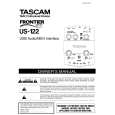
Guía de consulta rápida


¡Twitee acerca de este producto y obtenga $1.00 de crédito en la tienda para uso!
  • Descargable
  • Formato PDF
  • Manual completo
  • Idiomas: English
Precio: $4.99

Descripción del TEAC US-122 Guía de consulta rápida

La guía de consulta rápida (a veces llamada Guía de Inicio Rápido) contiene la información más importante sobre cómo utilizar éste producto. El manual está en formato PDF. Después de colocar su orden le enviaremos las instrucciones de descarga a su dirección de e-mail.

The manual is available in languages: English

Not yet ready
You must purchase it first

Opiniones de los clientes
No hay comentarios de productos.

TEXT_PDF_SNIPPET
5. Move the Direct switch to �On�. This enables the Direct Monitor feature, which allows you to hear what you�re recording without added delay (see sidebar). Turn the Direct Monitor knob about 1/2 way up. 6. Connect the Left and Right Line Out to your mixer, amplifier or powered speakers. Switch the speakers

on, and then gradually turn up the Line Out knob. (If you don�t hear anything when your source instrument is playing, ensure that the Direct switch is on and the Direct Monitor knob is turned up at least 1/2 way.)

Recording with Cubasis VST
5. Click on the Audio menu and select �Input�. Click on the input pair on the US-122. The green Input icons will light in the Cubasis Input window to show the active inputs. 6. Select a track to record to by clicking on one of the tracks in the arrange window. Cubasis will ask you to save your session somewhere on your hard drive before you can proceed. 7. Click on the Audio menu and select VST Channel Mixer. Click on the �In� button. 8. When recording your first tracks in Cubasis, make sure that the Direct switch is turned OFF at first. 9. Click on the Record button. You�ll probably hear a two-bar countoff, then it will start recording. Click the Stop button to finish recording. You should see the track you�ve recorded displayed in the arrange window. You can copy the Cubasis Demo Song from the CD and open it to start working with Cubasis right away.

1. First, install the US-122 as explained in the previous section. 2. Insert the Cubasis installer CD into your CD-ROM drive, double-click on the installer, and follow the onscreen directions. a. Mac OS 9 Users: If you did not install Cubasis before installing the US-122 driver, there is an extra step here. When you have finished the Cubasis installation, there will be two ASIO drivers in the �US-122 Drivers� folder on your desktop (unless you chose a different location for them during installation). Drag these two files into the �ASIO Drivers � folder inside the Cubasis folder. 3. Double-click the Cubasis icon to launch the program. 4. Click on the Audio pull-down menu, and open the Audio Control Panel. Click on the �ASIO Device� pulldown menu and select the US-122 as your audio device.

06/30/03 Page of 2

US-122

Quick Start Guide

Quizás también quiera comprar

$4.99

US-122 TEAC
Manual de Usuario

Manual del propietario completo en formato digital. El manual estará disponible para descarga como …
>
Parse Time: 1.229 - Number of Queries: 266 - Query Time: 0.695