HR-J4405UM Quantity: 1
$4.99
» View Details
73TA5215/00 Quantity: 1
$4.99
» View Details
STJX320L Quantity: 1
$4.99
» View Details
AQF100WB-3B Quantity: 1
$4.99
» View Details
MX-K10UM Quantity: 1
$4.99
» View Details
CRLA111 YL Quantity: 1
$4.99
» View Details
DEH-171/XN/EW Quantity: 1
$4.99
» View Details
A2674GS7 Quantity: 1
$4.99
» View Details
511.228 9/20189 Quantity: 1
$4.99
» View Details
29PT4635/78 Quantity: 1
$4.99
» View Details
DTR2610/08 Quantity: 1
$4.99
» View Details
AWT 2065 Quantity: 1
$4.99
» View Details
WQCH950L Quantity: 1
$4.99
» View Details
MCM1402 Quantity: 1
$4.99
» View Details
AT 313/Alu Quantity: 1
$4.99
» View Details
SX-AVR2700YU Quantity: 1
$4.99
» View Details
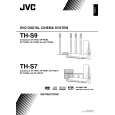
TH-S7SA Quantity: 1
$4.99
» View Details
TD320MKII Quantity: 1
$4.99
» View Details
HD4673/16 Quantity: 1
$4.99
» View Details
AJ-VF20B Quantity: 1
$4.99
» View Details
ET20DKXVF04 Quantity: 1
$4.99
» View Details
KP61SV70C Quantity: 1
$4.99
» View Details
Subtotal: $109.78
 
English Polski Spanish 
Buscar un manual
 

(p.Ej. AA-V20EG JVC, ZX-7 Sony)
PayPal 1000+ rating Secure, Encrypted Checkout.
 
Productos
Información
Destacado
Inicio >> JVC >> TH-S7SA Manual de Usuario
 
 22 artículo(s) en Su carrito 

JVC TH-S7SA
Manual de Usuario


¡Twitee acerca de este producto y obtenga $1.00 de crédito en la tienda para uso!
  • Descargable
  • Formato PDF
  • Manual completo
  • Idiomas: English
Precio: $4.99

Descripción del JVC TH-S7SA Manual de Usuario

Manual del propietario completo en formato digital. El manual estará disponible para descarga como archivo PDF después de que lo compre.

El Manual del Propietario (a veces llamado Manual del Usuario o Guía del Usuario) contiene información sobre cómo utilizar su dispositivo. Después de colocar la orden le enviaremos las instrucciones de descarga a su dirección de e-mail.

The manual is available in languages: English

Cantidad en el carro: 1

Not yet ready
You must purchase it first

Opiniones de los clientes
No hay comentarios de productos.

TEXT_PDF_SNIPPET
Advanced operations
When using the on-screen bar:

See page 24 for button locations.

4 Press Cursor Y/5 to select the desired
audio. .

1 Press ON SCREEN twice.
The on-screen bar appears on the TV screen.

2 Press Cursor 3/2 to highlight 3 Press ENTER.

5 Press ENTER. 6 Press ON SCREEN.
The on-screen bar disappears. NOTE
� Some subtitle or audio languages are abbreviated in the pop-up window. See �The language codes list� (A pg. 36). � �ST�, �L� or �R� is displayed when playing a VCD or SVCD respectively representing �stereo�, �left sound� and �right sound�.

4 Press Cursor Y/5 repeatedly to select 5 6 Press ON SCREEN.
The on-screen bar disappears. NOTE
� To clear the subtitle, press SUBTITLE. Each time you press SUBTITLE, subtitle appears and disappears alternately. � Some subtitle or audio languages are abbreviated in the pop-up window. See �The language codes list� (A pg. 36). � During DVD AUDIO playback, this feature is available only for the video part.

the desired subtitle. Press ENTER.

Special picture playback
Frame-by-frame playback
7 During playback

Press 8 repeatedly.
Each time you press the button, the still picture advances by one frame. To return to normal playback Press 3 (play button). NOTE
� During DVD AUDIO playback, this feature is available only for the video part.

Selecting the audio
7 During playback of a disc containing audio in several languages When using the AUDIO button:

Playing back in slow-motion
7 During playback

1 Press 8 at the point
where you want to start playback in slow-motion from.
The system pauses playback.

1 Press AUDIO.
Example (DVD VIDEO): �ENGLISH� is selected out of 3 audio languages recorded.

2 Press y.
� Playback in forward slow-motion starts.

2 Press AUDIO repeatedly or press
Cursor Y/5 to select the desired audio.
When using the on-screen bar:

For DVD VIDEO/DVD AUDIO only: � To play back in reverse slow-motion, press 1. faster. Example: On the TV

Each time you press the button, the playback speed become

1 Press ON SCREEN twice. 3 Press ENTER.

The on-screen bar appears on the TV screen.

2 Press Cursor 3/2 to highlight

.

To return to normal playback Press 3 (play button). NOTE
� Sound cannot be heard during slow-motion playback. � During DVD AUDIO playback, this feature is available only for the video part.

30

Quizás también quiera comprar

$4.99

SX-K700 TECHNICS
Manual de Usuario

Manual del propietario completo en formato digital. El manual estará disponible para descarga como …

$4.99

CJ-V51 PIONEER
Manual de Servicio

Manual de servicio completo en formato digital (archivo PDF). Los manuales de servicio por lo genera…

$4.99

GRAND PRIX ELECTRONIC 754 BECKER
Manual de Servicio

Manual de servicio completo en formato digital (archivo PDF). Los manuales de servicio por lo genera…

$4.99

SX-PR602 TECHNICS
Manual de Servicio

Manual de servicio completo en formato digital (archivo PDF). Los manuales de servicio por lo genera…

$4.99

EV-S1000E SONY
Manual de Usuario

Manual del propietario completo en formato digital. El manual estará disponible para descarga como …

$4.99

GRAND PRIX ELECTRONIC 780 BECKER
Manual de Servicio

Manual de servicio completo en formato digital (archivo PDF). Los manuales de servicio por lo genera…

$4.99

AG7330 PANASONIC
Manual de Servicio

Manual de servicio completo en formato digital (archivo PDF). Los manuales de servicio por lo genera…

$4.99

MECABLITZ 60 CT4 METZ
Manual de Servicio

Manual de servicio completo en formato digital (archivo PDF). Los manuales de servicio por lo genera…
>
Parse Time: 0.396 - Number of Queries: 203 - Query Time: 0.116