GSI 5990 BK Quantity: 1
$4.99
» View Details
DU8100XT1 Quantity: 1
$4.99
» View Details
ARM07NGS6B0 Quantity: 1
$4.99
» View Details
ART 799/G/R Quantity: 1
$4.99
» View Details
AWO 9565/1 Quantity: 1
$4.99
» View Details
MD-MX30 Quantity: 1
$4.99
» View Details
KEBS207DBT10 Quantity: 1
$4.99
» View Details
KB144-3FF Quantity: 1
$4.99
» View Details
COV100 Quantity: 1
$4.99
» View Details
LAVAMAT2102 Quantity: 1
$4.99
» View Details
Z1484-1 Quantity: 1
$4.99
» View Details
8ET20ZKXBG00 Quantity: 1
$4.99
» View Details
CDC-X507MYU Quantity: 1
$4.99
» View Details
ADG 8836 IX Quantity: 1
$4.99
» View Details
TUD4700MU2 Quantity: 1
$4.99
» View Details
SD2550A Quantity: 1
$4.99
» View Details
AFG 506-A/S/H Quantity: 1
$4.99
» View Details
IED4400SQ0 Quantity: 1
$4.99
» View Details
Subtotal: $89.82
 
English Polski Spanish 
Buscar un manual
 

(p.Ej. AA-V20EG JVC, ZX-7 Sony)
PayPal 1000+ rating Secure, Encrypted Checkout.
 
Productos
Información
Destacado
Inicio >> SONY >> STRDE335 Manual de Servicio
 
 18 artículo(s) en Su carrito 

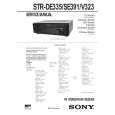
SONY STRDE335
Manual de Servicio


¡Twitee acerca de este producto y obtenga $1.00 de crédito en la tienda para uso!
  • Contiene diagramas del circuito
  • Descargable
  • Formato PDF
  • Manual completo
  • Idiomas: English
Precio: $4.99

Descripción del SONY STRDE335 Manual de Servicio

Manual de servicio completo en formato digital (archivo PDF). Los manuales de servicio por lo general contienen diagramas de circuitos, tarjetas de circuitos impresos, consejos para reparación, diagramas de cableado, diagramas de bloque y lista de refacciones. El Manual de Servicio (a veces llamado Manual de Reparación) es usado principalmente por los técnicos.

Si tan solo quiere saber cómo utilizar su televisión, reproductor de vídeo, reproductor de mp3, etc. Quizá lo que necesita es el Manual del Propietario. Después de colocar la orden le enviaremos las instrucciones de descarga a su dirección de e-mail.

The manual is available in languages: English

Not yet ready
You must purchase it first

Opiniones de los clientes
No hay comentarios de productos.

TEXT_PDF_SNIPPET
SECTION 4 TEST MODE
Initialization Mode All preset contents are cleared when this mode is activated. When returning the unit to the customer after completing repairs, perform this operation to clear the unit. Procedure: 1. While pressing two buttons of [TUNER] and [MD/TAPE] simultaneously, press the 1/u button to turn the power ON. 2. The message �INITIAL� appears and initialization is performed. Fluorescent Indicator Tube Test Mode All fluorescent segments are tested. When this test is activated, all segments turn on at the same time, then each segment turns on one after another. Procedure: 1. While pressing two buttons of [TV/SAT] (US , Canadian and Australian models)* and [DIRECT] simultaneously, press the 1/u button to turn the power ON. 2. All segments turn on at the same time, then each segment and LED turns on one after another. 3. The message �FINISH� appears when this test is complete. *) Except US, Canadian and Australian models are [TV/LD] AUTO-BETICAL Check Mode (AEP model) To auto-scanning and memories of RDS station. Procedure: 1. While pressing the [MEMORY] button, press the 1/u button to turn the power ON. 2. The message �AUTO BET� appears and each function is selected one after another. AM Tuning Interval Selection Mode (US, Canadian and E models) Either 9 kHz step or 10 kHz step can be selected for the AM tuning interval. Procedure: 1. Set the FUNCTION to AM. 2. Press the 1/u button to turn the power OFF. 3. While pressing the [TUNING+] or [PRESET+]button, press the 1/u button to turn the power ON. 4. Either the message 10 k STEP� or �10k STEP� appears. 5. Select the desired step. Software Version Display Mode The software version is displayed. Procedure: 1. While pressing two the buttons of [MD/TAPE] and [DIRECT] simultaneously, press the 1/u button to turn the power ON. 2. The software version is displayed. SOUND FIELD Setting Clear Mode All SOUND FIELD setting are cleared. Procedure: 1. While pressing the [SOUND FIELD ON/OFF] button, press the 1/u button to turn the power ON. 2. The message �SURR CLR� appears and all SOUND FIELD setting are cleared.

�9�

Quizás también quiera comprar

$4.99

STRDE335 SONY
Manual de Usuario

Manual del propietario completo en formato digital. El manual estará disponible para descarga como …
>
Parse Time: 0.297 - Number of Queries: 161 - Query Time: 0.08