7MLGC9545PW0 Quantity: 1
$4.99
» View Details
37PFL5322S/60 Quantity: 1
$4.99
» View Details
ET14JKYFN00 Quantity: 1
$4.99
» View Details
CT8558/ASUSA0P2 Quantity: 1
$4.99
» View Details
GEX-P5780TV/XF/BR Quantity: 1
$4.99
» View Details
FMQ100A-GE Quantity: 1
$4.99
» View Details
GT2003 Quantity: 1
$4.99
» View Details
TH-S8 XV-THS8 Quantity: 1
$4.99
» View Details
TMH14XMQ1 Quantity: 1
$4.99
» View Details
K702R/60A INX Quantity: 1
$4.99
» View Details
031.516 8 Quantity: 1
$4.99
» View Details
ETIV5760/NE/01 Quantity: 1
$4.99
» View Details
SQTC500NPCDROM Quantity: 1
$4.99
» View Details
Subtotal: $64.87
 
English Polski Spanish 
Buscar un manual
 

(p.Ej. AA-V20EG JVC, ZX-7 Sony)
PayPal 1000+ rating Secure, Encrypted Checkout.
 
Productos
Información
Destacado
Inicio >> ONKYO >> RDA-7.1 Manual de Servicio
 
 13 artículo(s) en Su carrito 

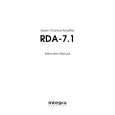
ONKYO RDA-7.1
Manual de Servicio


¡Twitee acerca de este producto y obtenga $1.00 de crédito en la tienda para uso!
  • Contiene diagramas del circuito
  • Descargable
  • Formato PDF
  • Manual completo
  • Idiomas: English
Precio: $4.99

Descripción del ONKYO RDA-7.1 Manual de Servicio

Manual de servicio completo en formato digital (archivo PDF). Los manuales de servicio por lo general contienen diagramas de circuitos, tarjetas de circuitos impresos, consejos para reparación, diagramas de cableado, diagramas de bloque y lista de refacciones. El Manual de Servicio (a veces llamado Manual de Reparación) es usado principalmente por los técnicos.

Si tan solo quiere saber cómo utilizar su televisión, reproductor de vídeo, reproductor de mp3, etc. Quizá lo que necesita es el Manual del Propietario. Después de colocar la orden le enviaremos las instrucciones de descarga a su dirección de e-mail.

The manual is available in languages: English

Not yet ready
You must purchase it first

Opiniones de los clientes
No hay comentarios de productos.

TEXT_PDF_SNIPPET
RDA-7.1 ADJUSTMENT PROCEDURE-1
BIAS & DC Offset Adjustment
1. Connect the assembled channel to the power transformer. 2. Connect the power cord into an AC wall outlet. 3. Turn ON the unit. After about 3 seconds the two green LED's should turn ON. Measure the following voltages and make sure they are within the specifications. C7 (+) : 70 V +/- 3 V C9 (-) : -70 V +/- 3 V L1 : 0 V +/- 0.1 V 4. Connect the DC voltmeter to the test points TP1 (-) and TP2 (+) and adjust the voltage to 4 mV using the R46 BIAS adjustment trimming resistor. 5. Allow the channel to warm up for 30 minutes, adjusting the bias currents every 10 minutes. 6. Measure the output DC voltage and adjust it as close to zero as possible using the R24 trimming resistor.

Main Chassis Check
1. 2. 3. 4. 5. 6. 7. Assemble the chassis / power supply. Connect the power cord into an AC wall outlet. Turn ON the unit. The blue ON LED should come ON. Turn OFF the unit and plug a remote control plug into the Remote IN jack. Turn ON the unit. The Red Standby LED should be ON. Apply 12V to the remote control plug. The unit should turn ON, the blue LED should be ON. Measure the secondary voltages on all power cables going to the channels. Each secondary should read 50 VAC +/- 2 VAC.

Quizás también quiera comprar

$4.99

RDA-7.1 ONKYO
Manual de Usuario

Manual del propietario completo en formato digital. El manual estará disponible para descarga como …
>
Parse Time: 0.652 - Number of Queries: 152 - Query Time: 0.45