VB-200A Quantity: 1
$4.99
» View Details
VR720/ES Quantity: 1
$4.99
» View Details
KRA 2010 Quantity: 1
$4.99
» View Details
KEBS278DBS9 Quantity: 1
$4.99
» View Details
7MLBR6103MT1 Quantity: 1
$4.99
» View Details
AV32D502/AR Quantity: 1
$4.99
» View Details
DDLE27BASIS Quantity: 1
$4.99
» View Details
AKS 625 IX Quantity: 1
$4.99
» View Details
GW395LEPT01 Quantity: 1
$4.99
» View Details
P52A Quantity: 1
$4.99
» View Details
CCD-TR590E Quantity: 1
$4.99
» View Details
HB 433 S Quantity: 1
$4.99
» View Details
LE7800XMW2 Quantity: 1
$4.99
» View Details
MX3660D37 Quantity: 1
$4.99
» View Details
AJUFC1800P Quantity: 1
$4.99
» View Details
KS-AX4500 Quantity: 1
$4.99
» View Details
SCC570AA Quantity: 1
$4.99
» View Details
FG2719 Quantity: 1
$4.99
» View Details
PET824/37B Quantity: 1
$4.99
» View Details
VC2E Quantity: 1
$4.99
» View Details
EC4206N Quantity: 1
$4.99
» View Details
ET22PKXAN02 Quantity: 1
$4.99
» View Details
VCLES20A Quantity: 1
$4.99
» View Details
EL05PPXML00 Quantity: 1
$4.99
» View Details
ET18ZKXTG00 Quantity: 1
$4.99
» View Details
DECT2151S/19 Quantity: 1
$4.99
» View Details
CVM1370QB Quantity: 1
$4.99
» View Details
XV-S42SLB Quantity: 1
$4.99
» View Details
CGI275EB/4 Quantity: 1
$4.99
» View Details
28LW92H Quantity: 1
$4.99
» View Details
KERH507YWH2 Quantity: 1
$4.99
» View Details
ZGL948IW Quantity: 1
$4.99
» View Details
FEP320YW1 Quantity: 1
$4.99
» View Details
PET98007 Quantity: 1
$4.99
» View Details
ID-29PT8420/69R Quantity: 1
$4.99
» View Details
YMED5640TQ1 Quantity: 1
$4.99
» View Details
DC-B84D1S Quantity: 1
$4.99
» View Details
ADG 6452 AV Quantity: 1
$4.99
» View Details
SF367PEYW3 Quantity: 1
$4.99
» View Details
HQ563/17 Quantity: 1
$4.99
» View Details
CDR570/05S Quantity: 1
$4.99
» View Details
CF51QF2DEBM Quantity: 1
$4.99
» View Details
J320 Quantity: 1
$4.99
» View Details
54GS61SN Quantity: 1
$4.99
» View Details
GVW925ONY/P02 Quantity: 1
$4.99
» View Details
SADA8 Quantity: 1
$4.99
» View Details
Subtotal: $229.54
 
English Polski Spanish 
Buscar un manual
 

(p.Ej. AA-V20EG JVC, ZX-7 Sony)
PayPal 1000+ rating Secure, Encrypted Checkout.
 
Productos
Información
Destacado
Inicio >> SONY >> PMCMD55 Manual de Usuario
 
 46 artículo(s) en Su carrito 

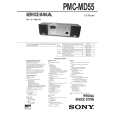
SONY PMCMD55
Manual de Usuario


¡Twitee acerca de este producto y obtenga $1.00 de crédito en la tienda para uso!
  • Descargable
  • Formato PDF
  • Manual completo
  • Idiomas: English
Precio: $4.99

Descripción del SONY PMCMD55 Manual de Usuario

Manual del propietario completo en formato digital. El manual estará disponible para descarga como archivo PDF después de que lo compre.

El Manual del Propietario (a veces llamado Manual del Usuario o Guía del Usuario) contiene información sobre cómo utilizar su dispositivo. Después de colocar la orden le enviaremos las instrucciones de descarga a su dirección de e-mail.

The manual is available in languages: English

Not yet ready
You must purchase it first

Opiniones de los clientes
No hay comentarios de productos.

TEXT_PDF_SNIPPET
Tip If you made a mistake, press NO�CANCEL. The setting entered last will be cleared. Reenter it.

5

Set the timer to the hour and the minutes you want the music to go on. 1 Turn the jog dial to set the hour and press YES�ENTER. 2 Turn the jog dial to set the minutes and press YES�ENTER.

6 7

Set the timer to the hour and the minutes you want the music to go off (Do as step 5.). Turn the jog dial to set the volume you want, and press YES�ENTER. Press STANDBY. �TIMER PLAY� lights up; the player enters the standby mode. At the preset time, the power will go on and music will play. Then the power will go off at the preset time, and the player will enter the standby mode again.

Tips � To exit the standby mode, press STANDBY to make �TIMER PLAY� disappear from the display. � The preset settings remain until you reset them. � As long as the t indication appears in the display, the player is in timer mode.

8

To check/change the waking up timer settings Press TIMER, then press YES�ENTER. Each time you press YES�ENTER, a stored setting is displayed in the set order. To change the setting, display the setting you want to change and re-enter it. To use the player before a timer playback starts If you turn on the player, you can use it as usual (in case of the radio, if you listen to the station which is different from the one you tuned in step 1 on page 48, you will hear that station at the preset time). Turn off the player before the preset time. To stop play Turn off the power.

The Timer 49

The Timer

Quizás también quiera comprar

$4.99

PMCMD55 SONY
Manual de Servicio

Manual de servicio completo en formato digital (archivo PDF). Los manuales de servicio por lo genera…
>
Parse Time: 0.578 - Number of Queries: 259 - Query Time: 0.231