SAAX910 Quantity: 1
$4.99
» View Details
SXPR902C Quantity: 1
$4.99
» View Details
28MW8DG Quantity: 1
$4.99
» View Details
W602C Quantity: 1
$4.99
» View Details
SDV57HTSC Quantity: 1
$4.99
» View Details
190B8CB/69 Quantity: 1
$4.99
» View Details
004.345.5 Quantity: 1
$4.99
» View Details
TE786B Quantity: 1
$4.99
» View Details
JDA5750S Quantity: 1
$4.99
» View Details
TCX625 Quantity: 1
$4.99
» View Details
DEH-23/XIN/UC Quantity: 1
$4.99
» View Details
58290471 Quantity: 1
$4.99
» View Details
VS22855T Quantity: 1
$4.99
» View Details
AKL 378/01 WH Quantity: 1
$4.99
» View Details
8ED25PQXDW00 Quantity: 1
$4.99
» View Details
135Ew Quantity: 1
$4.99
» View Details
Subtotal: $79.84
 
English Polski Spanish 
Buscar un manual
 

(p.Ej. AA-V20EG JVC, ZX-7 Sony)
PayPal 1000+ rating Secure, Encrypted Checkout.
 
Productos
Información
Destacado
Inicio >> SHARP >> PGM15X Manual de Servicio
 
 16 artículo(s) en Su carrito 

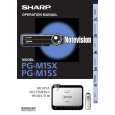
SHARP PGM15X
Manual de Servicio


¡Twitee acerca de este producto y obtenga $1.00 de crédito en la tienda para uso!
  • Contiene diagramas del circuito
  • Descargable
  • Formato PDF
  • Manual completo
  • Idiomas: English
Precio: $4.99

Descripción del SHARP PGM15X Manual de Servicio

Manual de servicio completo en formato digital (archivo PDF). Los manuales de servicio por lo general contienen diagramas de circuitos, tarjetas de circuitos impresos, consejos para reparación, diagramas de cableado, diagramas de bloque y lista de refacciones. El Manual de Servicio (a veces llamado Manual de Reparación) es usado principalmente por los técnicos.

Si tan solo quiere saber cómo utilizar su televisión, reproductor de vídeo, reproductor de mp3, etc. Quizá lo que necesita es el Manual del Propietario. Después de colocar la orden le enviaremos las instrucciones de descarga a su dirección de e-mail.

The manual is available in languages:

Not yet ready
You must purchase it first

Opiniones de los clientes
No hay comentarios de productos.

TEXT_PDF_SNIPPET
PG-M15X PG-M15S
AN-M15T

3. DMD Type Setting Sop
1. Record type of DMD chip (An English letter in capital) before assembly. 3. Choose "DMD Bin" to do setting.

2. Select �DMD� on the process mode screen. 2-1. Turn on the power. Press the ON/OFF button on the projector or the POWER button on the remote controller. 2-2. Make sure the message �Turn Power OFF?� on the screen. With this message still onscreen, press the buttons in this order: �'�, �'�, �"� and �"� on the remote controller, or �+�, �+�, �-� and �-� on the projector. 2-3. Be sure the process adjustment menu appears on the screen, and select DMD.

4. Use "+" and "-" keys on Keypad to choose DMD type same as the type of new one

2-1

2-2

2-2

Projector
2-1

RemoteController

5. Press "Enter" key and then Press "MENU" key to go back to the original image. Note: Be sure to make this DMD Type Setting to keep up the DMD chip reliability.

27

Quizás también quiera comprar

$4.99

PGM15X SHARP
Manual de Usuario

Manual del propietario completo en formato digital. El manual estará disponible para descarga como …

$4.99

PG-M15X SHARP
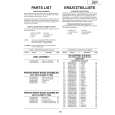
Catálogo de piezas

Únicamente Catálogo de Partes. Está disponible en formato PDF. Muy útil si su equipo se ha averi…
>
Parse Time: 0.714 - Number of Queries: 164 - Query Time: 0.413