OBU 228 S Quantity: 1
$4.99
» View Details
72DF89L Quantity: 1
$4.99
» View Details
KSRI22FNST00 Quantity: 1
$4.99
» View Details
KGE PRIMELINE 93 WS Quantity: 1
$4.99
» View Details
KV28WX1B Quantity: 1
$4.99
» View Details
VRA656AT99 Quantity: 1
$4.99
» View Details
SKF-320F Quantity: 1
$4.99
» View Details
M9013 SOFT TOUCH Quantity: 1
$4.99
» View Details
3RLEC8600SL1 Quantity: 1
$4.99
» View Details
FL 1263 Quantity: 1
$4.99
» View Details
W 77/1 Quantity: 1
$4.99
» View Details
MTD1050D-7A Quantity: 1
$4.99
» View Details
DEH433RX1M/GR Quantity: 1
$4.99
» View Details
CD74 Quantity: 1
$4.99
» View Details
FE850S/4 Quantity: 1
$4.99
» View Details
NT1416 Quantity: 1
$4.99
» View Details
TE7150 Quantity: 1
$4.99
» View Details
KV2584GE Quantity: 1
$4.99
» View Details
VHR289E Quantity: 1
$4.99
» View Details
6LA6300XTF0 Quantity: 1
$4.99
» View Details
GSF 4062 TW Quantity: 1
$4.99
» View Details
ICF7700 Quantity: 1
$4.99
» View Details
SAVAD900R Quantity: 1
$4.99
» View Details
DVD3350P Quantity: 1
$4.99
» View Details
SXG100C Quantity: 1
$4.99
» View Details
Subtotal: $124.75
 
English Polski Spanish 
Buscar un manual
 

(p.Ej. AA-V20EG JVC, ZX-7 Sony)
PayPal 1000+ rating Secure, Encrypted Checkout.
 
Productos
Información
Destacado
Inicio >> PIONEER >> PDR-609/WY Manual de Servicio
 
 25 artículo(s) en Su carrito 

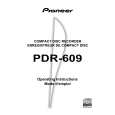
PIONEER PDR-609/WY
Manual de Servicio


¡Twitee acerca de este producto y obtenga $1.00 de crédito en la tienda para uso!
  • Contiene diagramas del circuito
  • Descargable
  • Formato PDF
  • Manual completo
  • Idiomas: English
Precio: $4.99

Descripción del PIONEER PDR-609/WY Manual de Servicio

Manual de servicio completo en formato digital (archivo PDF). Los manuales de servicio por lo general contienen diagramas de circuitos, tarjetas de circuitos impresos, consejos para reparación, diagramas de cableado, diagramas de bloque y lista de refacciones. El Manual de Servicio (a veces llamado Manual de Reparación) es usado principalmente por los técnicos.

Si tan solo quiere saber cómo utilizar su televisión, reproductor de vídeo, reproductor de mp3, etc. Quizá lo que necesita es el Manual del Propietario. Después de colocar la orden le enviaremos las instrucciones de descarga a su dirección de e-mail.

The manual is available in languages: English

Not yet ready
You must purchase it first

Opiniones de los clientes
No hay comentarios de productos.

TEXT_PDF_SNIPPET
PDR-609

6.7.13 Focus Bias Adjustment
Test Point Adjustment Value Purpose Symptom when Out of Adjustment CN102-pin 2 (RF) Minimize jitter value Optimizing DC offset voltage of focus servo loop circuit including pickup. Focus-in does not function, sound pauses, bad RF wave shape, or incapable to playback some discs. Adjustment method [Procedure]
1. Move the Pickup to center of the disc by pressing the SCAN key. ( 1 ¡ ) 2. Monitor the jitter value and set a CD disc. (use the jitter meter) 3. Press the FINALIZE key to FOCUS IN. 4. Press the PLAY/PAUSE key to turn the SPINDLE. (CAV) 5. Press the PLAY/PAUSE key to TRACKING ON. (EFM CLV) 6. Adjust the JOG key so that jitter value becomes minimum. 7. Press the ENTER key to register the adjustment. \ Shift to the RFDC Level Adjustment automatically. 8. Adjustment is completed automatically. \ Each display the reason that became abnormal when adjustment was not completed normally. When did not converge in limit of adjustment possibility (when it became the lowest level) When failed in writing to the EEPROM 9. Press the STOP key to stop the operation.

FL Indication

Caution:
In this adjustment, shift to the RFDC Adjustment when pressing the ENTER key before step 7, and there is it when completed in normal on the indication. However, must not omit operation of steps 5 from 3 because RFDC is not adjusted to normal when pressing the ENTER key with the state that steps 5 from 3 are not executed.

CN102
RF 2 10: 1 prove VC 6 Oscilloscope

How to execute the automatic adjustment once again after the automatic adjustment is completed: 1. Press the STOP key to stop the disc rotation. (servo OFF) 2. Press the AUTO/MANUAL key and shift to the Focus Offset adjustment. 3. Press the RECORD key to start the automatic adjustment. Adjust from "6.7.11 automatic Adjustment Start" to "6.7.13 Focus Bias Adjustment". Press the STOP key when stops execution of the automatic adjustment on the way and stop processing. Then return to the state of "6.6.10 Preparations" and stop the operation.

62

Quizás también quiera comprar

$4.99

PDR-609/WY PIONEER
Manual de Usuario

Manual del propietario completo en formato digital. El manual estará disponible para descarga como …
>
Parse Time: 0.293 - Number of Queries: 200 - Query Time: 0.078