KTRS19MGWH00 Quantity: 1
$4.99
» View Details
COOLPIX5700 Quantity: 1
$4.99
» View Details
KVP14E Quantity: 1
$4.99
» View Details
MDBH985AWW10 Quantity: 1
$4.99
» View Details
DVD305S Quantity: 1
$4.99
» View Details
PDK-TS10 Quantity: 1
$4.99
» View Details
STV370 Quantity: 1
$4.99
» View Details
RB160PXYQ0 Quantity: 1
$4.99
» View Details
SF-A57 Quantity: 1
$4.99
» View Details
KSRT313 Quantity: 1
$4.99
» View Details
SX-SW55/WYXCN Quantity: 1
$4.99
» View Details
ESF6260 Quantity: 1
$4.99
» View Details
NSX-AJ14EHA Quantity: 1
$4.99
» View Details
Z5505AM WHEAT YELLOW Quantity: 1
$4.99
» View Details
SAW303 Quantity: 1
$4.99
» View Details
VTFX623A Quantity: 1
$4.99
» View Details
KDC3005 Quantity: 1
$4.99
» View Details
BKP-5972 Quantity: 1
$4.99
» View Details
SFN5553 Quantity: 1
$4.99
» View Details
CTV3459 Quantity: 1
$4.99
» View Details
DVR-530H-S/RDRXV Quantity: 1
$4.99
» View Details
T2200 Quantity: 1
$4.99
» View Details
FA822 Quantity: 1
$4.99
» View Details
DVD-RA71 Quantity: 1
$4.99
» View Details
KDS-60A2000 Quantity: 1
$4.99
» View Details
AJ3143/00 Quantity: 1
$4.99
» View Details
KV-21M5K Quantity: 1
$4.99
» View Details
Subtotal: $134.73
 
English Polski Spanish 
Buscar un manual
 

(p.Ej. AA-V20EG JVC, ZX-7 Sony)
PayPal 1000+ rating Secure, Encrypted Checkout.
 
Productos
Información
Destacado
Inicio >> SONY >> PCGSRX77 Manual de Servicio
 
 27 artículo(s) en Su carrito 

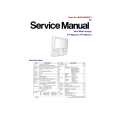
SONY PCGSRX77
Manual de Servicio


¡Twitee acerca de este producto y obtenga $1.00 de crédito en la tienda para uso!
  • Contiene diagramas del circuito
  • Descargable
  • Formato PDF
  • Manual completo
  • Idiomas: English
Precio: $4.99

Descripción del SONY PCGSRX77 Manual de Servicio

Manual de servicio completo en formato digital (archivo PDF). Los manuales de servicio por lo general contienen diagramas de circuitos, tarjetas de circuitos impresos, consejos para reparación, diagramas de cableado, diagramas de bloque y lista de refacciones. El Manual de Servicio (a veces llamado Manual de Reparación) es usado principalmente por los técnicos.

Si tan solo quiere saber cómo utilizar su televisión, reproductor de vídeo, reproductor de mp3, etc. Quizá lo que necesita es el Manual del Propietario. Después de colocar la orden le enviaremos las instrucciones de descarga a su dirección de e-mail.

The manual is available in languages: English

Not yet ready
You must purchase it first

Opiniones de los clientes
No hay comentarios de productos.

TEXT_PDF_SNIPPET
Bass_QuickStart.book Page 57 Friday, November 30, 2001 12:22 PM

Troubleshooting

My touchpad does not work properly.
You may have disabled the touchpad without a mouse being connected to the notebook. To enable the touchpad: 1 2 3 Press the Windows® key and use the arrow keys to select All Programs, and then Sony Notebook Setup. Select the Touchpad tab using the arrow keys. Select Enable Touchpad, either by pressing the Tab key or the Alt+�E� keys, and then press Enter.

You must restart the notebook to make the touchpad work again. If your touchpad is interpreting a single tap as a double-click, you must adjust the button assignments. Follow these steps: 1 2 3 4 Press the Windows key and use the arrow keys to select Control Panel. The Control Panel dialog box appears. Press the Tab key until Printers and Other Hardware is highlighted, then press Enter. The Printers and Other Hardware dialog box appears. Press the Tab key again, until Mouse is highlighted, then press Enter. The Mouse Properties dialog box appears. Change the button assignments in the Mouse Properties dialog box, using the Tab key and arrow keys. (One of the buttons is assigned to the double-click action.) Press Enter.

If this procedure does not work, ensure that another mouse was not installed. You may need to use your supplied Driver Recovery CD(s) to reinstall the mouse drivers. See �To use the Driver Recovery CD(s)� on page 48 for more information.

The pointer does not move while I am using the Touchpad or Mouse.
�

The computer should be restarted. Follow these steps: 1 2 Press the Windows key. Press the �U� key to select Turn Off Computer / Shut Down, and wait at least four seconds.

57

Quizás también quiera comprar

$4.99

PCGSRX77 SONY
Manual de Usuario

Manual del propietario completo en formato digital. El manual estará disponible para descarga como …
>
Parse Time: 0.269 - Number of Queries: 203 - Query Time: 0.078