DVK2..3S Quantity: 1
$4.99
» View Details
UZPS128 Quantity: 1
$4.99
» View Details
ACS-7000A Quantity: 1
$4.99
» View Details
CD580AX Quantity: 1
$4.99
» View Details
SV-633F Quantity: 1
$4.99
» View Details
SSXGR600 Quantity: 1
$4.99
» View Details
GM-H40L1G Quantity: 1
$4.99
» View Details
PROFIL 3470 Quantity: 1
$4.99
» View Details
DV-S733A/LBXJ Quantity: 1
$4.99
» View Details
ED2FHEXMT00 Quantity: 1
$4.99
» View Details
DVDR615 Quantity: 1
$4.99
» View Details
LTH5540 Quantity: 1
$4.99
» View Details
KV-20WS1A Quantity: 1
$4.99
» View Details
SPECTRA8108 Quantity: 1
$4.99
» View Details
TYSP50PH3W Quantity: 1
$4.99
» View Details
MERH865RAS13 Quantity: 1
$4.99
» View Details
XR5240 Quantity: 1
$4.99
» View Details
WIQ1431/02 Quantity: 1
$4.99
» View Details
RCD-M33G Quantity: 1
$4.99
» View Details
LEV5634AG2 Quantity: 1
$4.99
» View Details
VR4391 Quantity: 1
$4.99
» View Details
7MGGW9200MW2 Quantity: 1
$4.99
» View Details
QD80I Quantity: 1
$4.99
» View Details
P 2116 Quantity: 1
$4.99
» View Details
KXTD192C Quantity: 1
$4.99
» View Details
ET1PHKXPQ06 Quantity: 1
$4.99
» View Details
22RH881 Quantity: 1
$4.99
» View Details
ESZ 5464/01/BR Quantity: 1
$4.99
» View Details
SBTS50 Quantity: 1
$4.99
» View Details
TU5371/BE031P Quantity: 1
$4.99
» View Details
PD-Z570T Quantity: 1
$4.99
» View Details
KA5010 Quantity: 1
$4.99
» View Details
GH19A TFT LCD Quantity: 1
$4.99
» View Details
DKEL 1760 AL Quantity: 1
$4.99
» View Details
MDB3601AWB0 Quantity: 1
$4.99
» View Details
C1851 Quantity: 1
$4.99
» View Details
TM-H1900GU Quantity: 1
$4.99
» View Details
21PT2404/94R Quantity: 1
$4.99
» View Details
LT3280D Quantity: 1
$4.99
» View Details
KD-S890J Quantity: 1
$4.99
» View Details
G843Vi Quantity: 1
$4.99
» View Details
FA256G4 Quantity: 1
$4.99
» View Details
3VET23DKDW00 Quantity: 1
$4.99
» View Details
KXTCC912B Quantity: 1
$4.99
» View Details
30WL46 Quantity: 1
$4.99
» View Details
LTH57700SF Quantity: 1
$4.99
» View Details
CUC5350 CHASSIS Quantity: 1
$4.99
» View Details
VSX3600 Quantity: 1
$4.99
» View Details
AWV 452 Quantity: 1
$4.99
» View Details
T1312 Quantity: 1
$4.99
» View Details
BVM-14E1E Quantity: 1
$4.99
» View Details
TA-FE310R Quantity: 1
$4.99
» View Details
FE-165E Quantity: 1
$4.99
» View Details
POWERPOD1060 Quantity: 1
$4.99
» View Details
XL-PR70BUS Quantity: 1
$4.99
» View Details
54351420 Quantity: 1
$4.99
» View Details
Subtotal: $279.44
 
English Polski Spanish 
Buscar un manual
 

(p.Ej. AA-V20EG JVC, ZX-7 Sony)
PayPal 1000+ rating Secure, Encrypted Checkout.
 
Productos
Información
Destacado
Inicio >> JVC >> MXK6 Manual de Usuario
 
 56 artículo(s) en Su carrito 

JVC MXK6
Manual de Usuario


¡Twitee acerca de este producto y obtenga $1.00 de crédito en la tienda para uso!
  • Descargable
  • Formato PDF
  • Manual completo
  • Idiomas: English
Precio: $4.99

Descripción del JVC MXK6 Manual de Usuario

Manual del propietario completo en formato digital. El manual estará disponible para descarga como archivo PDF después de que lo compre.

El Manual del Propietario (a veces llamado Manual del Usuario o Guía del Usuario) contiene información sobre cómo utilizar su dispositivo. Después de colocar la orden le enviaremos las instrucciones de descarga a su dirección de e-mail.

The manual is available in languages:

Not yet ready
You must purchase it first

Opiniones de los clientes
No hay comentarios de productos.

TEXT_PDF_SNIPPET
Common Operations
Turning On or Off the Power
To turn on the unit, press STANDBY/ON so that the STANDBY lamp goes off.
STANDBY STANDBY/ON

3 Press

4 or ¢ to adjust the minute, then press SET.

PRESET

SET

To turn off the unit (on standby), press STANDBY/ON again so that the STANDBY lamp lights up.

STANDBY STANDBY/ON

To check the clock time
Press DISPLAY while playing any source. � Each time you press the button, the source indication and the clock time alternate on the display.
DISPLAY

A little power is always consumed even while the unit is on standby. To switch off the power supply completely, unplug the AC power cord from the AC outlet.

To adjust the clock again
If you have adjusted the clock before, you need to press CLOCK/TIMER repeatedly until �CLOCK� is selected. � Each time you press the button, the clock/timer setting modes change as follows:
DAILY Canceled ON TIME CLOCK REC ON TIME

When you unplug the AC power cord or if a power failure occurs The clock is reset to �� �:� �� soon, while the tuner preset stations (see page 11) will be erased in a few days.

Setting the Clock
Before operating the unit any further, first set the clock built in this unit. You can set the clock whether the unit is on or off.

If there is a power failure The clock loses the setting and is reset to �� �:� �.� You need to set the clock again.

Selecting the Sources
To listen to the FM/AM broadcasts, press FM/AM. (See page 11.) To play back CDs, press CD 6. (See pages 12 � 14.) To play back tapes, press TAPE 3. (See page 15.) To select the external equipment as the source, press AUX.

On the unit ONLY:

1 Press CLOCK/TIMER.

CLOCK / TIMER

The hour digits start flashing on the display.

2 Press 4 or ¢ to adjust the
hour, then press SET.

PRESET

When you press the play button for a particular source (AUX, FM/AM, CD 6, and TAPE 3), the unit turns on (and the unit starts playing the source if it is ready � COMPU PLAY CONTROL).

SET

� If you want to correct the hour after pressing SET, press CANCEL. The hour digits start flashing again.

�9�
Quizás también quiera comprar

$4.99

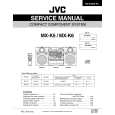
MXK6 JVC
Manual de Servicio

Manual de servicio completo en formato digital (archivo PDF). Los manuales de servicio por lo genera…
>
Parse Time: 0.228 - Number of Queries: 314 - Query Time: 0.076