RJE953PP0 Quantity: 1
$4.99
» View Details
DWC7602AAE Quantity: 1
$4.99
» View Details
RBD245PDB10 Quantity: 1
$4.99
» View Details
WV1674A+W Quantity: 1
$4.99
» View Details
AKF803/01/AL Quantity: 1
$4.99
» View Details
KDC-W808 Quantity: 1
$4.99
» View Details
DEH-P350/XN/UC Quantity: 1
$4.99
» View Details
KGCC506RBL02 Quantity: 1
$4.99
» View Details
CDI210/40 Quantity: 1
$4.99
» View Details
LSQ9549LG2 Quantity: 1
$4.99
» View Details
PALCOLOR HIFI28 Quantity: 1
$4.99
» View Details
4KSRS27CHT02 Quantity: 1
$4.99
» View Details
EH50550 (X), 60136 Quantity: 1
$4.99
» View Details
SC103H Quantity: 1
$4.99
» View Details
P68SC Quantity: 1
$4.99
» View Details
3660BVT Quantity: 1
$4.99
» View Details
70GS-62S Quantity: 1
$4.99
» View Details
CEW2760AW0 Quantity: 1
$4.99
» View Details
AWO/D 7140 WP Quantity: 1
$4.99
» View Details
B3191-4-AEURO Quantity: 1
$4.99
» View Details
AV21D33/CPH Quantity: 1
$4.99
» View Details
AMF5 AHE Quantity: 1
$4.99
» View Details
LT-26A60SU/B Quantity: 1
$4.99
» View Details
3510I Quantity: 1
$4.99
» View Details
CAM2135VK Quantity: 1
$4.99
» View Details
RT14DKYGN01 Quantity: 1
$4.99
» View Details
TX17 Quantity: 1
$4.99
» View Details
E840C-B Quantity: 1
$4.99
» View Details
XV-DV323/NRXJ Quantity: 1
$4.99
» View Details
SATX30GK Quantity: 1
$4.99
» View Details
CD150CM-3 Quantity: 1
$4.99
» View Details
GSFM 9680 WS Quantity: 1
$4.99
» View Details
PCGGRT916Z Quantity: 1
$4.99
» View Details
MX-KB15 Quantity: 1
$4.99
» View Details
FV600P Quantity: 1
$4.99
» View Details
BKDS-6072 Quantity: 1
$4.99
» View Details
F1425 Quantity: 1
$4.99
» View Details
GR-D273AG Quantity: 1
$4.99
» View Details
KV32FX60U Quantity: 1
$4.99
» View Details
KUDA230YAL2 Quantity: 1
$4.99
» View Details
DEH-P310 Quantity: 1
$4.99
» View Details
WAS 5340 Quantity: 1
$4.99
» View Details
109B40/95 Quantity: 1
$4.99
» View Details
MED5570TQ0 Quantity: 1
$4.99
» View Details
7MT2210SJB0 Quantity: 1
$4.99
» View Details
KXTCD707GRS Quantity: 1
$4.99
» View Details
LTV1080 Quantity: 1
$4.99
» View Details
LC-37HV4E Quantity: 1
$4.99
» View Details
RCC3024RT02 Quantity: 1
$4.99
» View Details
LSQ9549LG3 Quantity: 1
$4.99
» View Details
CA-100 Quantity: 1
$4.99
» View Details
Subtotal: $254.49
 
English Polski Spanish 
Buscar un manual
 

(p.Ej. AA-V20EG JVC, ZX-7 Sony)
PayPal 1000+ rating Secure, Encrypted Checkout.
 
Productos
Información
Destacado
Inicio >> JVC >> MX-K10R Manual de Usuario
 
 51 artículo(s) en Su carrito 

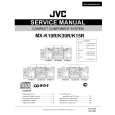
JVC MX-K10R
Manual de Usuario


¡Twitee acerca de este producto y obtenga $1.00 de crédito en la tienda para uso!
  • Descargable
  • Formato PDF
  • Manual completo
  • Idiomas: English, Russian, Czech, Polish, Hungarian
Precio: $4.99

Descripción del JVC MX-K10R Manual de Usuario

Manual del propietario completo en formato digital. El manual estará disponible para descarga como archivo PDF después de que lo compre.

El Manual del Propietario (a veces llamado Manual del Usuario o Guía del Usuario) contiene información sobre cómo utilizar su dispositivo. Después de colocar la orden le enviaremos las instrucciones de descarga a su dirección de e-mail.

The manual is available in languages: English, Russian, Czech, Polish, Hungarian

Not yet ready
You must purchase it first

Opiniones de los clientes
No hay comentarios de productos.

TEXT_PDF_SNIPPET
Using the Tuner

CAUTION:
� In AM (MW/LW) broadcast, reception sensitivity will be changed by turning the AM (MW/LW) loop antenna. Turn the AM (MW/LW) loop antenna for best reception.

� Even if the System is unplugged or if the power failure occurs, the preset stations will be stored for a few days. However, in case the preset stations are erased, you will need to preset the stations again.

Presetting Stations
You can preset up to 30 FM stations and up to 15 AM (MW/LW) stations.

To Change the FM Reception Mode
When you are tuned in to an FM stereo broadcast, the �ST (Stereo)� indicator lights up and you can hear stereo effects. If an FM stereo broadcast is hard to receive or noisy, you can select Monaural mode. Reception improves, but you lose stereo effect. Press the FM MODE button on the Remote Control so that the �MONO� indicator lights up on the display.
FM MODE

� Preset numbers may have been set to factory test frequencies prior to shipment. This is not a malfunction. You can preset the stations you want into memory by following one of the presetting methods below. � During presetting stations, if no button operation is made for 5 seconds, the display returns to the band/frequency display. In this case, repeat steps from the beginning.

ST
FM / AM
TUNING
SET

MONO

or

SET

To restore the stereo effect, press the FM MODE button on the Remote Control so that the �MONO� indicator goes off.

FM=30, AM=15

When changing the Band

Using the Unit

1 2 3 4

Select a band by pressing the FM/AM button. Press the station.

22

or

¡

button to tune in a

Press the SET button.
�SET� will blink for 5 seconds.

Press the 4 or preset number.
¢: 4:

¢ button

to select the

Increases the preset number by 1. Decreases the preset number by 1.

5 6

Press the SET button.
�STORED� appears and, after 2 seconds, the display returns to the band/frequency display.

Repeat above steps 1 to 5 for each station you want to store in memory with a preset number.

To change the preset stations, repeat the same steps as above.

� In step 4, you can select the preset number using the numeric keys on the Remote Control. See �Entering the Number with the Remote Control� on page 8.

10

Quizás también quiera comprar

$4.99

MXK10R/ JVC
Manual de Servicio

Manual de servicio completo en formato digital (archivo PDF). Los manuales de servicio por lo genera…
>
Parse Time: 1.249 - Number of Queries: 287 - Query Time: 0.854