RC115EG Quantity: 1
$4.99
» View Details
54396821 Quantity: 1
$4.99
» View Details
T512AH Quantity: 1
$4.99
» View Details
FGP210VL1 Quantity: 1
$4.99
» View Details
560S,20683 Quantity: 1
$4.99
» View Details
CT3508/ATRSA0RU Quantity: 1
$4.99
» View Details
SF-2530 Quantity: 1
$4.99
» View Details
HT-21 Quantity: 1
$4.99
» View Details
FLS624C Quantity: 1
$4.99
» View Details
AZ101000 Quantity: 1
$4.99
» View Details
Subtotal: $49.90
 
English Polski Spanish 
Buscar un manual
 

(p.Ej. AA-V20EG JVC, ZX-7 Sony)
PayPal 1000+ rating Secure, Encrypted Checkout.
 
Productos
Información
Destacado
Inicio >> OTHERS >> MAS3 Manual de Servicio
 
 10 artículo(s) en Su carrito 

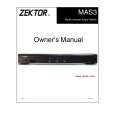
ZEKTOR MAS3
Manual de Servicio


¡Twitee acerca de este producto y obtenga $1.00 de crédito en la tienda para uso!
  • Contiene diagramas del circuito
  • Descargable
  • Formato PDF
  • Manual completo
  • Idiomas: English
Precio: $4.99

Descripción del ZEKTOR MAS3 Manual de Servicio

Manual de servicio completo en formato digital (archivo PDF). Los manuales de servicio por lo general contienen diagramas de circuitos, tarjetas de circuitos impresos, consejos para reparación, diagramas de cableado, diagramas de bloque y lista de refacciones. El Manual de Servicio (a veces llamado Manual de Reparación) es usado principalmente por los técnicos.

Si tan solo quiere saber cómo utilizar su televisión, reproductor de vídeo, reproductor de mp3, etc. Quizá lo que necesita es el Manual del Propietario. Después de colocar la orden le enviaremos las instrucciones de descarga a su dirección de e-mail.

The manual is available in languages: English

Not yet ready
You must purchase it first

Opiniones de los clientes
No hay comentarios de productos.

TEXT_PDF_SNIPPET
Bright / Dim / Auto-dimming Modes
Setting the Display intensity modes of the MAS3
The front panel display of the MAS3 can be set to Bright, Dim or an Auto-dimming mode where the display brightens for 4 seconds after any function is selected and then auto-dims. Setting the mode is simply a matter of toggling between the three modes: � Bright Mode. When pressing the SETDIMMODE key to toggle to this state, the display will turn bright and remain that way. � Dim Mode. When pressing the SETDIMMODE key to toggle to the Dim mode, the display will go dim and remain that way. � Auto-dimming Mode. When pressing the SETDIMMODE key to toggle to the Auto-dimming mode, the display will turn bright, then flash to dim, then flash back to bright, indicating the Auto-dimming mode has been selected. After 4 seconds of no activity, the display will smoothly dim to the dim setting.

11

Quizás también quiera comprar

$4.99

MAS3 ZEKTOR
Manual de Usuario

Manual del propietario completo en formato digital. El manual estará disponible para descarga como …
>
Parse Time: 0.522 - Number of Queries: 137 - Query Time: 0.193