|
|
|
Productos
|
|
Información
|
|
Destacado
|
|
|
 |
|
|
No hay comentarios de productos.
Using Your Menus (continued)
Using the TIMER menu
DAYLIGHT SAVING
Automatically adjusts the time
TIMER DAYLIGHT SAVING: NO CURRENT TIME SET ON/OFF TIMER CHANNEL BLOCK MENU
Spring: Select YES to compensate for Daylight Saving Time. The current time moves one hour ahead. Fall: Select NO at the end of Daylight Saving Time. The current time moves back one hour. With the CURRENT TIME SET menu open: 1 Press . 2 3 Press V or v until the current day is displayed. Press to select. Press V or v until the current hour and AM/PM is displayed. Press to select .
CURRENT TIME SET � � � � �:� � AM MENU
Using the SET UP
SET UP CHANNEL SET UP FAVORITE CHANNEL VIDEO LABEL LANGUAGE: ENGLISH TILT CORRECTION: 0 MENU
menu
CHANNEL SET UP
Basic set up options for viewing
CURRENT TIME SET
Necessary for the ON/OFF TIMER
Move
� � � � �:� � AM Select Exit MENU
Move
Move Select Exit
MENU
Select
Exit
MENU
With the CHANNEL SET UP menu open: CHANNEL SET UP Press V or v to access a feature, then press . CABLE: Select ON if your TV is connected to a cable CABLE: ON CHANNEL FIX: OFF AUTO PROGRAM system. CHANNEL SKIP/ADD CHANNEL CAPTION CHANNEL FIX: Press V or v to set the TV's input to one MENU of the following options: Move Select Exit 2-6: When a cable box is connected to the VHF/UHF input. Press DBS/CABLE (FUNCTION) and then CH +/� to change channels through your cable box.
MENU
For detailed information on using the remote control to modify menu settings, refer to �Learning menu selection� on page 19.
4 Press V or v until the current minute is displayed, press The clock ispower will cause these settings to be erased. Any loss of set. Press MENU to exit. ON/OFF TIMER
Wake up or scheduled viewing
For detailed information on using the remote control to modify menu settings, refer to �Learning menu selection� on page 19.
To select the TIMER
Display
MENU
menu:
Select
With the ON/OFF TIMER menu open: 1 2 3 Choose the ON/OFF TIMER you would like to set and press . Press V or v until the desired day or range of days is displayed. Press to select Indicate the time that you want the TV to turn on (hour, then minutes) by pressing V or v and then .
ON/OFF TIMER 1. � � � � � � � �:� � AM � h CH � � � 2. � � � � � � � �:� � AM � h CH� � � MENU Select a position SUN 12:00 AM Move Select Exit MENU
To select the SET UP
Display
MENU
menu:
Select
AUX 2-6: When a cable box is connected to AUX and a cable or antenna is connected to VHF/UHF. You can alternate between the two inputs by pressing ANT on the remote control. VIDEO 1: When you have connected video equipment (e.g. A/V receiver) and you want the TV input fixed to it. You will be able to alternate between video sources using the A/V receiver. OFF: When you want to turn CHANNEL FIX off. AUTO PROGRAM: Instructs the TV to program all receivable channels. CHANNEL SKIP/ADD: With the CHANNEL SKIP/ADD window open: 1 Select the desired channel. 2 Press to SKIP or ADD (only one option will
CHANNEL SKIP/ADD SKIP ADD MENU Use [0-9] or [CH +/-] to select the channel Move Select Exit
MENU
Highlight
Highlight
33
To cancel the ON/OFF TIMER function
Press RESET while the ON/OFF TIMER menu is displayed. Tip z
Set DAYLIGHT SAVING time before setting the clock. CHANNEL BLOCK
Prevent access to certain channels
4 Set the time duration (maximum desired channel. Press V orto select. v and then 5 Press V or v until you reach the of 6 hours) by pressing The ON/OFF TIMER is now set. Press MENU to exit. You will be able to block two channels for a period of up to 12 hours. FOLLOW STEPS 1-5 OF ON/OFF TIMER ABOVE To erase your CHANNEL BLOCK settings, press RESET while in the CHANNEL BLOCK window. Performing AUTO PROGRAM will erase your CHANNEL BLOCK settings.
.
When you perform AUTO PROGRAM, all ON/OFF TIMER settings will be erased.
CHANNEL BLOCK 1. � � � �� � � �:� � AM � � h CH� � � 2. � � � � � � � �:� � AM � � h CH� � � MENU Select a position SUN 12:00 AM Move Select Exit MENU
Notes � The FAVORITE CHANNEL feature is not available for the AUX input. � Your remote control can be programmed to operate your cable box. (see page 28) � After setting CABLE, you will need to run AUTO PROGRAM. � ON/OFF TIMER and CHANNEL BLOCK settings will be erased when CHANNEL FIX is set. 24
be available). CHANNEL CAPTION: Label up to 12 channels with their call letters (up to four letters). With the CHANNEL CAPTION menu open: 1 Press and then V or v to access the desired channel, and press again. 2 Press V or v to display the first letter or number of the caption and press to select it. 3 Press
CHANNEL CAPTION CHANNEL
33
CAPTION � � � � MENU
Move
Select
Exit
MENU
to activate. To erase a caption, press RESET.
23
9 �
Operating Video Equipment
FAVORITE CHANNEL
Quick access to favorite channels
Setting FAVORITE CHANNEL: 1 Press and then V or v to select AUTO or MANUAL. (Selecting AUTO will display the last five channels chosen with the remote control's 0-9 buttons.) 2 Press V or v to move the cursor to 1, 2, 3, 4 or 5 and press . 3 Press V or v to access the desired channel and press . To preview your favorite channels in the window picture, set PREVIEW to ON.
FAVORITE CHANNEL MODE : AUTO PREVIEW : ON 1. 6 2. 5 3. 4 4. 3 5. 2 MENU Move Select
Programming the remote
You can use the supplied remote control to operate Sony or non-Sony video equipment.
Exit
MENU
Using FAVORITE CHANNEL: 1 Press when in normal viewing mode. Your FAVORITE CHANNEL options will appear. 2 Press V or v to access the channel you want to watch, and press . If PREVIEW is ON, a window picture displays your favorite channels as you cycle through the options.
1 2 3 4
Press CODE SET. Press VTR/DVD (FUNCTION). Use the 0-9 buttons to key in the manufacturer's code number from the following chart. Press ENTER.
Goldstar Hitachi Instant Replay JC Penney JVC Kenwood LXI (Sears) Magnavox Marantz Marta Memorex Minolta Mitsubishi/MGA Multitech NEC Olympic Optimus Panasonic Pentax Philco Philips Pioneer Quasar RCA/PROSCAN
332 306, 304, 305,338 309, 308 309, 305, 304, 330, 314, 336, 337 314, 336, 337, 345, 346, 347 314, 336, 332, 337 332, 305, 330, 335, 338 308, 309, 310 314, 336, 337 332 309, 335 305, 304 323, 324, 325, 326
Tashiro Tatung Teac Technics Toshiba Wards Yamaha Zenith
332 314, 336, 337 314. 336, 338, 337 309, 308 312, 311 327, 328, 335, 331, 332 314, 330, 336, 337 331
Operating a VCR
To turn on or off To select a channel directly To change channels To record To play To stop To fast forward To rewind the tape To pause
FAVORITES 125 ESPN 14 ABC 48 CBS 16 NBC 5 CBC Exit
Buttons on the remote control
Press VTR/DVD (POWER). Press the 0 � 9 buttons. Press CH +/�. Press ( and r simultaneously. Press (. Press p. Press ). Press 0. Press P. To resume normal playback, press again or press (. Press ) or 0 during playback. To resume normal playback, release the button. Press TV/VTR.
VCR code numbers
Manufacturer Code
301, 302, 303 327 338, 344 314, 337 319, 317 309, 308 332 302, 332 315 304, 338, 309 341, 312, 309 314, 336, 337 304 319, 320, 316, 317, 318, 341 330, 335 338 329, 304, 309 322, 339, 340 Sony Admiral (M. Ward) Aiwa Audio Dynamic Broksonic Canon Citizen Craig Criterion Curtis Mathes Daewoo DBX Dimensia Emerson Fisher Funai General Electric Go Video
VIDEO LABEL
Label connected equipment for easy recognition
With the VIDEO LABEL window open: 1 Press V or v to access the input mode you want to label and press 2 Press V or v to choose the label and press .
VIDEO LABEL
.
VIDEO 1 : VHS VIDEO 2 : GAME VIDEO 3 : VIDEO 3 VIDEO 4 : VIDEO 4 MENU Select Exit
MENU
VIDEO LABEL Options: VIDEO 1/2/3: VHS, 8mm, BETA, LD, GAME, DBS, DVD, WEB, RECEIVER, DTV, SKIP Move VIDEO 4: DVD, DTV, SKIP When VIDEO LABEL is set to WEB, the picture will darken, creating an ideal picture for WebTV viewing. If you select SKIP, your TV will skip this connection when you cycle through video sources using the TV/VIDEO button. LANGUAGE TILT CORRECTION Select from available languages to display all menus in your language of choice. Press V or v to correct any tilt of the picture between +5 and �5 and press .
325, 338, 321 314, 336, 337 309, 308 327 308, 309, 306, 307 305, 304 308, 309 308, 309, 310 308 308, 309, 306 304, 305, 308, 309, 311, 312, 313, 310, 329 Realistic 309, 330, 328, 335, 324, 338 Sansui 314 Samsung 322, 313, 321 Sanyo 330, 335 Scott 312, 313, 321, 335, 323, 324, 325, 326 Sharp 327, 328 Shintom 315 Signature 2000 (M. Ward) 338, 327 SV2000 338 Sylvania 308, 309, 338, 310 Symphonic 338
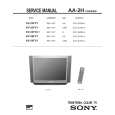
KV-32FV1/34FVL1/36FV1
To scan
To change input mode
25
26
|
|
|
> |
|