QTCD162HS Quantity: 1
$4.99
» View Details
AKT 970/IX Quantity: 1
$4.99
» View Details
FT7128 Quantity: 1
$4.99
» View Details
REX6646AL0 Quantity: 1
$4.99
» View Details
MKE 1 Quantity: 1
$4.99
» View Details
CM643 Quantity: 1
$4.99
» View Details
CT9220 Quantity: 1
$4.99
» View Details
TIA3012 Quantity: 1
$4.99
» View Details
6000K-DAD1EURO Quantity: 1
$4.99
» View Details
AV-32WFR1EK Quantity: 1
$4.99
» View Details
AJ3144/04 Quantity: 1
$4.99
» View Details
AVIC-D3/XU/EW5 Quantity: 1
$4.99
» View Details
CQDFX701U Quantity: 1
$4.99
» View Details
GC5SHEXNQ01 Quantity: 1
$4.99
» View Details
CTV700A Quantity: 1
$4.99
» View Details
DVDP10D Quantity: 1
$4.99
» View Details
TX82M Quantity: 1
$4.99
» View Details
DVD612S/002 Quantity: 1
$4.99
» View Details
FM2 Quantity: 1
$4.99
» View Details
DVL80W Quantity: 1
$4.99
» View Details
PC34 Quantity: 1
$4.99
» View Details
ZMD30QX Quantity: 1
$4.99
» View Details
HR-D755E Quantity: 1
$4.99
» View Details
ZGL64IX/B Quantity: 1
$4.99
» View Details
W142W Quantity: 1
$4.99
» View Details
AKR 437 WH COOKER Quantity: 1
$4.99
» View Details
ECM-44BMP Quantity: 1
$4.99
» View Details
DVD733K/931 Quantity: 1
$4.99
» View Details
ASE 384 Quantity: 1
$4.99
» View Details
SCM6500 Quantity: 1
$4.99
» View Details
YKERI500EA1 Quantity: 1
$4.99
» View Details
TM3019T Quantity: 1
$4.99
» View Details
PL943CR Quantity: 1
$4.99
» View Details
22AH984/92 Quantity: 1
$4.99
» View Details
ASB2623HRQ Quantity: 1
$4.99
» View Details
ED25DQXVF07 Quantity: 1
$4.99
» View Details
100 951 73 Quantity: 1
$4.99
» View Details
74PM1602B Quantity: 1
$4.99
» View Details
LX7000SA/PLR Quantity: 1
$4.99
» View Details
DV4050B Quantity: 1
$4.99
» View Details
LTG5243DQ3 Quantity: 1
$4.99
» View Details
DV-355-K/RDXU/RBNC Quantity: 1
$4.99
» View Details
FEP350YW2 Quantity: 1
$4.99
» View Details
KT593 Quantity: 1
$4.99
» View Details
GJC3655RS00 Quantity: 1
$4.99
» View Details
VR29461 Quantity: 1
$4.99
» View Details
ED5CHQXKB04 Quantity: 1
$4.99
» View Details
AMC991 Quantity: 1
$4.99
» View Details
CTV1412 Quantity: 1
$4.99
» View Details
KS3102BUU/A04 Quantity: 1
$4.99
» View Details
6364 Quantity: 1
$4.99
» View Details
DP 4230 Quantity: 1
$4.99
» View Details
HRM811TERRBD1 Quantity: 1
$4.99
» View Details
AV-29J334/V Quantity: 1
$4.99
» View Details
KDC-MP4028 TYPE2 Quantity: 1
$4.99
» View Details
ART 793/H Quantity: 1
$4.99
» View Details
TR1208 Quantity: 1
$4.99
» View Details
LSP9355BN1 Quantity: 1
$4.99
» View Details
F2181 Quantity: 1
$4.99
» View Details
AV21DTT2 Quantity: 1
$4.99
» View Details
KEBI141YWH1 Quantity: 1
$4.99
» View Details
1210 TRUMPH Quantity: 1
$4.99
» View Details
CDP-M302 Quantity: 1
$4.99
» View Details
EON5620WUPDATEELUX Quantity: 1
$4.99
» View Details
GGQ8821LL1 Quantity: 1
$4.99
» View Details
MC-E564 Quantity: 1
$4.99
» View Details
FH-P4000/XN/UC Quantity: 1
$4.99
» View Details
SPHEROS Quantity: 1
$4.99
» View Details
ASI6252ALU Quantity: 1
$4.99
» View Details
ARB2217CSL Quantity: 1
$4.99
» View Details
S.EUROLINEKG Quantity: 1
$4.99
» View Details
BOCV250/E Quantity: 1
$4.99
» View Details
MKE 66 Quantity: 1
$4.99
» View Details
AWF1250 Quantity: 1
$4.99
» View Details
GV650HIFI Quantity: 1
$4.99
» View Details
ADP 9695/3 WH Quantity: 1
$4.99
» View Details
EV040FXHW00 Quantity: 1
$4.99
» View Details
R-3G17(B) Quantity: 1
$4.99
» View Details
HTP-2700/SFLXJ Quantity: 1
$4.99
» View Details
Subtotal: $394.21
 
English Polski Spanish 
Buscar un manual
 

(p.Ej. AA-V20EG JVC, ZX-7 Sony)
PayPal 1000+ rating Secure, Encrypted Checkout.
 
Productos
Información
Destacado
Inicio >> KENWOOD >> KRFV5060D Manual de Usuario
 
 79 artículo(s) en Su carrito 

KENWOOD KRFV5060D
Manual de Usuario


¡Twitee acerca de este producto y obtenga $1.00 de crédito en la tienda para uso!
  • Descargable
  • Formato PDF
  • Manual completo
  • Idiomas: English
Precio: $4.99

Descripción del KENWOOD KRFV5060D Manual de Usuario

Manual del propietario completo en formato digital. El manual estará disponible para descarga como archivo PDF después de que lo compre.

El Manual del Propietario (a veces llamado Manual del Usuario o Guía del Usuario) contiene información sobre cómo utilizar su dispositivo. Después de colocar la orden le enviaremos las instrucciones de descarga a su dirección de e-mail.

The manual is available in languages: English

Not yet ready
You must purchase it first

Opiniones de los clientes
No hay comentarios de productos.

TEXT_PDF_SNIPPET
Preparing for surround sound

� For VR-615 (HTB model), do not select �LRG� (large) for surround speaker as this will cause the speaker to malfunction. If you have selected other than �LRG� as the center speaker setting, 1 SURR ON : Surround speaker setting mode to the receiver is ON. 2 SURR OFF : Surround speaker setting mode to the receiver is OFF. 9 Press the SET UP key again to accept the setting. � The subwoofer re-mix setting indication �SW RE-MIX� scrolls across the display. �SW RE-MIX� scrolls across the display.

5Input the distance to the speakers.
1 Select the DISTANCE from the set up displays and press the SET UP key again. 2 Measure the distance from the listening position to each of the speakers. Jot down the distance to each of the speakers. Distance to front speakers : ____ feet (meters) Distance to center speaker : ____ feet (meters) Distance to surround speakers : ____ feet (meters) 3 Use the MULTI CONTROL knob or keys to select the distance to the front speakers. The speaker indicator to be adjusted blinks.

� If subwoofer is turned OFF, subwoofer re-mix setting is not visible. 0 Use the MULTI CONTROL knob or keys to select the appropriate subwoofer remix setting. 1 RMX ON : Subwoofer re-mix set mode to the receiver is ON. 2 RMX OFF : Subwoofer re-mix set mode to the receiver is OFF. ! Press the SET UP key to accept the setting. � The receiver enters the speaker volume level adjustment mode. � In step 4 and 5, indications appear only for the selected channels of the speakers that require adjusting.

Indication in feet Indication in meters � The allowable setting range is 1 to 30 feet (0.3m to 9.0m) , adjustable in 1 foot (0.3m) increments. 4 Press the SET UP key to accept the settings. 5 Repeat steps 3 and 4 to input the distance for each of the speakers. 6 Setup is complete when the input indication appears.

4Adjust the speaker volume level.
From your usual listening position, adjust the volume levels. The volume levels from each speaker should be the same. 1 Press the SET UP key to begin TEST TONE. 1 AUTO 2 MANUAL 2 The selection of AUTO/MANUAL TEST TONE is done by the MULTI CONTROL knob or keys. Press the SET UP key again to select either AUTO or MANUAL. Use the MULTI CONTROL knob or keys to adjust the volume level of the test tone output from the speaker channel to be adjusted. For AUTO selection, the test tone is heard from the speakers in the following sequence for 2 seconds each: � The speakers you have selected should appear on the display. Confirm that all the speakers have been correctly selected. 7 Press the SET UP key to exit the SET UP mode.

Input level adjustment (analog sources only)
If the input level of an analog source signal is too high, the CLIP indicator will blink to indicate the source signal. Adjust the input level.

1 Use the INPUT SELECTOR knob to select the source of which the input level you want to adjust. � You can store a separate input level for each input source. 2 Press the SOUND key repeatedly until the �INPUT� indication appears. 3 Use the MULTI CONTROL knob or keys to adjust the input level.

The channel indication blinks while the test tone is being ouput.

� If you change the volume level settings for the speakers while listening to music, the settings referred to on this page are also changed. ª � If the speaker setting selects are OFF, the speaker level settings are reset. 3 Press the SET UP key. � The test tone is turned off. The receiver enters the mode for inputting the distance to the speakers. 4 For MANUAL selection, press the SET UP key each time to select the speaker channel.

� The adjustment mode is displayed for approximately eight seconds. � The input level may be adjusted to any one of three settings: 0dB, -3dB, and -6dB. (The initial setting is 0dB.) 4 Press the SOUND key again to return to the input indication.

18

EN

Quizás también quiera comprar

$4.99

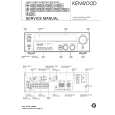
KRF-V5060D KENWOOD
Manual de Servicio

Manual de servicio completo en formato digital (archivo PDF). Los manuales de servicio por lo genera…
>
Parse Time: 0.5 - Number of Queries: 386 - Query Time: 0.226