WD1018 Quantity: 1
$4.99
» View Details
A803 Quantity: 1
$4.99
» View Details
CTV2833 Quantity: 1
$4.99
» View Details
FW-D1/21 Quantity: 1
$4.99
» View Details
ADA-7000 Quantity: 1
$4.99
» View Details
M580 Quantity: 1
$4.99
» View Details
VXS137 Quantity: 1
$4.99
» View Details
FINALE 90-26 Quantity: 1
$4.99
» View Details
14PT3822/69R Quantity: 1
$4.99
» View Details
S26W3 DF Quantity: 1
$4.99
» View Details
AVM 950 WP/BL/NL/FR Quantity: 1
$4.99
» View Details
TLG1412 Quantity: 1
$4.99
» View Details
HRJ3009UM Quantity: 1
$4.99
» View Details
575E-WP Quantity: 1
$4.99
» View Details
015301 Quantity: 1
$4.99
» View Details
7MLSQ8545PQ0 Quantity: 1
$4.99
» View Details
LITE TOUCH ZOOM 110 Quantity: 1
$4.99
» View Details
LOP 6050 IG Quantity: 1
$4.99
» View Details
RX-D202BJ Quantity: 1
$4.99
» View Details
CTX320YZ/YVJ Quantity: 1
$4.99
» View Details
AWV 689 Quantity: 1
$4.99
» View Details
SADX1040 Quantity: 1
$4.99
» View Details
XR-VS500D/DBXJ Quantity: 1
$4.99
» View Details
DCR-DVD308E LEVEL2 Quantity: 1
$4.99
» View Details
V-DUOTWINSB Quantity: 1
$4.99
» View Details
SZ22MBW Quantity: 1
$4.99
» View Details
NNS944WFW Quantity: 1
$4.99
» View Details
SJPK58M Quantity: 1
$4.99
» View Details
HP4349/90 Quantity: 1
$4.99
» View Details
KDC9026R Quantity: 1
$4.99
» View Details
KXFP152 Quantity: 1
$4.99
» View Details
TLG1007 Quantity: 1
$4.99
» View Details
GSI 4743/3 TW-SW Quantity: 1
$4.99
» View Details
WAK 1600 EX/6 Quantity: 1
$4.99
» View Details
KTRS22KGAL00 Quantity: 1
$4.99
» View Details
ZGK20LV Quantity: 1
$4.99
» View Details
21GR9751 Quantity: 1
$4.99
» View Details
PROFIL 3272 Quantity: 1
$4.99
» View Details
KS-FX12WTJ Quantity: 1
$4.99
» View Details
220D-B Quantity: 1
$4.99
» View Details
KDCC603 Quantity: 1
$4.99
» View Details
83W JUPITER Quantity: 1
$4.99
» View Details
AKZ 322/IX Quantity: 1
$4.99
» View Details
SK-5 Quantity: 1
$4.99
» View Details
RF263LXTS0 Quantity: 1
$4.99
» View Details
CTRV425YZ Quantity: 1
$4.99
» View Details
XDDW7 Quantity: 1
$4.99
» View Details
Subtotal: $234.53
 
English Polski Spanish 
Buscar un manual
 

(p.Ej. AA-V20EG JVC, ZX-7 Sony)
PayPal 1000+ rating Secure, Encrypted Checkout.
 
Productos
Información
Destacado
Inicio >> SONY >> KP61PS1 Manual de Servicio
 
 47 artículo(s) en Su carrito 

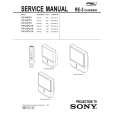
SONY KP61PS1
Manual de Servicio


¡Twitee acerca de este producto y obtenga $1.00 de crédito en la tienda para uso!
  • Contiene diagramas del circuito
  • Descargable
  • Formato PDF
  • Manual completo
  • Idiomas: English
Precio: $4.99

Descripción del SONY KP61PS1 Manual de Servicio

Manual de servicio completo en formato digital (archivo PDF). Los manuales de servicio por lo general contienen diagramas de circuitos, tarjetas de circuitos impresos, consejos para reparación, diagramas de cableado, diagramas de bloque y lista de refacciones. El Manual de Servicio (a veces llamado Manual de Reparación) es usado principalmente por los técnicos.

Si tan solo quiere saber cómo utilizar su televisión, reproductor de vídeo, reproductor de mp3, etc. Quizá lo que necesita es el Manual del Propietario. Después de colocar la orden le enviaremos las instrucciones de descarga a su dirección de e-mail.

The manual is available in languages: English

Not yet ready
You must purchase it first

Opiniones de los clientes
No hay comentarios de productos.

TEXT_PDF_SNIPPET
KP- 48PS1/53PS1/61PS1 48PS1K/53PS1K/61PS1K KRM-892
2. Blue Adjustment
1) Place a cap on the red lens so that green and blue colors are displayed. 2) Press �3� button on the commander to select BLU mode. 3) Adjust the following items so that blue lines overlap with green lines. � BLU CENT (horizontally/vertically) Adjust so that the pictures coincide in the center of screen.
Push the joystick to Push the joystick to

� BLU SIZE (horizontally/vertically) Adjust so that each distance from center to left end and to right end is equal. Adjust so that each distance from center to top and to bottom is equal.

Push the joystick to

Push the joystick to Push the joystick to Push the joystick to

Push the joystick to

Push the joystick to

� BLU PIN (vertically) Adjust so that upper and lower horizontal lines on the screen become straight.

� BLU SKEW (horizontally/vertically) Correct the tilt of horizontal lines and vertical lines.

Push the joystick to

Push the joystick to

Push the joystick to

Push the joystick to

� BLU KEY (vertically) Adjust so that upper and lower horizontal lines on the screen become parallel.

Push the joystick to

Push the joystick to
Push the joystick to Push the joystick to

� BLU LIN (horizontally) Adjust so that each space at the right end and at the left end of screen is equal.

4) Press �9� button on the commander to enter the fine adjustment mode. 5) Make fine adjustment so that horizontal lines and vertical lines overlap with green lines. 6) Press �9� button on the commander to return to the rough adjustment mode.

Push the joystick to

Push the joystick to

� 39 �

Quizás también quiera comprar

$4.99

KP61PS1 SONY
Manual de Usuario

Manual del propietario completo en formato digital. El manual estará disponible para descarga como …
>
Parse Time: 0.311 - Number of Queries: 283 - Query Time: 0.101