SW6S Quantity: 1
$4.99
» View Details
CT5398/BKCCA6CN Quantity: 1
$4.99
» View Details
VAMPYR751IELECTR. Quantity: 1
$4.99
» View Details
ERT1543 Quantity: 1
$4.99
» View Details
ACQ189XR0 Quantity: 1
$4.99
» View Details
SBCTT900/19U Quantity: 1
$4.99
» View Details
32PW6006/79R Quantity: 1
$4.99
» View Details
VPA138 Quantity: 1
$4.99
» View Details
TXSR601 Quantity: 1
$4.99
» View Details
SF-D20 Quantity: 1
$4.99
» View Details
SF350PSPW0 Quantity: 1
$4.99
» View Details
KT2651XBU1 Quantity: 1
$4.99
» View Details
RS25AWXBL01 Quantity: 1
$4.99
» View Details
LSQ9200LQ3 Quantity: 1
$4.99
» View Details
CLC950 Quantity: 1
$4.99
» View Details
RS610PXYH1 Quantity: 1
$4.99
» View Details
V7000 Quantity: 1
$4.99
» View Details
DVX100A Quantity: 1
$4.99
» View Details
BEOLAB 6000 Quantity: 1
$4.99
» View Details
RF386PXGW4 Quantity: 1
$4.99
» View Details
TLG8920B Quantity: 1
$4.99
» View Details
RS-M65 Quantity: 1
$4.99
» View Details
MT4110SPQ2 Quantity: 1
$4.99
» View Details
RF302BXYG2 Quantity: 1
$4.99
» View Details
SAPM37MDGCS Quantity: 1
$4.99
» View Details
AKR 987 AR Quantity: 1
$4.99
» View Details
569.917 8/40371 Quantity: 1
$4.99
» View Details
KBHV109PMT03 Quantity: 1
$4.99
» View Details
RF3600XYN3 Quantity: 1
$4.99
» View Details
AT900C Quantity: 1
$4.99
» View Details
HAB7BU/SL Quantity: 1
$4.99
» View Details
HDN P810 S Quantity: 1
$4.99
» View Details
S-C505/XMA/NC Quantity: 1
$4.99
» View Details
HR2067/00 Quantity: 1
$4.99
» View Details
KGCS166GSS2 Quantity: 1
$4.99
» View Details
VT 265 BL Quantity: 1
$4.99
» View Details
CD-VS33 Quantity: 1
$4.99
» View Details
CSDFD91 Quantity: 1
$4.99
» View Details
ST1000 Quantity: 1
$4.99
» View Details
SUD5100MQ0 Quantity: 1
$4.99
» View Details
MONTEVIDEO RCR 87 Quantity: 1
$4.99
» View Details
21PT1321/50T Quantity: 1
$4.99
» View Details
CD-964AX Quantity: 1
$4.99
» View Details
AEM697L2 Quantity: 1
$4.99
» View Details
VXT2020 Quantity: 1
$4.99
» View Details
LGT7848AQ0 Quantity: 1
$4.99
» View Details
EWF1025 Quantity: 1
$4.99
» View Details
CC-470TW Quantity: 1
$4.99
» View Details
PCGF250 Quantity: 1
$4.99
» View Details
TSW60S1 Quantity: 1
$4.99
» View Details
FRI992W-2 Quantity: 1
$4.99
» View Details
Subtotal: $254.49
 
English Polski Spanish 
Buscar un manual
 

(p.Ej. AA-V20EG JVC, ZX-7 Sony)
PayPal 1000+ rating Secure, Encrypted Checkout.
 
Productos
Información
Destacado
Inicio >> JVC >> HR-XV1EU-C Manual de Usuario
 
 51 artículo(s) en Su carrito 

JVC HR-XV1EU-C
Manual de Usuario


¡Twitee acerca de este producto y obtenga $1.00 de crédito en la tienda para uso!
  • Descargable
  • Formato PDF
  • Manual completo
  • Idiomas: English
Precio: $4.99

Descripción del JVC HR-XV1EU-C Manual de Usuario

Manual del propietario completo en formato digital. El manual estará disponible para descarga como archivo PDF después de que lo compre.

El Manual del Propietario (a veces llamado Manual del Usuario o Guía del Usuario) contiene información sobre cómo utilizar su dispositivo. Después de colocar la orden le enviaremos las instrucciones de descarga a su dirección de e-mail.

The manual is available in languages: English

Not yet ready
You must purchase it first

Opiniones de los clientes
No hay comentarios de productos.

TEXT_PDF_SNIPPET
Instant Timer Recording (ITR)
The instant timer recording feature provides a simple and convenient way to make a timed recording. Preparation: � Turn ON the TV and set to the video input mode. � Make sure TV/VCR/DVD switch has been slided to VCR/DVD. Then press VCR to select the VCR mode. (The VCR indicator will light)

1 Load a blank cassette tape with the
erase prevention tab intact. (The DVD/VCR will automatically turn on.)
VCR

2 Select the program (e.g.29) you want to record with PR +/� or
number keys. 1~9 : e.g. 5 = press �5� 10~80 : e.g. 29 = press �2� and �9�.
VCR

3 If a recording in Long Play mode is intended,28) press SPEED) to display "LP". (see note on page 4 Press 2 on the VCR or while holding 2, press

(TAPE

on the Remote to begin recording. Press 2 on the VCR again to stop recording after 30 minutes. Each additional press of 2 will increase recording time as shown in the chart below, up to a maximum of 5 hours. The ITR and ITR 0:30 recording time will appear on the CH 29 screen for about 4 seconds. And, STEREO SWF REC will keep blinking in the display.
VCR REC

�REC� will keep blinking in the display. Tape speed: SP Recording 5:00 0:30 4:00

INDEX

1:00 3:00 1:00 5:00

1:30 2:00 1:30 4:00 2:00 3:00

Tape speed: LP Recording 0:30 10:00 .......

To Extend the Recording Time
Note: � If you wish to watch the DVD playback during the ITR, press DVD to change to DVD mode and perform the DVD playback (see page 42). � If the tape supply has not sufficed for ITR recording, the clock symbol ( ) will blink at the tape-end and then VCR mode will change to DVD mode. In this case, press � to cancel the blink or press EJECT to remove the cassette tape. While holding 2, press . repeatedly until the desired time appears on the display.
ITR 1 : 30 CH 29 SWF

To stop the ITR
Press 3.

30

Quizás también quiera comprar

$4.99

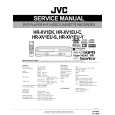
HRXV1EUC JVC
Manual de Servicio

Manual de servicio completo en formato digital (archivo PDF). Los manuales de servicio por lo genera…
>
Parse Time: 0.783 - Number of Queries: 290 - Query Time: 0.405