PD-7030 BK Quantity: 1
$4.99
» View Details
CSIG317 Quantity: 1
$4.99
» View Details
RM778PXT3 Quantity: 1
$4.99
» View Details
XLV333BK Quantity: 1
$4.99
» View Details
EH L1-3E WS Quantity: 1
$4.99
» View Details
CPDG220R Quantity: 1
$4.99
» View Details
HRS8900KR Quantity: 1
$4.99
» View Details
KUIS185JBS3 Quantity: 1
$4.99
» View Details
32PW6618/05 Quantity: 1
$4.99
» View Details
FVX900 Quantity: 1
$4.99
» View Details
BM-80 Quantity: 1
$4.99
» View Details
KSRE27FHSS00 Quantity: 1
$4.99
» View Details
WBE3411 A+W Quantity: 1
$4.99
» View Details
AR215 Quantity: 1
$4.99
» View Details
SF395LEEZ1 Quantity: 1
$4.99
» View Details
BSN 4706 SW Quantity: 1
$4.99
» View Details
KSRE27FHBT01 Quantity: 1
$4.99
» View Details
EHB338X Quantity: 1
$4.99
» View Details
CT3329/BSESA0EY Quantity: 1
$4.99
» View Details
IGV656.1 Quantity: 1
$4.99
» View Details
SM307H Quantity: 1
$4.99
» View Details
013.322.3 Quantity: 1
$4.99
» View Details
FC94W Quantity: 1
$4.99
» View Details
CTV1401 Quantity: 1
$4.99
» View Details
YSF315PEKQ2 Quantity: 1
$4.99
» View Details
ICF220 Quantity: 1
$4.99
» View Details
RB170PXXW2 Quantity: 1
$4.99
» View Details
LSP6244AN0 Quantity: 1
$4.99
» View Details
V300 Quantity: 1
$4.99
» View Details
ART 686 IX/LH Quantity: 1
$4.99
» View Details
20FT3010/37 Quantity: 1
$4.99
» View Details
TKS300 Quantity: 1
$4.99
» View Details
CT3329/BSHSA0BL Quantity: 1
$4.99
» View Details
QCP820 Quantity: 1
$4.99
» View Details
AWO/D 4520/P NPL WP Quantity: 1
$4.99
» View Details
8909CSA Quantity: 1
$4.99
» View Details
CMC903DS Quantity: 1
$4.99
» View Details
FC872 Quantity: 1
$4.99
» View Details
KRA STUTTGART Quantity: 1
$4.99
» View Details
Z1498 Quantity: 1
$4.99
» View Details
EGZ 3401 SW Quantity: 1
$4.99
» View Details
XT-40V Quantity: 1
$4.99
» View Details
045.627 7 Quantity: 1
$4.99
» View Details
AD25BBK0 Quantity: 1
$4.99
» View Details
GMC305PDT09 Quantity: 1
$4.99
» View Details
KXTHA19 Quantity: 1
$4.99
» View Details
SA3105/93 Quantity: 1
$4.99
» View Details
MC-DX25 Quantity: 1
$4.99
» View Details
GVW9959K0 Quantity: 1
$4.99
» View Details
G1000S Quantity: 1
$4.99
» View Details
B4457B0 Quantity: 1
$4.99
» View Details
AV-32X5SU/B Quantity: 1
$4.99
» View Details
RTW4100SQ0 Quantity: 1
$4.99
» View Details
1805134SERIE2 Quantity: 1
$4.99
» View Details
GSI 6497 WS Quantity: 1
$4.99
» View Details
KX-7050S Quantity: 1
$4.99
» View Details
CTV2013 Quantity: 1
$4.99
» View Details
ART 845/G Quantity: 1
$4.99
» View Details
KC160 Quantity: 1
$4.99
» View Details
ZK19/9R Quantity: 1
$4.99
» View Details
SLEH50/E/EP Quantity: 1
$4.99
» View Details
RF302BXYG0 Quantity: 1
$4.99
» View Details
AKZ 139/NB Quantity: 1
$4.99
» View Details
Subtotal: $314.37
 
English Polski Spanish 
Buscar un manual
 

(p.Ej. AA-V20EG JVC, ZX-7 Sony)
PayPal 1000+ rating Secure, Encrypted Checkout.
 
Productos
Información
Destacado
Inicio >> JVC >> HR-V505EF Manual de Usuario
 
 63 artículo(s) en Su carrito 

JVC HR-V505EF
Manual de Usuario


¡Twitee acerca de este producto y obtenga $1.00 de crédito en la tienda para uso!
  • Descargable
  • Formato PDF
  • Manual completo
  • Idiomas: English
Precio: $4.99

Descripción del JVC HR-V505EF Manual de Usuario

Manual del propietario completo en formato digital. El manual estará disponible para descarga como archivo PDF después de que lo compre.

El Manual del Propietario (a veces llamado Manual del Usuario o Guía del Usuario) contiene información sobre cómo utilizar su dispositivo. Después de colocar la orden le enviaremos las instrucciones de descarga a su dirección de e-mail.

The manual is available in languages: English

Not yet ready
You must purchase it first

Opiniones de los clientes
No hay comentarios de productos.

TEXT_PDF_SNIPPET
Timer Recording
Up to 7 timer recording programmes within a month can be made. Before starting: � Set the clock properly. ( 7) � Set �SYSTEM� to the appropriate mode. ( 4) � Load a cassette with the record safety tab intact. � If all the 7 programmes have already been set, �PROGRAM FULL� appears on the screen. � If there is a conflict in the timer schedule and one programme overlaps with another, the programme starting earlier will be recorded. If the start times are the same, the programme made most recently will be recorded. � If you wish to stop timer recording which has already started, press 1. � After timer recording is completed, the recorder enters the standby mode automatically. � If the tape reaches its end during timer recordings, the recorder stops recording, rewinds the tape and ejects the cassette, then enters the standby mode automatically. � You can programme the timer recording while a regular recording is in progress; the menu screens will not be recorded.

SHOWVIEW® Timer Programming
The SHOWVIEW numbers are the numbers next to the programme in most TV listing.

A Press SHOWVIEW to access the
SHOWVIEW number screen. � Press rt to select �ONCE� (once), �DAILY� (Monday�Friday) or �WEEKLY� (weekly serials).

NOTES:

B Press the appropriate number keys to

press OK. � If the number you entered is invalid, press w, then input a valid SHOWVIEW number.

input the SHOWVIEW number, then press OK. The program list appears. � If the number you entered is invalid, �PLEASE CHECK� appears on the screen. Input a valid SHOWVIEW number, then

C Check the settings. � If �- -� is displayed on the channel position, press w e to select �- -�, then press the number keys or rt to select the channel position you want to record manually. This channel position is registered to the recorder. � To change the channel position, press w e to select the �PR� setting, then press the number keys or rt to select the channel position you want to record manually. � To change the date, press w e to select the �DATE� setting, then press the appropriate number keys or rt. � To change the daily or weekly serials, press w e to select the �DATE� setting, then press OK. Press w e, then press OK. � To change the stop time, press w e to select the stop time. Press the appropriate number keys or rt. � To set VPS/PDC, press w e to select the space between the stop time and the tape speed, then press rt. If you set �VPS/PDC� to �ON�, � � appears. �VPS/PDC Recording� on page 13. � HR-V505/V506/V507E only To set the tape speed (SP/LP/IP), press w e to select the tape speed, then press rt. �Intelligent LP Recording (HR-V505/V506/V507E only)� on page 13. D Press MENU. Press MENU again to return to normal screen. E Press 1. The recorder enters timer standby mode. The timer
indicator and standby/record indicator light on the display panel. � If a cassette has not loaded when the recorder enters the timer standby mode, the timer indicator blinks on the display panel. To timer-record a satellite broadcast using the SHOWVIEW system:

A Perform steps 1 � 5. In step 3, set the channel position to
�AV2�. selected programme begins. C Leave the satellite receiver�s power on.

B Set the satellite receiver to the appropriate channel before the

� 12 �

Quizás también quiera comprar

$4.99

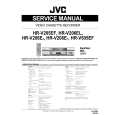
HRV505EF JVC
Manual de Servicio

Manual de servicio completo en formato digital (archivo PDF). Los manuales de servicio por lo genera…
>
Parse Time: 0.889 - Number of Queries: 339 - Query Time: 0.554