KEMI301GBL0 Quantity: 1
$4.99
» View Details
CQDF88EUC Quantity: 1
$4.99
» View Details
LER3622HQ0 Quantity: 1
$4.99
» View Details
GSI 4644 RW-WS Quantity: 1
$4.99
» View Details
GEC9858EQ0 Quantity: 1
$4.99
» View Details
8ET18NKXAG00 Quantity: 1
$4.99
» View Details
LA6800XKW1 Quantity: 1
$4.99
» View Details
AKR 673/WH/1 Quantity: 1
$4.99
» View Details
SA-HT744PC Quantity: 1
$4.99
» View Details
NNS735WF Quantity: 1
$4.99
» View Details
WD-1045FH Quantity: 1
$4.99
» View Details
ZFC269S Quantity: 1
$4.99
» View Details
XV-C20EM Quantity: 1
$4.99
» View Details
3ET18GMXFW03 Quantity: 1
$4.99
» View Details
ZDI6555W Quantity: 1
$4.99
» View Details
DABK7012 Quantity: 1
$4.99
» View Details
KXTS3282PDW Quantity: 1
$4.99
» View Details
YIER310RW1 Quantity: 1
$4.99
» View Details
7165SATUK Quantity: 1
$4.99
» View Details
MT600 Quantity: 1
$4.99
» View Details
AG-V3050 Quantity: 1
$4.99
» View Details
KEXM8506ZT Quantity: 1
$4.99
» View Details
SBT200 Quantity: 1
$4.99
» View Details
CE21DN9FC Quantity: 1
$4.99
» View Details
GEQ8811LL0 Quantity: 1
$4.99
» View Details
DVD633/F01 Quantity: 1
$4.99
» View Details
DRU124X1 Quantity: 1
$4.99
» View Details
RFO32 Quantity: 1
$4.99
» View Details
MT-40PA20G Quantity: 1
$4.99
» View Details
ET8CHKXKT01 Quantity: 1
$4.99
» View Details
DDE 5790 IN Quantity: 1
$4.99
» View Details
MD1772E Quantity: 1
$4.99
» View Details
225S Quantity: 1
$4.99
» View Details
KP26M1XBR5 Quantity: 1
$4.99
» View Details
GM-X524/XR/UC Quantity: 1
$4.99
» View Details
TX757 Quantity: 1
$4.99
» View Details
ET8MTKXKT07 Quantity: 1
$4.99
» View Details
7237MWN Quantity: 1
$4.99
» View Details
KAC959 Quantity: 1
$4.99
» View Details
SLS241CPX Quantity: 1
$4.99
» View Details
SO11 Quantity: 1
$4.99
» View Details
AKG656BB Quantity: 1
$4.99
» View Details
KSM90PSMY0 Quantity: 1
$4.99
» View Details
KX-TD283G Quantity: 1
$4.99
» View Details
42PFL7962D/12 Quantity: 1
$4.99
» View Details
XCST30CE Quantity: 1
$4.99
» View Details
SD-P4564-Q Quantity: 1
$4.99
» View Details
D190 Quantity: 1
$4.99
» View Details
FL 5055 Quantity: 1
$4.99
» View Details
PT-61SX60A Quantity: 1
$4.99
» View Details
HVFX8200 EH Quantity: 1
$4.99
» View Details
CT2810S Quantity: 1
$4.99
» View Details
CTV2157 Quantity: 1
$4.99
» View Details
Subtotal: $264.47
 
English Polski Spanish 
Buscar un manual
 

(p.Ej. AA-V20EG JVC, ZX-7 Sony)
PayPal 1000+ rating Secure, Encrypted Checkout.
 
Productos
Información
Destacado
Inicio >> JVC >> HR-S6955MS Manual de Usuario
 
 53 artículo(s) en Su carrito 

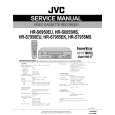
JVC HR-S6955MS
Manual de Usuario


¡Twitee acerca de este producto y obtenga $1.00 de crédito en la tienda para uso!
  • Descargable
  • Formato PDF
  • Manual completo
  • Idiomas: English
Precio: $4.99

Descripción del JVC HR-S6955MS Manual de Usuario

Manual del propietario completo en formato digital. El manual estará disponible para descarga como archivo PDF después de que lo compre.

El Manual del Propietario (a veces llamado Manual del Usuario o Guía del Usuario) contiene información sobre cómo utilizar su dispositivo. Después de colocar la orden le enviaremos las instrucciones de descarga a su dirección de e-mail.

The manual is available in languages: English

Not yet ready
You must purchase it first

Opiniones de los clientes
No hay comentarios de productos.

TEXT_PDF_SNIPPET
32 EN

TIMER RECORDING (cont.)
You can programme a timer recording that starts within 24 hours using the JOG dial on the recorder.

24 Hour Express Timer Programming
Before performing the 24 Hour Express Timer Programming:
� Make sure that the recorder�s built-in clock is set properly. � Insert a cassette with the safety tab in place. The recorder will come on automatically.

A Enter the programme mode.
Press 24H EXPRESS # on the recorder. The start time indicator ( ) starts blinking on the front display panel.

B Set the programme start/stop time and
channel.
Turn the JOG dial to the left or right to set the time you want recording to start.
� One click stop of the JOG dial changes the time in 5-minute intervals.

Push the JOG dial. The stop time indicator ( ) starts blinking on the front display panel. Turn the JOG dial to the left or right to set the time you want recording to stop.

Push the JOG dial. Turn the JOG dial to the left or right to select the channel you wish to record.

� You can cancel the setting at any time by pressing and holding the JOG dial for more than 3 seconds or pressing & on the remote control. Repeat the step 2. � To set the tape speed, press SP/LP/EP (p). The current setting for the tape speed appears on the display panel for about 5 seconds. Press SP/LP/EP (p) again to change the setting while tape speed is displayed. � You can programme this recorder to timer-record as many as 8 programmes. If you try to programme the recorder to record a ninth, �FULL� appears on the front display panel. To record the extra programme, you must first cancel any unnecessary programmes ( pg. 33). � If �Err� appears on the front display panel, repeat the above

NOTES:

C Engage the recorder�s timer mode.
Press 24H EXPRESS #. The recorder turns off automatically and �#� appears on the front display panel.
� To disengage the timer mode, press # (TIMER) or 24H EXPRESS # again.

steps again. � When a menu screen is shown, you cannot use 24 Hour Express Timer Programming function. Press MENU to return to normal screen, and try again. � You can use 24 Hour Express Timer Programming function also when the recorder is turned off. � For 24 Hour Express Timer Programming function, the programme overlap warning display does not appear even if some programmes overlap each other. The programme with the lower programme number will be recorded and the other one will not be recorded correctly.

Quizás también quiera comprar

$4.99

HRS6955MS JVC
Manual de Servicio

Manual de servicio completo en formato digital (archivo PDF). Los manuales de servicio por lo genera…
>
Parse Time: 1.752 - Number of Queries: 295 - Query Time: 0.979