MX970D Quantity: 1
$4.99
» View Details
CSC9BWN CUC9BWN5 Quantity: 1
$4.99
» View Details
CS-VS501 for AC Quantity: 1
$4.99
» View Details
VSX-D498 Quantity: 1
$4.99
» View Details
EL303W Quantity: 1
$4.99
» View Details
RCS3004GN0 Quantity: 1
$4.99
» View Details
EOB5632K Quantity: 1
$4.99
» View Details
HD4646/40 Quantity: 1
$4.99
» View Details
JC106 Quantity: 1
$4.99
» View Details
GR-D270EK Quantity: 1
$4.99
» View Details
KEBI271WBL1 Quantity: 1
$4.99
» View Details
CR-5000 Quantity: 1
$4.99
» View Details
VK201 Quantity: 1
$4.99
» View Details
VME15 Quantity: 1
$4.99
» View Details
ADPS 1331 WH Quantity: 1
$4.99
» View Details
970101A Quantity: 1
$4.99
» View Details
CFD-750 Quantity: 1
$4.99
» View Details
GXD758DT/WT Quantity: 1
$4.99
» View Details
GSFP 2159/1 WS Quantity: 1
$4.99
» View Details
FAVORIT3530W Quantity: 1
$4.99
» View Details
ED22GWXXW01 Quantity: 1
$4.99
» View Details
REX108 Quantity: 1
$4.99
» View Details
GTO626 Quantity: 1
$4.99
» View Details
EOB5632W EU R05 Quantity: 1
$4.99
» View Details
TYP58.. Quantity: 1
$4.99
» View Details
021.330 6/4627 Quantity: 1
$4.99
» View Details
SW505 XE Quantity: 1
$4.99
» View Details
AC 2 Quantity: 1
$4.99
» View Details
GT-M100 Quantity: 1
$4.99
» View Details
DU945PWKT1 Quantity: 1
$4.99
» View Details
WM0642H Quantity: 1
$4.99
» View Details
AL-61 Quantity: 1
$4.99
» View Details
AKM252/WH Quantity: 1
$4.99
» View Details
AFB 448/H Quantity: 1
$4.99
» View Details
SAT2L Quantity: 1
$4.99
» View Details
KD-S6350 Quantity: 1
$4.99
» View Details
SRD25TPE Quantity: 1
$4.99
» View Details
DU8700XB0 Quantity: 1
$4.99
» View Details
HM304 Quantity: 1
$4.99
» View Details
MINOR2000SPEC Quantity: 1
$4.99
» View Details
KF42WE610 Quantity: 1
$4.99
» View Details
ESZ 5962/IN Quantity: 1
$4.99
» View Details
VR62716 Quantity: 1
$4.99
» View Details
DDU100E Quantity: 1
$4.99
» View Details
RT-10K Quantity: 1
$4.99
» View Details
ET22DKXAW03 Quantity: 1
$4.99
» View Details
CAV1004AWW Quantity: 1
$4.99
» View Details
DWI 009 Quantity: 1
$4.99
» View Details
S-DV505 Quantity: 1
$4.99
» View Details
S28956 Quantity: 1
$4.99
» View Details
EOB6711X Quantity: 1
$4.99
» View Details
RF367LXMV0 Quantity: 1
$4.99
» View Details
21PT1664/58S Quantity: 1
$4.99
» View Details
KSRS22QAWH21 Quantity: 1
$4.99
» View Details
Subtotal: $269.46
 
English Polski Spanish 
Buscar un manual
 

(p.Ej. AA-V20EG JVC, ZX-7 Sony)
PayPal 1000+ rating Secure, Encrypted Checkout.
 
Productos
Información
Destacado
Inicio >> JVC >> HRJ686EN Manual de Servicio
 
 54 artículo(s) en Su carrito 

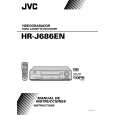
JVC HRJ686EN
Manual de Servicio


¡Twitee acerca de este producto y obtenga $1.00 de crédito en la tienda para uso!
  • Contiene diagramas del circuito
  • Descargable
  • Formato PDF
  • Manual completo
  • Idiomas: English
Precio: $4.99

Descripción del JVC HRJ686EN Manual de Servicio

Manual de servicio completo en formato digital (archivo PDF). Los manuales de servicio por lo general contienen diagramas de circuitos, tarjetas de circuitos impresos, consejos para reparación, diagramas de cableado, diagramas de bloque y lista de refacciones. El Manual de Servicio (a veces llamado Manual de Reparación) es usado principalmente por los técnicos.

Si tan solo quiere saber cómo utilizar su televisión, reproductor de vídeo, reproductor de mp3, etc. Quizá lo que necesita es el Manual del Propietario. Después de colocar la orden le enviaremos las instrucciones de descarga a su dirección de e-mail.

The manual is available in languages:

Not yet ready
You must purchase it first

Opiniones de los clientes
No hay comentarios de productos.

TEXT_PDF_SNIPPET
A

B

Level drop at the guide roller (supply side) C D

(3) Press the channel buttons (+, �) simultaneously to enter the manual tracking mode. This also brings tracking to the center (centre). (4) Adjust the AUDIO OUT waveform and Control pulse waveform by turning the screws (1), (2) and (3) little by little until both waveforms reach maximum. The screw (1) and (3) are for adjustment of tilt and the screw (2) for azimuth.
Head base

(2)

(1)

Level drop at the guide roller (take-up side)

Audio control head (3)

� Proper waveform variation: Always flat

AUDIO OUT � Improper waveform variation: Higher Lower CTL. P

Fig. 2-3-1c

Fig. 2-3-2a 2.3.3 Checking/Adjustment of the Audio Control Head Phase (X-Value)
Signal (A) [HR-J686EN] � Alignment tape(SP, stairstep, PAL) [MHPE]

Improper

Proper

(a) Guide roller

---------------------------------[HR-J686M] � Alignment tape(SP, stairstep, NTSC) [MHP]

(A) Mode Equipment Measuring point
(b) Guide pole

(B) (C) (D) (E) (F) (G) (H)

External trigger Adjustment part Specified value

Fig. 2-3-1d 2.3.2 Checking/Adjustment of the Height and Tilt of the Audio Control Head Note: � Set a temporary level of the height of the A/C head in advance to make the adjustment easier after the A/C head has been replaced. (See Fig.2-2-6c.)
Signal (A) (A) Mode Equipment Measuring point External trigger Adjustment part Specified value (B) (C) (D1) (D2) (E) (F) (G) [HR-J686EN] � Alignment tape(SP, stairstep, PAL) [MHPE]

Adjustment tool

� PB � Oscilloscope � TP106 (PB. FM) � TP111 (D.FF) � A/C head base [Mechanism assembly] � Maximum V.PB FM waveform � A/C head positioning tool [PTU94010]

---------------------------------[HR-J686M] � Alignment tape(SP, stairstep, NTSC) [MHP]

(1) Play back the alignment tape (A1). (2) Apply the external trigger signal to D.FF (E), to observe the V.PB FM waveform at the measuring point (D). (3) Press the channel buttons (+, �) simultaneously to enter the manual tracking mode. This also brings tracking to the center (centre). (4) Loosen the screws (4) and (5), then set the A/C head positioning tool to the innermost projected part of the A/ C head. (See Fig. 2-3-3a.) (5) Turn the A/C head positioning tool fully toward the capstan. Then turn it back gradually toward the drum and stop on the second peak point position of the V.PB FM waveform output level. Then tighten the screws (4) and (5). (6) Perform the tracking operation and make sure that the V.PB FM waveform is at its maximum. If it is not at maximum, loosen the screws (4) and (5), and turn the A/C head positioning tool to bring the A/C head to a position, around where the waveform reaches its maximum for the first time. Then tighten the screws (4) and (5).

� PB � Oscilloscope � AUDIO OUT terminal � TP4001 (CTL. P) � TP111 (D.FF) � A/C head [Mechanism assembly] � Maximum waveform

(1) Play back the alignment tape (A). (2) Apply the external trigger signal to D.FF (E), to observe the AUDIO OUT waveform and Control pulse waveform at the measuring points (D1) and (D2) in the ALT mode. 2-17

Quizás también quiera comprar

$4.99

HRJ686EN JVC
Manual de Usuario

Manual del propietario completo en formato digital. El manual estará disponible para descarga como …
>
Parse Time: 1.308 - Number of Queries: 305 - Query Time: 0.727