KGSA907PBL00 Quantity: 1
$4.99
» View Details
KG 271 A+ IO Quantity: 1
$4.99
» View Details
AWO/D 4516 WP Quantity: 1
$4.99
» View Details
TKR 691 Quantity: 1
$4.99
» View Details
WBH240 Quantity: 1
$4.99
» View Details
S-MS500T2-LRXJME Quantity: 1
$4.99
» View Details
HX7251/69 Quantity: 1
$4.99
» View Details
AWO/D 8751 W Quantity: 1
$4.99
» View Details
WV-F10 Quantity: 1
$4.99
» View Details
HS015/13 Quantity: 1
$4.99
» View Details
PO76C Quantity: 1
$4.99
» View Details
AVM 561/WH Quantity: 1
$4.99
» View Details
MT 747 / 2/ IX Quantity: 1
$4.99
» View Details
KSRJ22CNBT01 Quantity: 1
$4.99
» View Details
TX51P400X Quantity: 1
$4.99
» View Details
CT9A9WSLV/40 Quantity: 1
$4.99
» View Details
MHCBX7 Quantity: 1
$4.99
» View Details
TGR51W0YN2 Quantity: 1
$4.99
» View Details
TK-S549 Quantity: 1
$4.99
» View Details
KXTCD437RU Quantity: 1
$4.99
» View Details
KECC056RBL00 Quantity: 1
$4.99
» View Details
FC931 Quantity: 1
$4.99
» View Details
VSX-1014TX-K/KUXJC Quantity: 1
$4.99
» View Details
YMH2175XSQ1 Quantity: 1
$4.99
» View Details
LFV879 Quantity: 1
$4.99
» View Details
ZFT50LR Quantity: 1
$4.99
» View Details
PDM406 Quantity: 1
$4.99
» View Details
MT 226/NOIR Quantity: 1
$4.99
» View Details
SE501SV Quantity: 1
$4.99
» View Details
Di110TCR Quantity: 1
$4.99
» View Details
ET21MMXJW00 Quantity: 1
$4.99
» View Details
DPVR-6630D Quantity: 1
$4.99
» View Details
Subtotal: $159.68
 
English Polski Spanish 
Buscar un manual
 

(p.Ej. AA-V20EG JVC, ZX-7 Sony)
PayPal 1000+ rating Secure, Encrypted Checkout.
 
Productos
Información
Destacado
Inicio >> JVC >> HR-J470EK Manual de Usuario
 
 32 artículo(s) en Su carrito 

JVC HR-J470EK
Manual de Usuario


¡Twitee acerca de este producto y obtenga $1.00 de crédito en la tienda para uso!
  • Descargable
  • Formato PDF
  • Manual completo
  • Idiomas: English
Precio: $4.99

Descripción del JVC HR-J470EK Manual de Usuario

Manual del propietario completo en formato digital. El manual estará disponible para descarga como archivo PDF después de que lo compre.

El Manual del Propietario (a veces llamado Manual del Usuario o Guía del Usuario) contiene información sobre cómo utilizar su dispositivo. Después de colocar la orden le enviaremos las instrucciones de descarga a su dirección de e-mail.

The manual is available in languages: English

Not yet ready
You must purchase it first

Opiniones de los clientes
No hay comentarios de productos.

TEXT_PDF_SNIPPET
15
Record One Programme While Watching Another

SELECT PRESET TO WATCH

1

PR+/�

Once recording is in progress, all you need to do is to set the preset controls on the TV for the station you wish to view.

�

�

� The programme selected with the TV�s preset controls appears on the TV screen while the one selected with the recorder's PR buttons is recorded on the tape.
R EC O R D

Elapsed Recording Time Indication
You can check the exact time of a recording.

� �:� �

: � �

� �:� �

SET COUNTER DISPLAY

1 4 7
0000

2 5 8 0

3
2

1
4

Press � �:� � until a counter reading appears on the display panel.

6 9

RESET COUNTER
Press 0000 before starting recording or playback.

2
PR

� The counter is reset to �0:00:00� and shows the exact elapsed time as the tape runs.

1

?

Instant Timer Recording (ITR)
This easy method allows you to record for any length of time from 30 mins. to 6 hours (selectable in 30-min. increments), and shuts off the recorder after recording is finished.
3

START RECORDING

Tape Remaining Time

1 2 3

Press RECORD on the recorder.

ENGAGE ITR MODE
Press RECORD again. " the front display panel. " blinks and 0:30 appears on

1

DISPLAY REMAINING TIME
Press � �:� � until the time remaining on the tape appears. � The display panel shows the tape remaining time with " " displayed. � By pressing the � �:� � button, you can change the display to show the counter reading, preset position*, clock time or tape remaining time.
* Preset position is not displayed during playback.

SET RECORDING DURATION
If you want to record for more than 30 minutes, press RECORD to extend the time. Each press extends recording time by 30 minutes.

NOTE:
You can only perform ITR using the RECORD button on the recorder's front panel.

NOTE:
Depending on the type of tape used, there may be times when the tape remaining time reading may not appear right away, or is not correct. "� �:� �" may sometimes appear, or the display may blink on occasion.

Quizás también quiera comprar

$4.99

HRJ470EK JVC
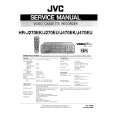
Manual de Servicio

Manual de servicio completo en formato digital (archivo PDF). Los manuales de servicio por lo genera…
>
Parse Time: 0.313 - Number of Queries: 212 - Query Time: 0.062