A-220 Quantity: 1
$4.99
» View Details
BZG-5 ZD5GNDM Quantity: 1
$4.99
» View Details
13TVCRMKIV Quantity: 1
$4.99
» View Details
NEPTUN M750 Quantity: 1
$4.99
» View Details
TCT2256R Quantity: 1
$4.99
» View Details
21HV12S Quantity: 1
$4.99
» View Details
14ML10C Quantity: 1
$4.99
» View Details
AQUA14GP Quantity: 1
$4.99
» View Details
BA9000 Quantity: 1
$4.99
» View Details
302 Quantity: 1
$4.99
» View Details
CDM4333 Quantity: 1
$4.99
» View Details
Subtotal: $54.89
 
English Polski Spanish 
Buscar un manual
 

(p.Ej. AA-V20EG JVC, ZX-7 Sony)
PayPal 1000+ rating Secure, Encrypted Checkout.
 
Productos
Información
Destacado
Inicio >> KENWOOD >> HM-582MD Manual de Servicio
 
 11 artículo(s) en Su carrito 

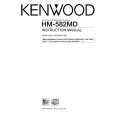
KENWOOD HM-582MD
Manual de Servicio


¡Twitee acerca de este producto y obtenga $1.00 de crédito en la tienda para uso!
  • Contiene diagramas del circuito
  • Descargable
  • Formato PDF
  • Manual completo
  • Idiomas: English
Precio: $4.99

Descripción del KENWOOD HM-582MD Manual de Servicio

Manual de servicio completo en formato digital (archivo PDF). Los manuales de servicio por lo general contienen diagramas de circuitos, tarjetas de circuitos impresos, consejos para reparación, diagramas de cableado, diagramas de bloque y lista de refacciones. El Manual de Servicio (a veces llamado Manual de Reparación) es usado principalmente por los técnicos.

Si tan solo quiere saber cómo utilizar su televisión, reproductor de vídeo, reproductor de mp3, etc. Quizá lo que necesita es el Manual del Propietario. Después de colocar la orden le enviaremos las instrucciones de descarga a su dirección de e-mail.

The manual is available in languages: English

Not yet ready
You must purchase it first

Opiniones de los clientes
No hay comentarios de productos.

TEXT_PDF_SNIPPET
RD-M52MD/M72MD
ADJUSTMENT
CD section
NO. ITEM INPUT SETTINGS OUTPUT SETTINGS CD PLAYER SETTINGS ALIGNMENT ALIGN FOR FIG.

TEST MODE : While pressing the CD PLAY/PAUSE key ,plug the power cord into the AC power wall output. Load the TEST DISC. [1] LASER CURRENT CHECK Test disc type 4 Connect the DC voltmeter between 3 and 4 of CN4 on X29. Connect an oscilloscope as follows. CH1:RF(X29, CN4, 1) GND:VC(X29, CN4, 2) Connect an oscilloscope as follows. CH1:RF(X29, CN4, 1) GND:VC(X29, CN4, 2) Note: � Type 4disc: SONY YEDS -18 Test Disc or equivalent. � Keep the step of adjustment. Press the PLAY/PAUSE key to check that the display is 03 or05. 50±20mA

[2]

FOCUS ERROR BIAS (Set up vertically) FOCUS ERROR BIAS (Set up horizontally)

Test disc type 4

Press the PLAY/PAUSE key . Confirm that the display is 05. Press the PLAY/PAUSE key . Confirm that the display is 05.

FE BIAS VR 1 (V/H version only) FE BIAS VR 2

Optimum eye pattern

[3]

Test disc type 4

Optimum eye pattern

10

Quizás también quiera comprar

$4.99

HM-582MD KENWOOD
Manual de Usuario

Manual del propietario completo en formato digital. El manual estará disponible para descarga como …
>
Parse Time: 1.072 - Number of Queries: 147 - Query Time: 0.588